Digital Camera World Verdict
I feel that under the skin, the Yashica City 300 has the same core components as the Yashica FX-D 300, but with more modern compact camera styling instead of imitating an old-school SLR. It’s slim, lightweight and quite fun to use but ultimately, image quality could be rather better.
Reasons to buy
- +
50 megapixels – good?
- +
Optical image stabilizer
- +
Flip-around screen
- +
Compact and lightweight
Reasons to avoid
- -
50 megapixels - bad
- -
Physically small sensor
- -
Mediocre image quality
- -
Fixed optical focal length
Why you can trust Digital Camera World Our expert reviewers spend hours testing and comparing products and services so you can choose the best for you. Find out how we test.
Yashica is a camera brand with a lot of history. It launched its first twin-lens reflex back in 1953, and the highly acclaimed, robust and rugged FX-3 SLR film camera in 1979. The latter is mimicked by the retro styled Yashica FX-D 300 digital camera, at least in exterior styling, although the plastic compact camera bears no resemblance to its forebear beneath the surface. The latter-day brand itself has nothing to do with the original, as the Yashica name is being used under license by a Hong Kong-based company. The Yashica City 300 that I’m reviewing here shares much of the same DNA as the FX-D model, including what seems to be the same image sensor, processor, lens and rear screen.
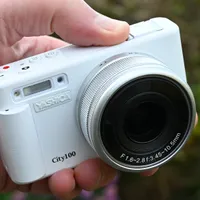
However, the City 300 looks more like a regular compact camera than a would-be SLR. It actually sits at the pinnacle of Yashica’s City range, which includes the City 100 and the City 200. Both of those cameras have a smaller 13 megapixel 1/3" CMOS image sensor and a 3x or 10x optical zoom lens respectively.
The City 300 has a larger (but still physically small) 50 megapixel 1/1.56" CMOS image sensor, the likes of which you might find in a smartphone. It also has a fixed rather than zoom lens. It aims to be one the best cheap cameras on the market, so let’s see how it measures up.

Yashica City 300: Specifications
Photo Resolution |
50MP native |
Video Resolution |
4K30 |
Image Sensor |
50MP, 1/1.56" CMOS |
Selfie mirror |
Flip screen |
Display |
2.8-inch flip LCD |
Touchscreen |
No |
Battery |
Li-ion |
Connections |
USB-C, Mic |
Size (WHD) |
106 x 60 x 45mm |
Weight |
193g |
Yashica City 300: Price
The Yashica City 300 definitely isn’t what I’d call a ‘cheap camera’. The list price $420 / £330 / AU$665, which is a fair bit more than for the City 100 at $260 / £195 / AU$443 and the City 200 at $300 / £255 / AU$524, although it costs a little less to buy than the FX-D 300. The City 300 itself looks and feels like a mash-up of the FX-D 300 and the City 200, so the price seems pretty fair on paper. Naturally, the proof of the pudding is in the eating, or in this case, the picture quality.
Yashica City 300: Design & Handling
I’m not generally one to quote manufacturers’ advertising but I’ll make an exception. Yashica says, “Discover the Yashica City 300, the ultimate tool for photographers who demand excellence. With a professional-grade 50MP native sensor, this camera is built to capture the world just as you see it.” Those are bold claims indeed, and I feel it’s a massive stretch of the imagination to describe a 1/1.56" image sensor as ‘professional-grade’. I wasn’t impressed by the coupling of the same sensor and lens when I reviewed the Yashica FX-D 300, but more on that later. For now, let’s just say that cameras with professional-grade 50MP image sensors (or thereabouts) put me more in mind of the likes of the Nikon Z8 and Canon EOS R5 Mark II, which are naturally way more expensive to buy.

As with any digital compact rather than interchangeable-lens camera, the image sensor is buried away inside and not to be seen. The lens, on the other hand is much more accessible, being front and center, or rather positioned towards the edge of the front panel. It has a fixed focal length, equivalent to 24mm in full-frame terms. I think that’s a good choice as it enables a usefully wide viewing angle. Perhaps a surprisingly for a prime lens, it has a control ring that rotates along with markings of ‘D’ along with 24, 35, 50 and 60.

The gist is that the D setting enables digital zoom via a rocker switch on the top panel. Alternatively, you can step through ‘effective’ focal lengths of 24mm, 35mm, 50mm and 60mm using the control ring. What’s actually happening is a ‘crop to zoom’ facility, which crops the image frame progressively at greater digital zoom settings. For example, while you get a full 50MP at 24mm, that shrinks to 24MP at 35mm, 12MP at 50mm and just 8MP at 60mm. To me, that seems like a very poor substitute for an optical zoom lens and there’s likely to be serious loss of image quality with such aggressive cropping at the long end of the ‘digital zoom’ range.

On the plus side, there’s a major bonus in the City 300’s fixed lens, compared with the 3x zoom of the City 100 and 10x zoom of the City 200. That’s the addition of optical image stabilization, which works on three axes, whereas the other cameras have none. Considering that the City 200 zooms to a maximum effective focal length of 338mm, stabilization can be sorely missed. Another advantage is that the fixed lens enables a rather slimmer form factor than the for the other two cameras with their zoom lenses.

One thing that’s lacking in the City 300 is a built-in flash, which is featured in the City 100 and City 200 cameras. All three have a hot-shoe up top but the City 300 is only one to be supplied complete with a mini flash that slots into the shoe.

Along with the hot-shoe on one side of the top panel, there’s a built-in microphone and a set of control buttons for power on/off, auto exposure/autofocus lock and shooting modes, along with separate buttons for the shutter release and video recording start/stop. There’s also a rocker switch marked W/T, for digital zoom. The buttons and rocker switch, as well as the hot-shoe and mic, have an identical placement to those of the City 200.

Moving around to the left hand side of the camera, there’s a 2.5mm mini-jack socket for connecting an external microphone, and a USB-C port. The latter enables data transfer for downloading images and video clips, as well as in-camera charging of the removable Li-ion battery.

Around the back, the camera again looks just like the black version of the City 200. There’s a 2.8” screen which can flip around to face the front, and be positioned any angle in between. It’s all but essential for selfies and vlogging. You might feel it’s a shame that it’s not a touchscreen but the omission perhaps isn’t surprising at this price point.

While the screen takes up most of the back panel, there’s a thumb-rest to enhance handling. Beneath this is a conventional set of buttons and a 4-way pad with an OK button at its center. The arrangement gives easy access to the menu system, display options, exposure compensation and playback mode, the last of these complete with a Delete button.

The bottom of the camera features a metal tripod socket with a standard 1/4” thread, and a hinged flap with a lock/release slider for access to the battery and memory card. The memory card slot caters to microSD cards, with a recommended maximum capacity of 256GB. I’m glad that the battery is removeable rather than being a fixed internal type, as this makes it possible to buy a spare for lengthy shoots or for taking on your travels.

Sometimes I feel that even the most expensive cameras come with an almost embarrassing lack of bundled accessories. That’s not the case here, as the City 300 has a bunch of little extras in the box. These include the ‘QuickFlash’ module I’ve mentioned already, plus wrist strap, storage pouch, cleaning cloth, USB charging cable and even a key chain.

Yashica City 300: Performance
Bold claims give rise to big expectations. The advertised ‘professional-grade 50MP native sensor’ in such a budget-friendly camera would have got me seriously excited, had I not already tested a pre-production version of the Yashica FX-D 300, which I can only assume has the exact same image sensor. As with that camera, I found that shooting at the default resolution of 50MP left a lot to be desired in terms of image quality.
On the plus side, if you’re shooting under good lighting conditions, you can expect bold color rendition and good vibrancy even in the Standard picture style of ‘filter’. Other filters are available for different image treatments and overall, photos look good on the surface. However, if you zoom in to images on a computer screen, they soon start looking very blotchy and pixelated, with a real absence of fine detail and texture. ‘Pixel peeping’ will result in serious disappointment. To give some numerical credence to this, I shot a detailed landscape scene at 50MP in the maximum ‘super fine’ JPEG quality setting, and resulted in an image file with a data size of a mere 10MB, suggesting a distinct absence of fine detail.

Other resolution options when shooting stills in JPEG quality modes are 12MP and 24MP. I found that photos still had an interpolated look to them at the 24MP setting and the best results were gained at the lowest 12MP resolution setting. A notable difference between this camera and the other City models as well as the more similar FX-D 300, is that you can capture stills in RAW + JPEG quality mode on the City 300, instead of just in JPEG. RAW files are captured in the Adobe DNG (Digital Negative) format. Interestingly, when I shot in RAW + JPEG, I found that the resolution options were disabled in the shooting menu, and that all the resulting RAW images and most of the JPEGs were saved at a resolution of just 12MP, with a random few of the JPEGs stretching to higher resolutions.
As I’ve mentioned, if you shoot at longer focal lengths than the standard 24mm, the image frame is cropped anyway, resulting in lower megapixel counts. The quality therefore doesn’t increase with lower numbers of megapixels, as they’re cropped from 50MP frames. To show how it all works out, the following gallery of images was taken of the same scene from the same vantage point. It starts off with a wide-angle image taken at 24mm (50MP), moving on through 35mm (24MP), then 50mm (12MP) and finally at 60mm (8MP).


Along with the various shooting modes, there’s an HDR (High Dynamic Range) mode which is more ideal for high-contrast scenes. There are also various scene modes comprising landscape, portrait, sports, night portrait, night scene, food, sunset, backlight and high-ISO. This helps you optimize the camera’s performance for different shooting scenarios, at least up to a point.
Cramming so many megapixels onto such a physically small image sensor comes with the risk of poor signal-to-noise performance. The City 300 does a lot better than some cheap compact cameras that I’ve used, for keeping image noise at bay. I was quite impressed that it delivers reasonably detailed images with restrained noise all the way up to its maximum sensitivity setting of ISO 3200.
The example images in the gallery below were taken of a model motorcycle indoors, under low-level ambient lighting. I used all sensitivity settings from the lowest ISO 100 up to the highest ISO 3200 in the range. The ISO 100 image is quite dark, despite applying +0.67EV of exposure compensations. You’ll notice that image noise and the retention of fine detail become progressively worse as I’ve gone up through the sensitivity range, but results remain reasonably good until the end.


Yashica City 300: Sample Images
The following example shots were taken in the English city of Wells, including the marketplace, Bishop’s Palace Gardens and the cathedral. Weather conditions for all of the outdoor shots was bright and sunny, while the interior shot of the cathedral was taken with just indoor ambient lighting.


Yashica City 300: Video
The camera’s maximum video resolution maxes out at 4K30. Smaller available options include 2.7K at 60fps or 30fps, and 1080p or 720p, both at 120fps, 60fps or 30fps. The file format for all of them is MP4/H.264. The camera features an internal microphone plus a standard mini-jack socket for an external mic. Image stabilization is on the menu as an options, with other video functions that include slow-motion recording, loop recording, time-lapse recording and pre-recording.
Yashica City 300: Verdict
I’m not convinced about the quality of this camera. The Yashica City 300 is certainly compact, lightweight and easy to use, making it a fun little camera that I can take pretty much anywhere and everywhere. The flip-around rear screen is useful for selfies and vlogging, and it comes with a neat range of extras including a swiveling mini-flash. The two minus points for me are that I don’t think the physically small mobile phone-alike 50MP image sensor does the camera any favors in terms of image quality, and for this type of camera I’d prefer the versatility of a zoom rather than fixed focal length lens. Form the Yashica City range overall, I’d go for the least expensive City 100 camera with its 13MP sensor and 3x optical zoom range.
Features ★★★☆☆ |
The 50MP image sensor and fixed focal length lens are mixed blessings but OIS and the flip-around rear screen are useful features. |
Design ★★★★☆ |
The black finish looks more up-market than the white versions of the City 100 and 200. It’s a compact and lightweight camera with beginner-friendly controls. |
Performance ★★★☆☆ |
It’s hard to see the performance benefit of a 50MP camera when you need to drop to 12MP for its best image quality. |
Value ★★★☆☆ |
It’s certainly not a ‘cheap’ camera and commands a relatively high purchase price, making it average value for money. |

Alternatives