
With one of the best cameras for stop motion animation, you can produce spectacular animated movies using the simplest of materials.
Stop-motion involves simply sequencing a series of still images, and manipulating objects between each frame, creating the illusion of movement. Famous examples include Wes Anderson’s Isle of Dogs and Aardman Animations’ Wallace and Gromit.
Whether you want to use a smartphone or a full-on system camera, there are plenty of viable options for your movie-making – the main thing it requires from you is patience! I've picked out a selection of phones and cameras that will make life easier when it comes to stop-motion animation.
All the phones cameras on this list are compatible with either stop-motion apps or dedicated stop-motion software like Dragonframe.
It's worth noting that Canon offers specific stop-motion firmware for certain cameras, so they are highly represented here. Scroll to the bottom of this guide for more on how to choose a stop motion camera. And for more moviemaking magic, don't miss our guide to the best cameras for video.
The quick list

An excellent camera for stop motion that you might already own, the Google Pixel 10 Pro offers excellent camera quality with 12-bit RAW shooting – though the macro mode takes some practice

The iPhone 17 Pro is great for stop-motion shooters who prefer the Apple ecosystem. There are plenty of stop-motion apps for iOS, and the generous storage options will likely come in handy.

If you want to use a webcam for stop motion animation, Logitech's Bro offers 4K resolution, as well as manual controls via software – good for shot-to-shot consistency. One of the cheapest ways to get started.

If you want to use a serious camera but are lacking in budget and/or experience, a cheap beginner mirrorless like the Canon EOS R100 is a sound bet. It is compatible with Canon's own stop-motion firmware.

Fujifilm's X-S20 is a do-it-all hybrid camera that produces images of sublime quality, benefiting from some of the best color science in the business. It also offers a terrific lens range – though it's not the cheapest.

Canon's full-frame content creation powerhouse delivers superb image quality and features, adaptability to modern mirrorless or classic (and affordable) DSLR lenses, as well as dedicated Canon-made stop-motion firmware.
Load more products ↴

The Sony A7R series of full-frame cameras are known for offering ultra-high megapixel counts. If you want to work with high-res imagery, the Sony A7R IV is a good bet, offering 61MP of dazzling detail.

The Panasonic Lumix GH7 is a capable and versatile mirrorless camera that gives you access to the extended system of Micro Four Thirds lenses.
The best cameras for stop-motion animation
Why you can trust Digital Camera World Our expert reviewers spend hours testing and comparing products and services so you can choose the best for you. Find out how we test.
Best smartphone

As the old saying goes, the best camera is the one you have with you, and most people now have a very capable camera in their pocket at all times. If you're looking for a new smartphone that could pull double-duty as a camera for stop-motion animation projects, I'd definitely recommend the Google Pixel 10 Pro, or indeed the Pixel 10 Pro if you'd like a bigger screen.
There are plenty of useful resources for shooting stop-motion on your phone – Stop Motion Studio is a decent app with a free tier, available for both Android and iOS. The Pixel 10 Pro is an ideal option for taking advantage of such an app, boasting as it does, a triple-camera array consisting of a 48MP ultra-wide camera, a 50MP primary camera, and a 48MP telephoto camera. The ultra-wide also benefits from a macro focusing mode, though as Gareth found in his full review, it can be a little temperamental, switching without warning between lenses as you get closer to the subject.
You can shoot natively in 12-bit RAW in the standard camera app, as well as lock the exposure and white balance across shots – though there are plenty of Android apps that will offer you more granular control. Also, be aware that as this is part of the latest generation of Pixel phones, it is one of the more expensive options – the Pixel 8 Pro or Pixel 9 Pro may be worth looking at if you're on a budget, especially if you're willing to shop refurbished
Read our full review of the Google Pixel 10 Pro / Pro XL.
Best iPhone for stop-motion animation

For those that are already iPhone owners, you have a very good camera you can begin shooting with right away. The iPhone 17 Pro Max is the top-end flagship of the latest generation – if you don't own one, you've likely seen a few out and about in that distinctive orange trim.
Just as with Android, there are also a number of dedicated stop-motion apps available for the iOS ecosystem, including Stop Motion Studio. The impressive main camera produces punchy images with that Apple sheen that for many users, just can't be beat. You can tweak tone and color before shooting to make sure you get the exact right look you want for your stop-motion shots – and you can choose from a number of presets if desired, which is a good way to keep your images looking consistent from shot to shot.
Apple's upgraded A19 processor gibes the iPhone 17 Pro Max a real smoothness in operation, as Adam found in our review. Stop-motion filmmaking is going to involve capturing hundreds of images, and so it pays to have a phone that isn't going to stutter at the high volume. The generous storage options will also be a help here – you can go up to 2TB if desired!
You can output images in Apple's ProRAW format natively from the camera app, although there are some automated tweaks applied, but the App Store offers a number of more controlled shooting applications such as Halide – a pro shooting app that promises zero AI and minimal automated post-processing to give you as much granular control as possible.
If the iPhone 17 Pro Max is beyond your budget, you may have some luck finding cheaper versions of older handsets like the iPhone 15 Pro, though be aware that you don't get the same detailed level of tone and color control.
Read our full review of the Apple iPhone 17 Pro
Best webcam for stop motion animation

Although most professional stop motion animation is done using professional stills cameras, a webcam such as the Logitech Brio 4K Pro offers beginners an easy way to get started. Unlike many other webcams only really suitable for live streaming or zoom calls, the BRIO Pro offers 4K 30p resolution and frame rate. Some manual controls are available via the install software which helps to retain consistent exposure and color between stills photos. An upside to using a webcam is that extra peripheral purchases aren't required as there are no lenses’ to interchange and the camera is powered by USB, through which it also transmits image data - making it a good plug-and-play option.
See also: Best Logitech webcams
Best camera for beginners
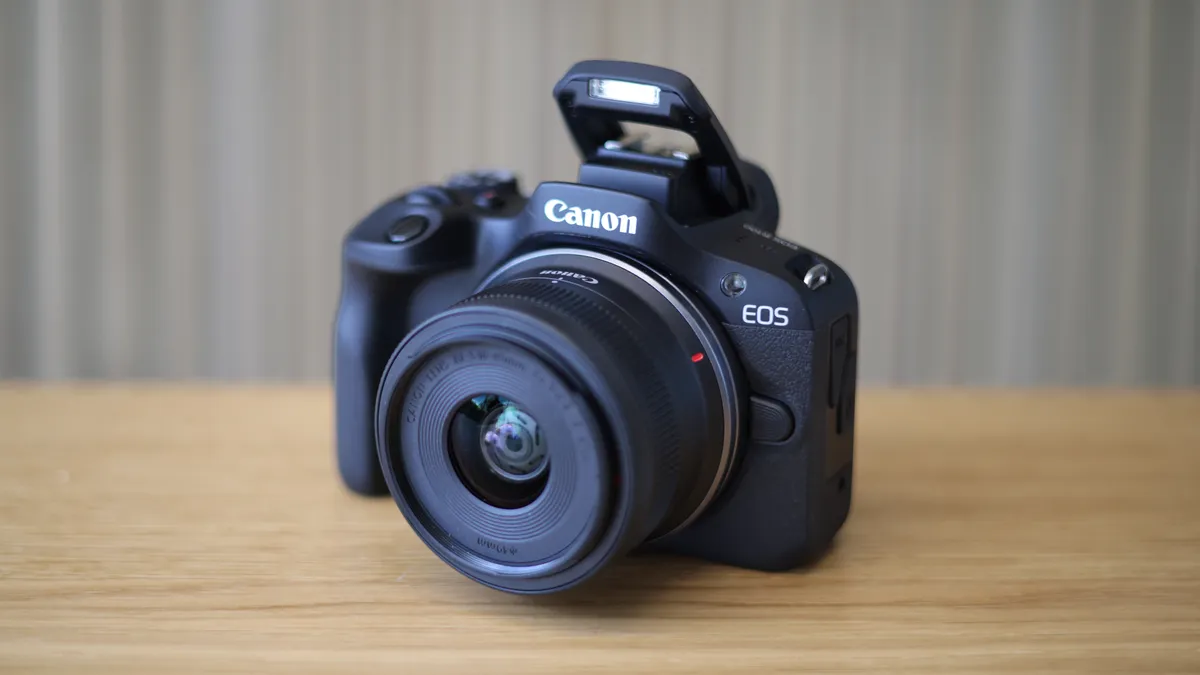
The Canon EOS R100 is one of the most affordable mirrorless cameras you can buy, and is the best beginner's route into the EOS R system. And what's more, it also happens to be a great choice for stop-motion.
It is compatible with the Dragonframe stop-motion software, and Canon offers specific stop-motion firmware for the EOS R100 (costing $100/£83.10), helping with the integration between camera and computer. It boosts the live view resolution up to 1920 x 1280, outputting via the camera's USB connection.
With the firmware installed , it offers manual focus peaking and focus position memory is enabled when using any RF lens. Focus and aperture lock can also be controlled with stop motion software to save handling the camera during shooting and misaligning composition.
Producing strong, vibrant imagery via its 24.1MP APS-C sensor, and offering a broad lens selection from the RF and EF lens mounts (the latter usable via an adapter), the EOS R100 is a brilliantly inexpensive choice for getting started with stop-motion filmmaking.
Read our full Canon EOS R100 review
Best mid-range camera for stop motion
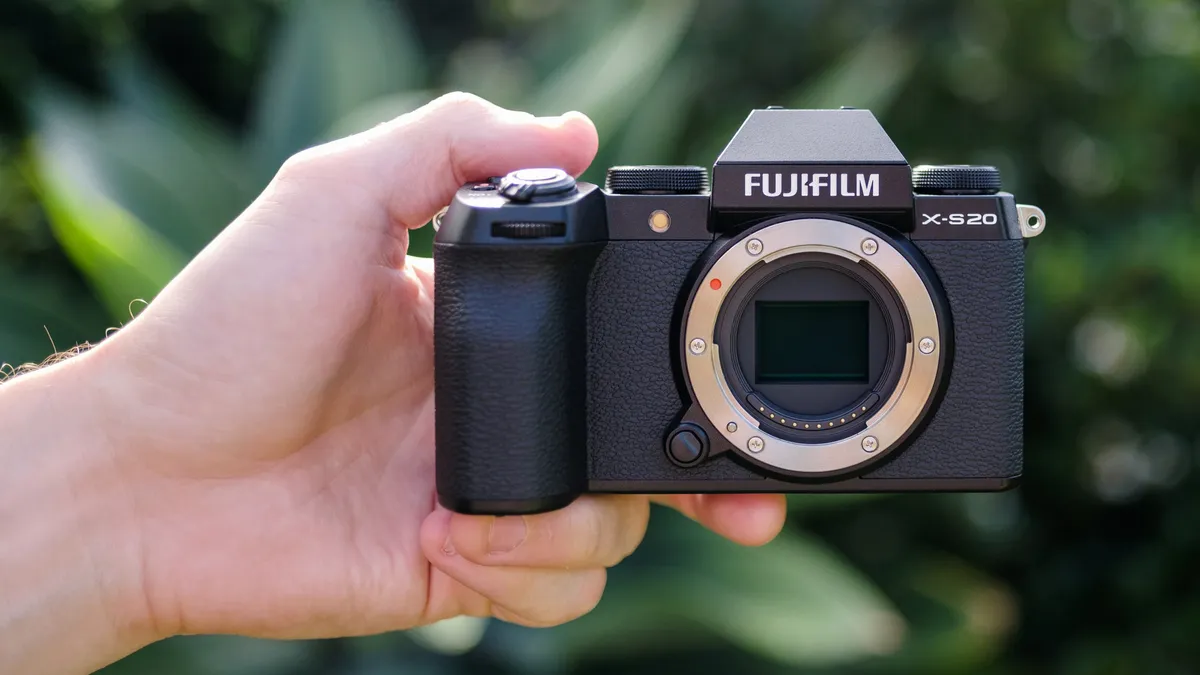
This highly capable all-rounder from Fujifilm delivers impressive detail in every shot. With the huge list of lenses from Fujifilm and partners such as Tamron and Sigma, there are some incredible and affordable options to bring out the best in the X-Trans sensor. Fujifilm is also renowned for its color science, ensuring each still has amazing color depth to bring it to life.
A sharp and detailed vari-angle touchscreen is great to compose and view images on, or you can output in a solid resolution of 1024 x 768 to animation software such as Dragonframe, which once again is supported by this camera.
Read our full review of the Fujifilm X-S20.
Best pro camera for stop motion

The Canon EOS R6 V is one of the most suitable cameras for stop-motion animation. In fact, it's so well-suited that Canon USA sells a special version with the company's Stop-Motion Firmware pre-installed! Of course, you can add it to any R6 V for an additional fee of $100 / £83.10.
The 32.5MP full-frame sensor provides a good dynamic range, the autofocus is eerily accurate even in low light conditions, and the rear screen is vari-angle for easier compositions without an external monitor.
With the Stop-Motion Firmware installed, the live view resolution on that rear screen is boosted to 1920 x 1280 – perfect for reviewing shots within stop-motion software like Dragonframe. However, it must be noted that the HDMI output stops working when this firmware is active, meaning you’ll have to take your composition and live view from the computer itself.
Again, you benefit from features like manual focus peaking and focus position memory – as long as you're using an RF lens. It's this that puts the Canon EOS range above a lot of other cameras when it comes to stop-motion.
It's worth pointing out that, while this is Canon's latest iteration of the R6 – armed with ferocious features like 7K 60p, 7K 30p open gate, 40fps burst shooting and pre-release capture – you probably don't need all its firepower for stop-motion. As such, something like the Canon EOS R6 Mark II is a better option if you're on a budget.
Read our full Canon EOS R6 V review
Best high-resolution camera for stop motion
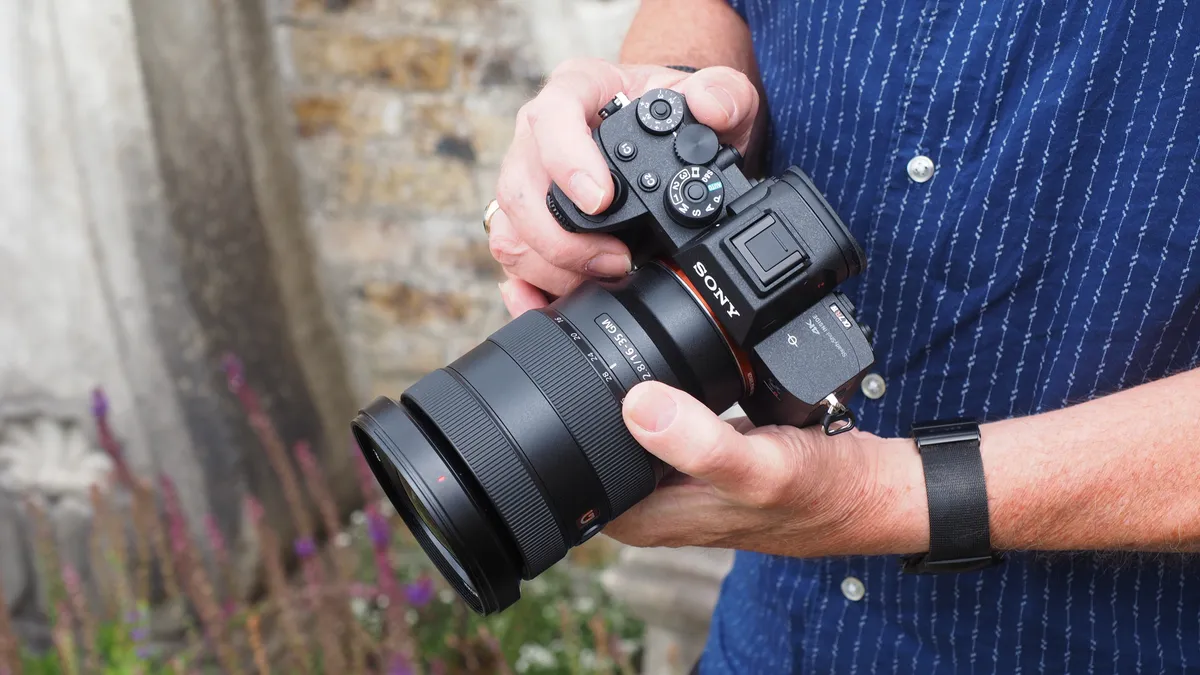
If you're looking to produce stop-motion content at high resolutions like 8K, then you'll need plenty of pixels to work with. At least 33.2MP is required, and the Sony A7R IVA offers a whopping 61MP – meaning you can crop significantly into your images and still have enough pixels to output at high resolutions.
Though this isn't the newest camera in Sony's high-resolution A7R series (that would be the A7R V), it offers the same number of pixels and can be picked up for a lower price. It's compatible with the Dragonframe stop-motion software, though there's no firmware from Sony directly, and the list of instruction to get it working is considerably longer than it is with using other camera brands (it wouldn't be Sony if there wasn't a bit of fiddliness).
Producing absolutely sublime imagery at dazzling resolutions, the Sony A7R IVA is a ideal for creating stop-motion animation with impact. There is also an extensive range of Sony E-mount lenses available to make shooting scenes of any scale possible.
Read our full Sony A7R IVA review
Best Micro Four Thirds camera for stop-motion

A lot of the advantages of the Micro Four Thirds system for macro also play well for stop-motion filmmaking – where you tend to be working with similarly small subjects. The smaller sensor allows for a larger depth of field at large apertures, and the enormous range of MFT lenses includes plenty of terrific lenses for detailed close-up shooting.
The Panasonic Lumix GH7 is one of the best hybrid cameras ever made, equally adept at shooting stills and video. It's compatible with Dragonframe and can easily be set up to capture stop-motion animation. It'll output its Live View at a resolution of 1280 x 960.
The imagery produced by the Lumix GH7 is absolutely exemplary, as Gareth noted in his full review of the camera. While the small sensor can't quite compete with full-frame in terms of raw image quality, the Lumix GH7 still produces images with real punch, and will prove an excellent tool for stop-motion filmmaking.
See our full Panasonic Lumix GH7
How to choose the best camera for stop-motion animation
Stop-motion animation is mainly indoors under constant, controllable lighting. As such, animators favor high-resolution stills cameras, both DSLR and mirrorless cameras are commonly used by amateurs all the way through to professionals that work on feature films. However, beginners might want to start on an inexpensive route by using a webcam or phone. The best cameras are chosen for their ability to feed Live View pictures through to a computer with specialized animation software and maintain a constant feed during lengthy shoots without a hitch.
A good Live View resolution aids composition and lighting and high resolution image sensors provide superior detail which determines the animations maximum published resolution. Dynamic range is also important, as is the ability to control cameras via USB connection. Though high end users often use an external monitor for composition, those getting started may prefer a rear screen that tilts or rotates to make composing in awkward angles easier.
It’s important to check that your desired camera is supported on the stop motion animation software you aim to use. Check the websites and search through the camera support list for this information. An industry-standard stop motion animation software such as Dragonframe allows you to search by make and model.
Though many modern digital cameras now feature in-built timelapse functions these aren’t very flexible in terms of creating stop motion animations because they give little to no editing flexibility as still images are converted into a single video file. In-camera intervalometers might also seem appealing for beginner stop motion animators but these often rely on predetermined shooting intervals which are unhelpful for almost all animations where setting up the scene and animating models can change dramatically depending on what’s happening in a particular shot.
FAQs
What do I need to start stop-motion animation?
As well as a decent phone or camera, essential equipment to pick up includes a tripod or other camera support, as you'll want your cameras to stay in exactly the same position between takes. A light source is also a high priority, as the quality of natural light can fluctuate and you need it to stay the same between takes. While you can use flash, as you're capturing still images, you'll probably find it easier to set up your shots if you use a constant source of light like an LED panel.
Can I use a phone for stop-motion animation
Absolutely – a smartphone can be the best way to get started with stop-motion animation as there are dedicated apps to help you. I've suggested two in my list above, the Google Pixel 9 Pro and iPhone 16 Pro, though a cheaper phone will definitely work if budget is an issue.
How many photos does it take to make a 10-second stop-motion animation?
The minimum is around 100. In animation, the more frames you shoot, the smoother your resulting footage will be – but of course, it will also take longer to capture and edit. Generally you're looking for a minimum frame rate of around 10fps, meaning a 10-second animation will require 100 separate images. If you wanted to create a smoother-looking video at 24fps, you're looking at 240 images. It can be a long process!
Read more:
How we test cameras
We test cameras in our carefully controlled lab conditions. Our lab tests measure resolution, dynamic range, and signal-to-noise ratio. Resolution is measured using ISO resolution charts, dynamic range is measured using DxO Analyzer test equipment and DxO Analyzer is also used for noise analysis across the camera's ISO range.
We also test out cameras in the real world to see how they behave in various shooting scenarios, including the kinds of in-studio setups likely to be used for stop motion animation. I have taken the comments and findings of our reviewers into account when putting together this guide.
Find out more about how we test and review on Digital Camera World.

