
The best camera is ultimately going to depend on your aspirations for your channel. Depending on the type of content you want to create, and the style of your channel, any of the cameras on my list could potentially be good fit for you – and some probably won't be. That's why I've made sure to include a broad range of options here, with everything from vlogging compacts and mirrorless cameras to 360-degree options and action cameras.
All the cameras on this list have been tried and tested, either by myself or another member of the DCW team, and you can click through each entry to read our full reviews – where you'll also be able to see sample video from each one. If you're new to shooting video, scroll to the bottom of the page for some advice on selecting the ideal camera for your YouTube channel.
I've focused on cameras rather than phones on this list, as we have a whole separate guide to the best phones for video. I've also made sure to include plenty of budget-friendly options, as you really don't need to spend a lot to get something that will do the job for YouTube. Read on to see my picks.

For nearly two decades Sebastian's work has been published internationally. He has been taking photographs since the days of film, but is also keenly interested in video, having used many cinema cameras from the likes of Sony, RED, ARRI, and everything in between. He brings this expertise to picking out the best cameras for YouTube.
The Quick List

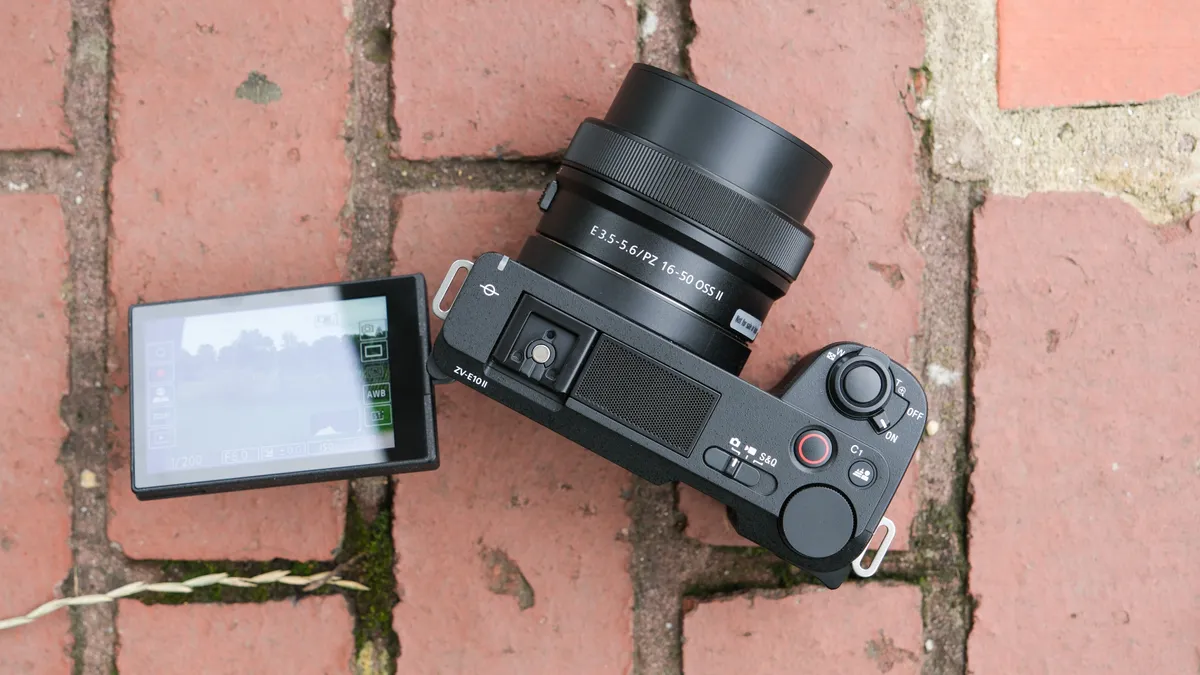
Sony's ZV cameras are a popular choice among vloggers, and the ZV-E10 II provides an abundance of video options, as well as interchangeable lenses, without the sky-high price tag of some other cameras.

Mirrorless cameras are the most popular choice for serious video shooting – offering you an interchangeable lens system that means you can pick the right lens for what you are shooting.
Read more below

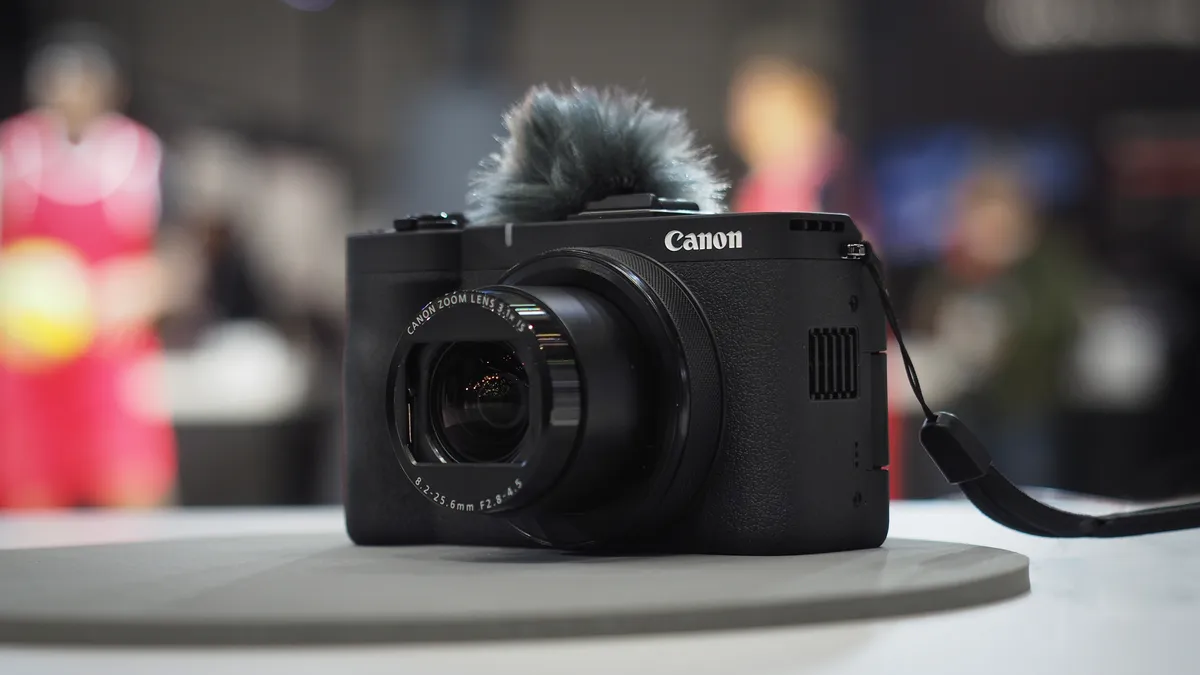
Canon's reborn PowerShot series is focused on video – and the flagship V1 is a compact camera that makes creating content a breeze both in-studio and on the go.

The GH7 is a mirrorless camera that incorporates a raft of video-centric features, and with the latest phase-detection autofocus, is much faster and more responsive than previous GH cameras.

With a versatile sensor, the Hero 13 Black can shoot in an 8:7 ratio – perfect for vertical video for YouTube Shorts. Elsewhere, it's got all the GoPro quality we've learned to love.

DJI has refined its gimbal camera formula, and the Osmo Pocket 3 is the best yet. With a larger screen and sensor, it's easier to operate and produces better results.
Load the next products ↴

This is an 8K 360-degree camera, which lets you see everywhere and aim the shot later. That's amazing for action. It's also a great 4K action camera (two of them), and very rugged.

The Feiyu Pocket 3 is a compact 4K camera with a wireless, detachable 3-axis gimbal and magnetic base, making it ideal for YouTubers seeking smooth, versatile shots on the move.
The best YouTube cameras
Why you can trust Digital Camera World Our expert reviewers spend hours testing and comparing products and services so you can choose the best for you. Find out how we test.
Best for vloggers

✅ You like the idea of changing lenses: Sony's other affordable ZV cameras all have fixed lenses, the ZV-E10 II gives the option to make your footage stand out a little more with one of the hundreds of E-mount lenses available.
✅ You want great audio without a separate mic: the built-in audio in the ZV-E10 II is way beyond other cameras and rivals a decent external mic.
❌ You want a very simple camera: while the ZV-E10 II is not complex, it isn't as easy to use as all-in-one cameras like the DJI Pocket 3.
❌ You want more of a hybrid camera: you'll get some decent photos here, but the viewfinder and more photo-focused controls on Sony's a6xxx range are a better hybrid experience.
The Sony ZV-E10 II is first-and-foremost a vlogging and content creation camera aimed at video. A big upgrade from the first version, it improves on every criticism of Sony's menus and video from the first model, now with next to no crop on footage and easy-to-use touch menus.
It packs a large and well-performing internal microphone (with clip-on muffler) and offers some very good 4K video. For serious video makers, you won't find any complex oversampling or multiple codec recording options here. This camera is for anyone who is taking their video a little more seriously than recording on a phone but isn't quite ready or willing to jump into a more professional level of videography.
The ZV-E10 II is not going to be a first-choice photography camera, as it lacks the EVF that photographers would expect, however, with the same sensor and processor as the Sony a6700, its specs are decent enough. If you are looking for something more hybrid, then cheaper cameras in the Sony A6xxx series (a6000 or a6400) are a better, although aging, option. Alternatively, there's the newer and pricier A6700.
The ZV-E10 fits in an APS-C sensor, which means it is able to make use of Sony's extensive range of E-mount lenses. However, due to its very compact body, the camera does not balance well with larger Sony lenses, but Sony has a good range of quality smaller optics, as well as a huge number of third-party lens options. The body also features an articulating touchscreen which is vital for vlogging from low or awkward angles.
The ZV-E10 II has a very appealing price tag, it's a shame that there is no in-body image stabilization, but for a very specific audience looking for the perfect balance between affordability and features, this camera hits the nail on the head.
Read our full Sony ZV-E10 II review for more details
Features | Offering a compact body with 4K video and excellent built-in microphone makes it the perfect all-rounder for YouTube | 4 / 5 |
Performance | It performs extremely well for a video camera, but might not be your first choice it you want a good stills camera too | 4 / 5 |
Value | A little pricey, but worth it for the versatility it offering in a compact package | 4.5 / 5 |
Best 6K

✅ You want the best of both: With open-gate 6K 30p, 4:2:2 10-bit, LongGOP, SSD recording, and 24MP stills this is a content creator's dream!
✅ You rely on stabilization: When you don't have a gimbal, the incredible in-body image stabilization (up to 6.5 stops) outperforms even higher-specced competition.
❌ You rely on a tally light: A rare miss for the otherwise excellent video features is the lack of a tally light, to indicate when the camera is recording.
Mirrorless cameras are the most popular choice for serious video shooting – offering you an interchangeable lens system that means you can pick the right lens for what you are shooting.
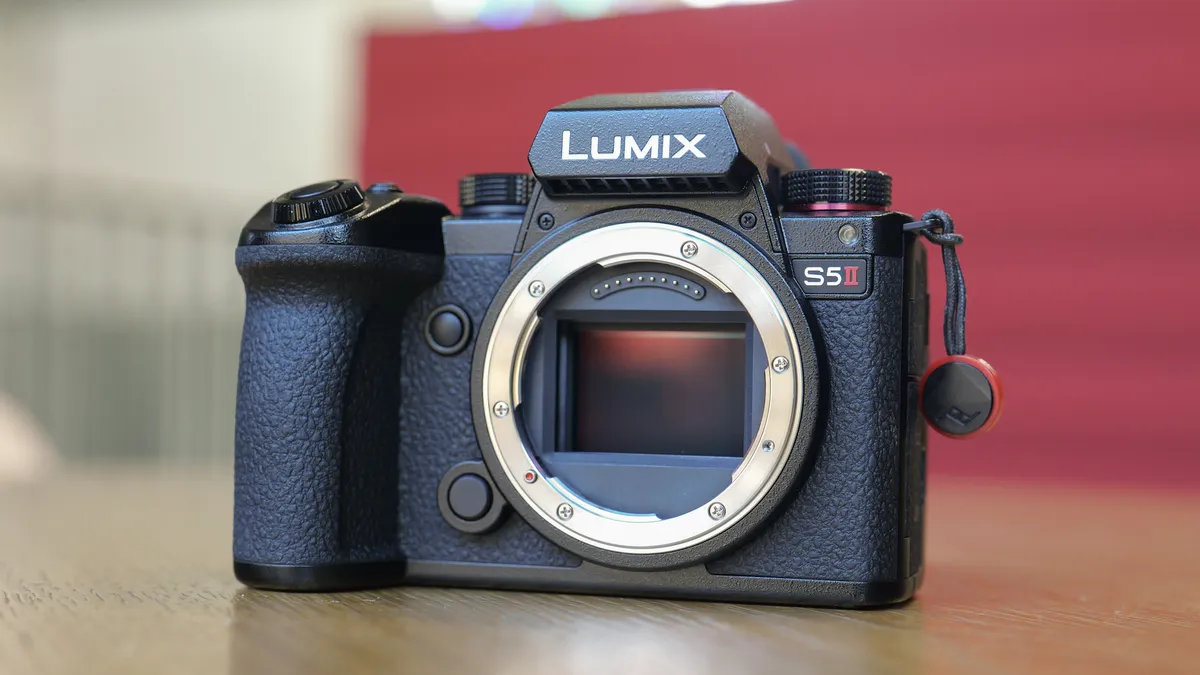
The Panasonic Lumix S5 II is our top pick for videographers - but its full-frame sensor make it a great camera for shooting stills too. It builds on the original Lumix S5’s tough compact frame, class-leading 5-axis in-body image stabilization, and excellent color science.
In my review, the most significant new addition to this camera is the Phase Hybrid autofocus system that combines PDAF with Contrast Detect AF to provide 779-area metering. The S5 series was always a favorite, but this newer model is now much, much better at getting the focus right on low-light and moving subjects.
We were also impressed that the Lumix S5 II gives you truly unlimited 4K/60p 4:2:2 10-bit recording internally - and FHD/180p for slow-motion effects- making it a highly versatile camera for content production. And at $2500/£2000, we think the Lumix S5 II is astonishingly good value for money.
Read our full Panasonic Lumix S5 II review for more details

Features | With 6K video, great image quality for photos and unlimited video record time its perfect for content creators | 5 / 5 |
Performance | Its 6K video is outstanding and its filmic stills look amazing - its certainly a brilliant hybrid camera | 4.5 / 5 |
Value | Offers great value for money in a feature packed setup | 5 / 5 |
Best compact
✅ You want 4K: Its 4K 30p is crisp and, if you don't mind a crop, there's 6K 30p as well
✅ You want zoom options: The built-in 16-50mm lens is the ideal zoom range for YouTube
❌ You want to change lenses: While its built-in lens covers most bases, creative control is limited
❌ You want to shoot slow-mo: There is FullHD 120p video, but it's a bit mushy
Despite the voracious appetite for compacts, none of them were quite right for YouTube – until now. The PowerShot V1 is the best compact camera for YouTubing for shooting in a studio space, capturing content outdoors and on the go, and especially for situations where a small, all-in-one device would make life easier.
Designed from the ground up for content creation, the V1 ditches the small 1-inch sensors of other compacts and uses a large 1.4-inch for superior image quality. Its 22.3MP resolution gives you crisp uncropped 4K 30p (oversampled from 5.7K) as well as 4K 60p with a slight crop.
The built-in 16-50mm zoom lens gives you the ideal focal range for video – wide enough for filming pieces to camera at arm's length and long enough to zoom in for a nice tight frame. It even has a built-in ND filter so that you can maintain YouTube-friendly exposure settings even in bright conditions.
For shooting in the field, the integrated microphones work incredibly well – and with the included wind muffler, you can even get away without an external mic at a push! (Mic and headphone jacks both feature, for top audio control.)
Not only can the V1 live stream, but the active cooling system means that it can keep on recording so long as you need – it boasts unlimited recording in 4K 30p with the fan on, so you don't need to worry about your video being interrupted.
Read our full Canon PowerShot V1 review for more details

Features | 4K video, live streaming, ND filter, log mode, large sensor and ideal zoom range makes it a great companion for vloggers | 4.5 / 5 |
Performance | It performs well across the board and, most importantly, it's easy to use as well | 4. / 5 |
Value | While it's not a cheap camera, given everything it offers, it's good value for money – especially as an all-in-one device | 4 / 5 |
Best for content creatives

✅ You want a flexible camera that's good at everything: With loads of video formats and fast autofocus, this is the ideal camera for versatile creatives.
✅ You'll be shooting outdoors often: The GH7 is constructed from durable magnesium alloy, and is fully weather-sealed for outdoor use.
❌ You're on a budget: This isn't a cheap camera, and you'll need to factor in the cost of lenses, as well as potentially a battery grip (as the battery life isn't brilliant).
❌ You want a small camera: The GH7 is a fairly chunky boy, and there are much lighter and slimmer cameras available.
The Lumix GH series was how Panasonic originally announced to the world that it was serious about video. The Lumix GH7 is the latest and greatest in this series of video-centric (though still perfectly photo-capable) cameras, offering a huge range of video options up to 5.8K resolution, as well as the long-awaited introduction of a feature than users had been crying out for.
Phase-detection autofocus! Finally. After the GH6's questionable reliance on the aging, creaking contrast-detect Depth From Defocus system, the Lumix GH7 arrived in the modern era of cameras by sporting a much faster and more accurate phase-detect autofocus system, at a stroke making it a much more capable camera for run-and-gun shooting. It's still not quite on the level of the class-leading systems from the likes of Canon and Sony, but as Gareth reported in our review, it is very good indeed, and perfectly capable for day-to-day shooting.
This is a Micro Four Thirds camera, meaning it has a physically smaller sensor than many others on this list, but that doesn't seem to matter as much as it used to – in our lab tests, the Lumix GH7 out-resolved rivals with larger sensors and put in an excellent dynamic range performance at low ISO sensitivities. At higher sensitivities it is more prone to noise than rivals, but Gareth still had no complaints about its low-light performance – up to ISO 8000 it's perfectly fine, and it's very rare you'd need to go above that in the course of ordinary shooting.
The build of this interchangeable-lens camera is on the chunky side, as it has a built-in cooling fan to facilitate its multitude of recording options, as well as weather-seals. Those looking for a slim, pocketable camera will want to look elsewhere, but those who need a powerful do-everything camera for content-creation will find the GH7 meets their needs and more.
Read our full Panasonic Lumix GH7 review for more details

Features | 5.8K video and 25MP stills offers a great output for many applications for YouTube | 5 / 5 |
Performance | For Micro Four Thirds this is a good as it gets, excellent video performance handheld and great photos too | 4.5 / 5 |
Value | Not cheap by any means, but you get a lot for your money. | 4 / 5 |
Best for YouTube Shorts


✅ You share across platforms: If you edit the same clip across platforms, the 8:7 sensor will help you
✅ You want to record extreme sports: The tough, waterproof GoPro can be taken to places that other cameras can't.
❌ You want external microphones: GoPro will need you to buy an external media mod to connect a microphone
❌ You want to shoot in low light: GoPro cameras don't love working in lower lighting.
We all know GoPros as the little take-everywhere waterproof cameras – but they're great for YouTubers for a number of reasons. Since the Hero 11 Black, GoPro Hero cameras have used an 8:7 format sensor, producing a near-square image that's brilliant for cropping into different aspect ratios.
This makes it easy to re-edit your footage for different formats, allowing you to easily make a 16:9 version for regular old YouTube, and a 9:16 version for YouTube Shorts, its mobile-friendly arm that's essentially a TikTok clone.
Elsewhere, the Hero 13 Black delivers the classic GoPro experience, producing high-quality and stabilised video even in adverse conditions. Its accessory ecosystem comes with a ton of mounting options, meaning you can bring it with you on bike rides, surfing trips, skydives or whatever else. The new feature on the 13 Black specifically is the range of modular HB-Series lenses that allow you to radically alter the field of view, like an ultra-wide or an anamorphic, and with potential for more in the future. Of course, these do cost extra.
It still lags in low-light situations (the new DJI Osmo Action 6 performs much better in this department, though it's currently unavailable in the US), and even with the extra lenses, there are always going to be limits to what a GoPro can do compared to a mirrorless camera system. But the Hero 13 Black is surprisingly versatile for its size – and has seen price discounts in the year since its launch.
Read our full GoPro Hero 13 Black for more.
GoPro Subscription explained: what you get, and is it worth it

Features | 5.6K video, dual-channel audio and the ability to fit in your pocket makes a GoPro a solid contender for YouTube | 5 / 5 |
Performance | The ability so share one video clip across many social media platforms is useful and its video quality excellent in daylight, but lacks in low-light situations | 4 / 5 |
Value | While a lot of the new features cost extra, the camera itself has been discounted since launch. | 4 / 5 |
Best for travel

✅ You need to vlog: Stable shots and mic compatibility are well covered here.
✅ You want a stable shot: The gimbal offers possibilities software stabilization can't manage.
❌ You want rugged: It's tough for what it is, but it won't survive as much as a true action camera
DJI's Pocket cameras have long been popular among YouTubers for their ability to capture smooth moving footage while used handheld. They're built around an integrated gimbal that compensates for camera movement – essentially the same unit DJI uses in its drones. However, with DJI's ActiveTrack technology built in, cameras like the Osmo Pocket 3 can also intelligently follow subjects and keep them in frame.
The Osmo Pocket 3 features a raft of updates compared to the previous Pocket 2, and more than justifies the price hike. One of the key additions is a larger 1-inch sensor, which means it performs much better in a range of lighting conditions. It also has a much bigger LCD monitor – a 2-inch screen that smoothly rotates from horizontal to vertical orientation as needed. It's so much easier to see what you're doing than it was on the smaller screen in previous versions of this camera, not to mention making use of the touchscreen functionality.
The camera isn't as small or as resilient as the 'Pocket' designation implies – you'll want to be more careful with it than you would with, say, a GoPro. However, it's unquestionably the best iteration of the form we've seen yet, and can be brilliantly accessorised with wireless mics for improved audio.
Read our full DJI Osmo Pocket 3 review for more details

Features | 4K video, stabilized footage, external mic comparability makes this a popular option for many vloggers | 4 / 5 |
Performance | Excellent performance across the board, but can bit more fragile than a action camera | 4. / 5 |
Value | It's a little pricey, but offers a lot of features out the box | 5 / 5 |
Best 360 camera

✅ You want sharp 360 video: The 8K makes for much more flexibility than most other,
✅ You want a great all-rounder: The camera is powerful enough to turn itself to nearly any task, including one-camera action camera modes, and is newly waterproof.
❌ You are on a tight budget: There are cheaper options (including the GoPro Hero 13 Black) which still provide a lot of quality.
❌ You already own an X4: While there are plenty of improvements, this isn't a big enough jump from the X4 to merit and instant upgrade.
Insta360 has for quite some time been the watchword for the best 360-degree cameras you can buy – and the Insta360 X5 ensures that this dominance continues. An incredible impressive 8K camera, boasting dual sensors and an upgraded build with 15m waterproofing, this is a fantastically versatile camera for YouTubers.
While you may not want all your YouTube videos to be immersive 360-degree affairs, the dual sensors and 8K quality make it easy to slice out a video in regular format, making the X5 also function like a standard action camera. Fast and responsive, the X5 feels like a premium camera to use, in contrast to some of the cheaper 360-degree cameras that have flooded the market in recent years.
Upgraded performance means that the X5's image quality is not just 'good for a 360-degree camera', but is genuinely good in its own right. As Adam found in our review, it picks up great detail in light and dark areas of an image, with its extra processing power compared to the X4 ensuring that it's competitive in low light.
As it's the fifth intstalment in the series, the X5 benefits from a large accessory ecosystem, with a huge range of mount options, extra lenses and more (Adam was particularly taken with the pole that allowed him to invisibly 'float' the camera in front of his bike's handlebars).
It's definitely not cheap – more expensive than both the GoPro Hero 13 Black and the DJI Pocket 3. However, the Insta360 X5 offers something genuinely unique on this list, and is an excellent choice for adventurous YouTubers.
Read our full Insta360 X5 review for more.

Features | 8K video, excellent stitching for 360 photos and can shoot "normal" 4K video too | 5 / 5 |
Performance | It delivers stunning results in all shooting modes, and low-light performance is improved. | 4.5 / 5 |
Value | Good for 8K, but pricey compared to others | 4 / 5 |
Best detachable gimbal

✅ Detachable wireless gimbal head: This unique feature gives you huge flexibility when it comes to shooting setups.
✅ Competitive price: It's cheaper than the DJI Pocket 3 (though you could probably find a used Pocket 2 for the same or less).
❌No external mic input: This limits audio flexibility, as you're stuck with the built-in mics.
❌Limited accessory ecosystem: Especially when compared to brands like DJI.
The FeiyuTech Pocket 3 stands out in the vlogging camera market thanks to its detachable wireless gimbal head and magnetic base – features that set it apart from rivals like the DJI Osmo Pocket 3. While it comes in at a far lower price, that affordability comes with compromises. Image quality is decent but unremarkable, particularly in low light, owing to its smaller sensor. It also lacks advanced features like 10-bit log recording, superior slow motion, and the robust accessory ecosystem that DJI offers.
That said, the Pocket 3 has strengths that shouldn't be overlooked. It delivers excellent battery life and comes equipped with a wide 16mm lens, fast and reliable autofocus, and competent face tracking. The detachable gimbal allows for inventive shooting angles, and the wireless connectivity is surprisingly smooth and dependable.
Usability is a mixed bag. The small screen and some operational quirks - like the absence of external mic support and weather sealing - do limit its appeal for more demanding creators. But for quick, on-the-go content, especially in fair conditions, it's highly portable and genuinely fun to use.
For YouTubers and vloggers on a budget, it represents a creative tool that trades high-end specs for adaptability and ease of use. It won’t rival premium models in image fidelity, but it holds its own where it counts: flexibility, portability, and price.
Ultimately, the Feiyu Pocket 3 is a clever solution for creators who value innovation and affordability, even if that means making a few sacrifices in image quality and feature depth.
How to choose a camera for YouTube
Choosing a camera for YouTube isn’t just about picking the most expensive or high-end model – it’s about finding the right tool for your specific content. The best camera for you depends on what you plan to film.
If your channel is packed with fast-paced action and adventure, an action camera is a great choice. Modern action cams capture stunning high-quality footage, and if you’re looking for a unique perspective, a 360-degree camera could be worth considering.
A mirrorless camera is the way to go for a more controlled, cinematic approach. These offer cutting-edge video technology, superior image quality, and the flexibility of interchangeable lenses, allowing you to adapt to different shooting conditions.
Another option is a compact camera with a built-in lens. While not as versatile as a mirrorless setup, compact cameras are more affordable, easier to use, and significantly lighter – ideal for creators who want a simple, travel-friendly solution.
Thinking about live streaming? Not all cameras support streaming straight out of the box. While our guide features a few that do, check out our dedicated list of the best streaming cameras for more
How we test cameras
We test cameras both in real-world shooting scenarios and, for DSLRs and mirrorless cameras, in carefully controlled lab conditions. Our lab tests measure resolution, dynamic range, and signal-to-noise ratio. Resolution is measured using ISO resolution charts, dynamic range is measured using DxO Analyzer test equipment and DxO Analyzer is also used for noise analysis across the camera's ISO range. We use both real-world testing and lab results to inform our comments in buying guides.
FAQs
Do you need a professional camera for YouTube?
The short answer? No, you don’t need a professional camera to create great YouTube content! While high-end cameras in skilled hands can produce superior results, a standard camera—or even a smartphone—can deliver quality that’s more than good enough for YouTube. Many of the cameras in this guide are ideal for beginners and intermediate users alike.
You don’t need the latest 6K or 8K resolution, either. For now, shooting in at least 4K is a solid choice, though Full HD can still work just fine. What matters more is capturing clear, high-quality audio. Whether you use a plug-in microphone, a wireless setup, or a camera with an advanced built-in mic—like Sony’s ZV-1 vlogging compact—good audio will make a bigger difference than extra pixels.
Are phone cameras good for YouTube?
It depends on the phone—but in many cases, yes! Smartphone cameras have improved dramatically in recent years, and most flagship models now offer 4K video recording as a standard feature (though frame rates can vary). If you’re considering using your phone for YouTube, check out our dedicated guide to the best phones for video to find the top options.

