
Your iPhone does a great job of capturing a scene’s colors and tones, and you might think the best iPhone microphone is just the one that is built in; however, the quality of its audio recordings may be subpar compared to the HDR quality of the iPhone’s video footage.
Plus, the farther away your subject is from the microphone, the more the audio quality will diminish. You may also pick up unwanted background or ambient sounds, and wind blowing on the iPhone’s mic can completely ruin a recording, thanks to the low-frequency rumble that it produces.
Fortunately, there are plenty of microphones available that can elevate the quality of your audio recordings to match the production values of your HDR video clips from the best iPhones.
With older mics and older iPhones, I sometimes found that my iPhone would get confused when I connected the mic and think that I was plugging in headphones (and therefore not operate correctly). Nowadays, many mic kits have a handy "Made for Apple" logo on their boxes, so you can rest assured that they’ll work well with your iPhone.

George has been freelancing as a photo fixing and creative tutorial writer since 2002, working for award-winning titles such as Digital Camera, PhotoPlus, N-Photo, and Practical Photoshop. He's an expert in communicating the ins and outs of Photoshop and Lightroom, as well as producing video production tutorials on Final Cut Pro and iMovie for magazines such as iCreate and Mac Format. He also produces regular and exclusive Photoshop CC tutorials for his YouTube channel.
The best iPhone microphones
Why you can trust Digital Camera World Our expert reviewers spend hours testing and comparing products and services so you can choose the best for you. Find out how we test.
Best iPhone mic overall

If you’re in the market for a compact and dependable wireless microphone system that provides professional-quality audio, the DJI Mic Mini is definitely a contender. I’ve found its lightweight and portable design to be just right for creators like vloggers, interviewers, and filmmakers who want high-quality sound without the hassle of bulky equipment. The system comes with a transmitter featuring a built-in mic and a receiver that connects effortlessly to iPhones using USB-C or Lightning adapters.
One aspect I really love about the DJI Mic Mini is its impressive range – up to 250 meters. This allows me to move around freely while recording and still capture clear, uninterrupted audio, even in bustling or expansive settings. Battery life is another strong point, lasting around 5.5 hours, which means I don’t have to stress about running out of juice during longer sessions.
Setting it up is a breeze, thanks to the intuitive controls that let me start recording in no time. Even with its small footprint, the audio quality is exceptional, delivering clear, professional sound every time. While it may not be the most budget-friendly option available, I believe the DJI Mic Mini is a worthwhile investment if you’re serious about producing high-quality content. It’s reliable, portable, and provides exactly what I need for my projects.
Read our full DJI Mic Mini review
Best iPhone microphone for ease of use

It’s very easy to record poor-quality sound. Just take a few steps away from your smartphone’s built-in mic, and your voice will soon be drowned out by ambient noise such as passing traffic or aircraft! You could attach a cabled lavalier mic to your smartphone, but your freedom of movement will be limited by the length of the cable.
Fortunately, it’s also very easy to capture great-quality sound, even at a distance from your smartphone. The RØDE Wireless Micro has a small receiver that plugs via a USB-C connector straight into your smartphone. You can clip (or magnetically attach) a compact, sleek mic with a built-in transmitter onto your shirt and then walk and talk with complete freedom of movement while sounding great. You can be heard at up to 100 meters away (as long as you don’t turn your back on the camera, causing the transmitter to lose line of sight with the receiver).
This kit is designed to ‘plug and play’, and as it uses Intelligent Assist Gain, you don’t need to worry about manually setting and riding sound levels to avoid clipped audio tracks. This makes the RØDE Wireless Micro the perfect entry-level wireless kit for a smartphone videographer, and it also benefits from RØDE’s established reputation in the field of high-quality audio gear. It does lack the built-in noise reduction software featured in most mics, but you can easily (and more effectively) reduce unwanted background noise using apps such as iMovie, Final Cut Pro, and Premiere Pro.
Read our full RØDE Wireless Micro review
Best iPhone microphone for clip-on or handheld recording

The Saramonic Air SE boasts a design feature that eradicates one of the most irritating audio-related mannerisms adopted by some content creators. Clip-on wireless microphones are designed to be attached to the subject, either with a sprung clip or a magnet. However, many presenters prefer to hold these tiny mics in their hands instead. To this reviewer, that affectation can look rather silly.
The Air SE can be used as a conventional clip-on or magnetically attached microphone, and its discreet branding is less obtrusive than the oversized logos found on some rival transmitters. Better still, the mic can be magnetically docked at the end of the stick-shaped charging case, allowing it to be held like a miniature handheld interview microphone. This gives the Air SE the best of both worlds, whether you want to wear it as a presenter’s mic or pass it between people during an interview. Well done, Saramonic’s designers.
I was also impressed by the Air SE’s powerful noise-canceling feature. I activated it while speaking beside a hissing steam engine, and the background noise was dramatically reduced while my voice remained relatively clear. Noise reduction can often make speech sound thin or overly processed, but that was not a significant problem here.
The wireless range is equally impressive. Provided the transmitter maintains line of sight with the receiver, the Air SE can send a clear signal over a considerable distance. We could still hear our subject clearly from around 330 feet [100m] away, by which point we could barely see them.
If you have yet to buy a wireless microphone kit for your smartphone and simply want an affordable, effective, and easy-to-use plug-and-play option, the Saramonic Air SE is well worth considering.
Read our full Saramonic Air SE review
The best all-rounder iPhone microphone

The DJI Mic 3 is a significant upgrade from its predecessor, the DJI Mic 2, with a smaller and lighter design. Audio is top-notch, with 32-bit float recording and adaptive gain control to prevent audio clipping and ensure high-quality sound, and I found it to transmit reliably within the promised 400m range. There's a generous 32GB of built-in storage, and it boasts decent battery life, with the charging case providing up to 28 hours of use.
Build quality is just as impressive as the sound quality, with the transmitter and receiver units fitting neatly in the included metallic-looking charging case. The receiver slots into an iPhone's USB-C socket (or camera hotshoe) and has an OLED touchscreen that is both convenient and easy to use.
It's ideal for solo creators who require a high-performing and reliable audio solution, but it's on the pricey side and may be overkill for casual users looking for a more wallet-friendly option.
Read our full DJI Mic 3 review
Best iPhone Microphone for professionals

As its name indicates, the RØDE Wireless GO 3 is the third generation of RØDE’s popular wireless mic kit (first released in 2019). The latest incarnation has slightly lighter transmitters (by 5g or 0.2oz) than its predecessor, but the main changes occur inside the plastic bodies of the kit’s two transmitters and receiver. Version 3 of the RØDE Wireless GO 3 can now broadcast 60m (200ft) farther than the RØDE Wireless GO 2 – reaching up to 260m (850 ft). On a distance test of 50m (165ft), I didn’t encounter any dropout, even when turned away from the camera and the transmitter lost line of sight with the receiver.
The transmitters in the third generation of the RØDE Wireless GO can capture 32-bit Float onboard recordings. For starters, onboard recordings mean that you won’t lose any sound due to signal dropout between the transmitter and the receiver. As a major bonus, 32-bit Float recordings are much more forgiving when dealing with problematic sound levels. If a sound is too loud, traditional audio will distort (clip) and become unusable. Fortunately, you can recover missing detail from the mic’s 32-bit Float recording. You can also use these recordings to make a quiet subject sound louder and clearer without adding artifacts such as hiss.
As with the RØDE Wireless GO 2, version 3 has an Intelligent Gain feature that rides the sound levels to capture crystal-clear and consistent sound without you needing to manually monitor and adjust the levels on the fly. If you need a reliable, professional, iPhone-compatible mic that gives you a "belt-and-braces" approach to capturing high-quality audio, then the RØDE Wireless GO 3 will certainly go the distance (with minimal latency thanks to its near-zero latency codec with 128-bit encryption). One for the pros, with a pro price to pay! As a bonus, owners of older iPhone models (prior to the iPhone 15) can also enjoy the RØDE Wireless GO 3’s pro features, as it ships with a USB-C to Lightning cable.
Read our full RØDE Wireless GO 3 review
Best budget iPhone microphone

In my testing of the Godox C01 Kit2, I found it to be an exceptional entry-point for social media creators who need professional sound without a professional price tag. What immediately struck me was the audio fidelity; despite its budget positioning, the 48kHz/24-bit recording produced clean, full-bodied, and warm vocal tones that rival systems costing four times as much.
The design is incredibly compact – the transmitters weigh a mere 7g – making them nearly unnoticeable when clipped to a shirt. I particularly appreciated the inclusion of magnetic mounts and a passthrough charging port on the receiver. This clever feature allows you to charge your phone with up to 60W of power while you record, ensuring you don’t run out of juice during long sessions. The 200-meter range is ambitious, and while I noticed some minor drop-outs at 100 meters, it performed reliably even without a direct line of sight at 50 meters.
While the kit lacks a physical windshield, the onboard noise cancellation is surprisingly effective at cleaning up environmental distractions. It is a simple, plug-and-play solution that makes high-quality audio accessible to everyone.
Read our full Godox C01 Kit2 review
Best value iPhone microphone kit

All of the wireless mic kits in this buying guide will enable you to capture better-sounding audio from a distance, but this consumer-targeted kit is very affordable. Despite its low cost, the Boya Mini 2 performs like a more expensive mic kit thanks to its ability to transmit studio-quality 48 kHz/24-bit audio to your iPhone. An 80 dB signal-to-noise ratio gives hiss-free audio, and 120 dB Max SPL (Sound Pressure Level) handling helps prevent distortion from loud voices or instruments (plus a -12 dB safety track also helps ensure that your audio levels aren’t clipped). I didn’t notice any latency (delay between the speaker’s lips moving and the audio track), so this will save you from having to tweak the position of the audio track in the edit to get the sound in sync.
As you’d expect from a budget mic, the Boya Mini 2 isn’t perfect. I found that it was prone to signal dropout when I turned my back to the camera. However, if you face the camera when talking (which most of us will do anyway), then this isn’t a big issue. The default Strong noise cancellation setting is very effective – it removed traffic noise completely – but at the cost of making my voice sound too thin and electronically "warbly." Fortunately, you can use the Boya Central iPhone app to set noise cancellation (NC) to a lighter setting, which gives you a compromise between preserving the speaker’s audio quality while taking the edge off unwanted background noise.
All in all, the Boya Mini 2 provides an affordable solution to the problem of capturing great-quality audio from a distance while keeping unwanted ambient noise at bay.
Read our full Boya Mini 2 review
Best iPhone Mini Shotgun Microphone

The Shure MoveMic 88+ is a compact and versatile wireless mic that should be an attractive purchase to a wide range of video makers. For example, wedding videographers can record guests’ messages to the happy couple without wiring them up to a lavalier mic by using the directional Mono Cardioid setting to focus on capturing individual voices (without being too distracted by background chatter and music). An interviewer can switch the mic to a bidirectional (figure-of-eight) polar pattern so that it prioritizes sound from opposite sides of the mic. And presenters can hold the mic in their hand and walk and talk up to 100 meters from their iPhone via a Bluetooth connection.
The Shure MoveMic 88+ is only 89mm long and fits easily into your hand, although it will be in shot as it’s not small enough to hide, like a clip-on lavalier mic. It’s more expensive than many of the other mics in this Buying Guide, but it captures excellent audio quality – even when recording in noise reduction mode.
It can be purchased on its own or with an additional Shure Receiver Kit. If you only intend to use it with your iPhone, the Receiver Kit isn't essential, as the Shure MoveMic 88+ can broadcast directly to the Shure Motiv Video app on your device; you don’t need to attach a receiver to your phone, as you do with most wireless mic kits. But if you also use a DSLR or mirrorless, then you will need the Receiver Kit, which slots into a standard camera hotshoe (or cold shoe mount) and transfers sound to your camera via the supplied 3.5mm cable. When using the Receiver, you can capture audio at a higher 24-bit bitrate compared to the 16-bit transmitted via Bluetooth to the smartphone app.
Read our full Shure MoveMic 88+ review
Best discreet iPhone microphone

The Hollyland Lark M2S Combo Kit features an extruded mini mic attached to a larger disc-shaped transmitter, enabling it to be tightly and effectively hooked up to a shirt, with only the mini mic head visible, and the transmitter remaining hidden behind clothing. It is an improved design compared to its Lark M2 predecessor's magnetic clip-on solution, where it was easy to drop and lose a mini magnet when detaching the mic.
Thanks to its high 24-bit depth and the 48 kHz sample rate, the Lark M2S kit enables you to capture great-quality audio. In theory, it has a transmission range of 300 meters, and I was certainly able to be heard clearly from my test range of 80 meters. However, if you turn your back to the camera and the transmitter loses line of sight with the receiver, you’re likely to suffer signal dropout, and with no onboard recording in the transmitter, there's no backup to fall back on. However, as most presenters speak directly to the camera, this is unlikely to be too much of an issue.
What particularly impressed me about the Lark M2S was its built-in noise reduction. Normally, a mic’s noise reduction feature causes your voice to sound thinner and a bit warbly, but in my tests, I completely removed the white noise from a background fountain while my voice sounded full-bodied and smooth. You engage the noise reduction feature simply by tapping an orange button on the mic. Alternatively, you can trigger noise reduction from both mics at the same time during an interview by tapping an orange button on the receiver. If you are recording an interview, you can use the LarkSound app to place the two transmitters on separate stereo channels (instead of using the default mono option).
Read our full Hollyland Lark M2S review
Best entry-level iPhone microphone
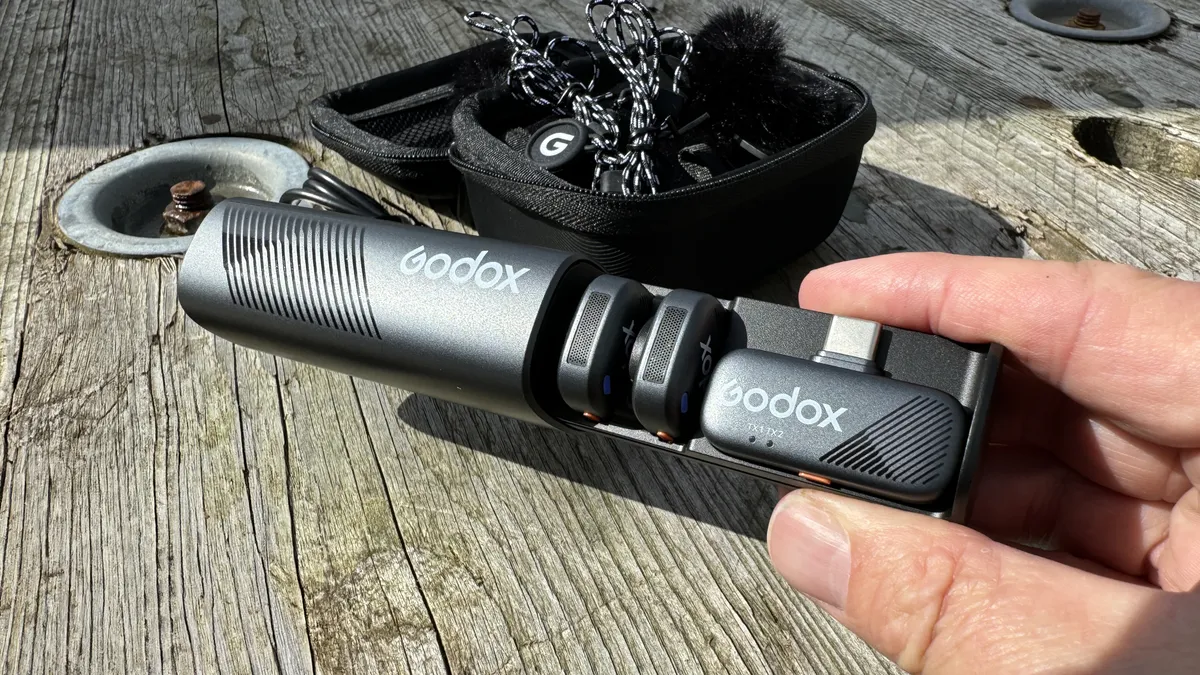
Your iPhone’s built-in mics will capture good-quality sound in close proximity to the subject, but the audio quality will diminish with distance. The Godox Cube-SC is a wireless mic kit that’s designed to help iPhone videographers capture great-quality sound at a distance of up to 300m (1,000ft). I tested it at 150m (492ft), and the sound quality was rich and clear, thanks to the kit’s 48 kHz/24-bit signal. However, if you turn away from the camera and the transmitter loses line of sight with the receiver plugged into your iPhone, then the kit is prone to signal dropout, even at 35m (115ft) between mic and receiver. However, as you’ll probably be facing the camera during a recording, this won’t be an issue for most vloggers.
What makes this particular wireless mic kit stand out from other kits in this buying guide is its size. The two transmitters and the receiver are tiny. The 7g (0.25oz) transmitter attaches via a magnet to your subject’s shirt. As the mic is less than one inch in diameter, it is much more subtle than the typical chunky plastic brick transmitters found in some other mic kits. The receiver is the smallest and lightest I’ve encountered. As it weighs in at a mere 5g (0.2oz), you can easily attach it to a smartphone without needing to rebalance it on a gimbal.
Another distinctive feature is the option to make your iPhone’s camera app start or stop recording with a double press of the transmitter’s button. You can also tap the mic’s button to activate its built-in noise reduction (NR) feature, which works well and doesn’t flatten your voice too much. Noise reduction on both transmitters can be activated by a tap on the receiver’s button, so you don’t have to interrupt an interview if you suddenly need to activate the NR feature. The charging case (and its contents) can also be tracked by Apple’s 'Find My' app, which is a nice touch for iPhone users. It will warn you if you’ve left the Godox Cube-SC kit behind at a location.
Read our full Godox Cube-SC Wireless Mic review
How to choose the best iPhone microphone
The key decision to make is whether you need a wireless mic kit or a shotgun mic? A shotgun mic is handy for roaming around while filming busy live events, with its hyper-cardioid polar pattern picking up what’s in front of the microphone while reducing unwanted noise from the back and sides of your iPhone. This will best suit documentary makers or wedding videographers.
If you need to present to the camera from a distance (or interview a subject as you walk and talk), you’re better suited to a wireless mic system. Here, you simply attach the lightweight receiver to your iPhone, which picks up sound from a transmitter attached to your distant subject. However, a wireless mic runs the risk of signal dropout, but some have on-board recording directly in the transmitter, which alleviates this issue. Most of my recommended mic kits contain two transmitters, but you can save cash by opting for kits with only a single transmitter.
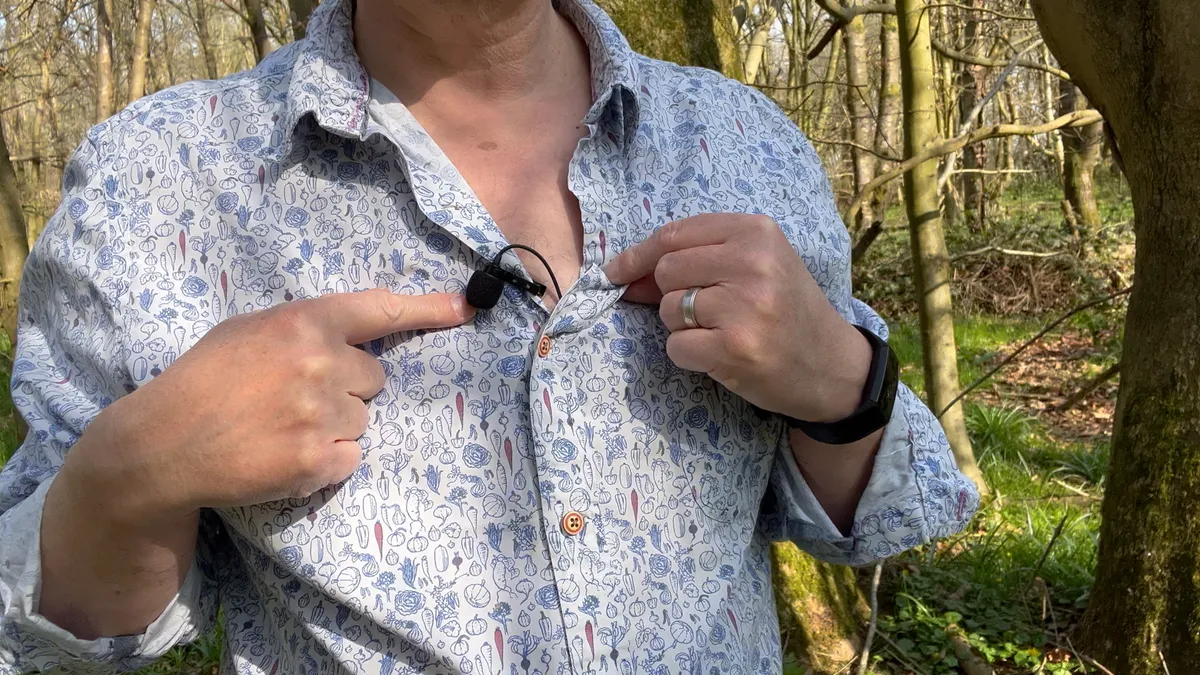
How do I attach a shotgun mic to an iPhone?
With a shotgun mic, you'll need a smartphone cage or tripod mount that has a cold shoe slot to attach the shotgun mic. The mic slots into the cold shoe mount, and uses an audio cable to plug into the iPhone.
Do I need an adaptor to connect a mic to an iPhone?
Some of the wireless mics in this guide ship with an audio jack cable that connects the receiver to the 3.5 mm socket on a DSLR, mirrorless camera, or iPhone that has a jack input. However, most modern mic kits have a USB-C receiver that plugs straight into your iPhone or MacBook’s USB-C socket.
If you have an older (pre-iPhone 15) model, some options – like the RØDE Wireless GO 3, the Saramonic Air SE, and the Boya Mini 2 – include a USB-C-to-Lightning cable (as well as a modern USB-C-to-USB-C connection).
How we test the best iPhone microphones
Testing is the fun bit! You'll see, from the supporting videos in the full reviews, that I like to test iPhone mics in a wide range of locations, from windswept Scottish hills to urban city centers. This enables me to discover how effective the windshields and the software noise cancellation features are.
With wireless mics, I like to see how far I can get before the signal drops out, especially when the transmitter loses line of sight with the receiver. Because I test the mics with a top-of-the-range iPhone, I do get a little nervous when I’m around 60 meters away from the iPhone, especially when I’ve left it perched on a wall in the city!
I’ve been recording sound professionally since the late 1980s, and the younger me would be astonished by the quality and range of modern wireless mic kits, especially as I no longer need to hold a heavy gun mic on a long pole just out of frame above the subject’s head! These digital days we’re spoilt for choice when it comes to iPhone mics, and this buying guide is regularly refreshed, with new models added frequently.
