
Photoshop is such a big name in the photography and graphic arts industries that its name is often wielded as a verb. But while Photoshop may have been a groundbreaking software when it was first introduced in 1990, the industry standard editor is far from the only option when it comes to choosing an app for adjusting photos or creating designs from scratch. And with Adobe’s increasing costs, some artists are searching for a Photoshop alternative.
I’ve been using Photoshop for nearly two decades. Twenty years ago, there weren’t many other options that could both edit a photo or design a graphic from scratch. But, the more photo editing apps I test out, the more I realize Photoshop isn’t the only option. While I’m keeping my Photoshop subscription for now, depending on what edits you want to do, there are plenty of photo editing software options that are far more affordable, easier to use, and some, yes, can be even better at specific tasks.
The 2025 price hike for Adobe’s photography apps has effectively doubled the cost of Photoshop (although existing users face a smaller price hike). For some, that price increase may be the last straw. For others, the inability to buy a lifetime license rather than a subscription or simply the high overall cost is just too much.
The trouble with finding a Photoshop alternative is that the longstanding industry-standard editor is a program stretching across multiple industries, from high-end portrait retouching to graphic design. Some programs can work to both replace Photoshop as well as serving as a Lightroom alternative. What photo editing laptop or desktop you use matters too, as some programs are only for Windows. But, out of all the photo and graphics apps reviewed, a few stand out with a feature list long enough to potentially replace Photoshop for the right user. These are my favorite Photoshop alternatives...
The quick list

Affinity is an advanced layer-based photo editor that can match Photoshop where it counts and is now free!

With both organizational tools and layer-based editing, Capture One is good enough to replace Photoshop and Lightroom for users that don't need advanced graphics tools.

Perpetual licenses, a simple workflow, and a decent range of AI-powered tools make Luminar Neo a good starting point for newbie photo editors.

On1 Photo RAW is a RAW processor similar to Lightroom, but some users may be able to replace both Lightroom and Photoshop with this cheaper alternative.

Made by the same company behind Photoshop, Photoshop Elements is a photo editor geared towards beginners.

Gimp is open-source software, which means this Photoshop alternative is free to use. It lacks the most recent tools, but many of the long-standing advanced editing options are there.
The best Photoshop alternative overall

Affinity was already my top choice for Photoshop alternatives, and that was when you had to pay for it. But in October 2025, Canva shocked the photo-editing world by launching an Affinity rebrand and revealing that it would be entirely free to download and use.
The only small catch is that you’ll need a premium Canva account if you want to access Canva’s AI features through Affinity. Otherwise, it’s the full-fat version of Affinity Photo 2 with a modern facelift. Affinity also combines Affinity Photo, Affinity Designer, and Affinity Publisher under one roof, so it’s a free, one-stop-shop for digital creatives.
Now, I don’t necessarily think Affinity is a better photo editor than Capture One Pro. However, it is the best like-for-like Photoshop alternative on the market. Anyone who’s used Photoshop before will feel right at home navigating Affinity’s traditional layer-based workflow. If you need to make serious, complicated edits, I’m talking composites, multiple masks, and heavy-duty cloning tasks, a layer-based workflow is the way to go.
However, if you’re looking for a more agile alternative to Photoshop that’s better suited to batch-editing huge libraries, Affinity isn’t going to fit the bill. And with the cost of a Canva premium subscription for those wanting to unlock the AI features, a paid alternative or even Photoshop itself may begin to look tempting.
Read the full Affinity review
Best all-in-one Photoshop-Lightroom alternative

Capture One is really more of an alternative to Lightroom than an alternative to Photoshop, but its layer-based and local editing tools means that photographers that don’t do intense composites or retouching can get away with one app instead of two. Capture One’s cataloging tools help organize your photos and, in many ways, the program’s RAW processing can actually deliver better results than Lightroom.
While Capture One’s organizational tools feel more like a Lightroom rival, it has some editing tools that Adobe users would need to go into Photoshop for. For example, Capture One supports layers, opening up more editing possibilities beyond RAW processing. Its clone and heal tools are good for removing minor imperfections like a few spots of acne or powerlines in the background; anything more advanced than that and you’d want a program more similar to Photoshop.
While Capture One is one of my favorite photo editors, those tools come at a cost. A subscription is slightly higher than the Lightroom-only subscription and it doesn’t come with cloud storage. It is more affordable than a Photoshop-Lightroom 1 TB subscription, however. The even better news is that, for those who hate recurring subscriptions, Capture One has both a subscription or a lifetime license option.
Read the full Capture One Pro review
Best Photoshop alternative for beginners

I think Luminar Neo is more beginner friendly than even Photoshop Elements, and that’s largely because you don’t have to get your head around a layer-based workflow. Think of Luminar Neo as a more feature-rich Camera RAW (included with Photoshop) as opposed to an out-and-out Photoshop alternative.
This software excels at fast-tracking inexperienced photo editors to producing pro-grade edits, with a gentle learning curve, while also allowing prolific photographers to churn through their library at blistering speeds. All this is possible thanks to Luminar Neo’s easy-to-use design and abundance of AI-powered tools.
By tweaking just one or two sliders, you can radically change an image, and the software also features an AI Assistant, allowing beginners to use text-based prompts to both learn and edit. Luminar’s AI tools are inconsistent in that some work better than others, and sometimes, the layout can feel a little unintuitive. As such, it's not the software I'd recommend to professionals and serious amateurs.
But beginners, casual, or prolific photo editors will have a great time with Luminar Neo. And you don’t get locked into a subscription, either. Plans are perpetual, although update support only lasts for a year before you’ll need to pay an upgrade fee if you want access to the latest updates. Still, Luminar Neo is yours to keep, which is an increasingly rare occurrence in today’s subscription-dominated market.
Read the full Skylum Luminar Neo review.
Best affordable all-in-one

Like Capture One, On1 Photo RAW is a photo editing app that could potentially replace both Lightroom and Photoshop, provided you don’t need the most advanced tools inside of Photoshop. But, while we preferred the RAW processing and seamless user interface of Capture One, On12 Photo RAW is a third of the cost, making it a good option for those looking for software under that $100 price point.
On1 Photo RAW is an organizer, RAW processor, and editor all in one. The program’s use of layers and masks allows for local edits beyond the usual RAW processing, including building composites. Unlike Photoshop though, On1 Photo RAW isn’t dual purpose for both graphic design and photography, it’s really meant for just photos.
When we tested On1 Photo RAW, we loved the customizable presets that show you a thumbnail to inspire you with the possibilities. The all-in-one design and option to choose either a one-time purchase or a subscription. But, the RAW processing wasn’t the best that we’ve tried and some of the AI effects were glitchy.
Read our full On1 Photo RAW 2025 review
Best affordable Photoshop alternative for Mac

Dear old Photoshop Elements is showing its age a little, but it's still a brilliant buy for anyone put off by Photoshop's professional austerity – and its subscription fee. While made by the same company behind Photoshop, Photoshop Elements 2025 is an entirely different software.
Photoshop Elements is designed for beginners. For example, a Guided mode with an ever-expanding list of effects walk users through each step. It also has an Expert mode with the full range of tools, but those who have already tasted the real Photoshop will be disappointed by the more limited advanced tools and old school user interface.
You can get Photoshop Elements on its own, or with Adobe Premiere Elements as a bundle – Premiere Elements does for video what Photoshop Elements does for photography. While it's not a subscription, the license only lasts three years, so you'll have to buy it again in a few years time.
Read the full Photoshop Elements 2025 review
The best free Photoshop alternative

When I first tried out GIMP, I was surprised at how similar the open source software felt to Photoshop. GIMP, which stands for GNU Image Manipulation Program, can tackle photo editing as well as graphic design tasks. GIMP still includes many of Photoshop’s essential features, including layers and masking.
While GIMP shares a lot of similarities with the industry standard photo editor, it does lack some features. Features like Content-Aware Fill aren’t in the default download, though you can get something similar with a plug-in. As a free software, GIMP tends to feel a few editions behind Photoshop. For example, it currently lacks generative AI fill and generative expand.
My biggest annoyance though, was simply that many tools were named something different or in a different location, so as an avid Photoshop user, I had to relearn where things were. That and the bountiful tutorials and regular updates made me keep my Photoshop subscription, but for those who don’t use it enough to justify the cost, GIMP can be a worthy alternative.
Read our full GIMP review
Why are some photographers ditching Photoshop?
Why you can trust Digital Camera World Our expert reviewers spend hours testing and comparing products and services so you can choose the best for you. Find out how we test.
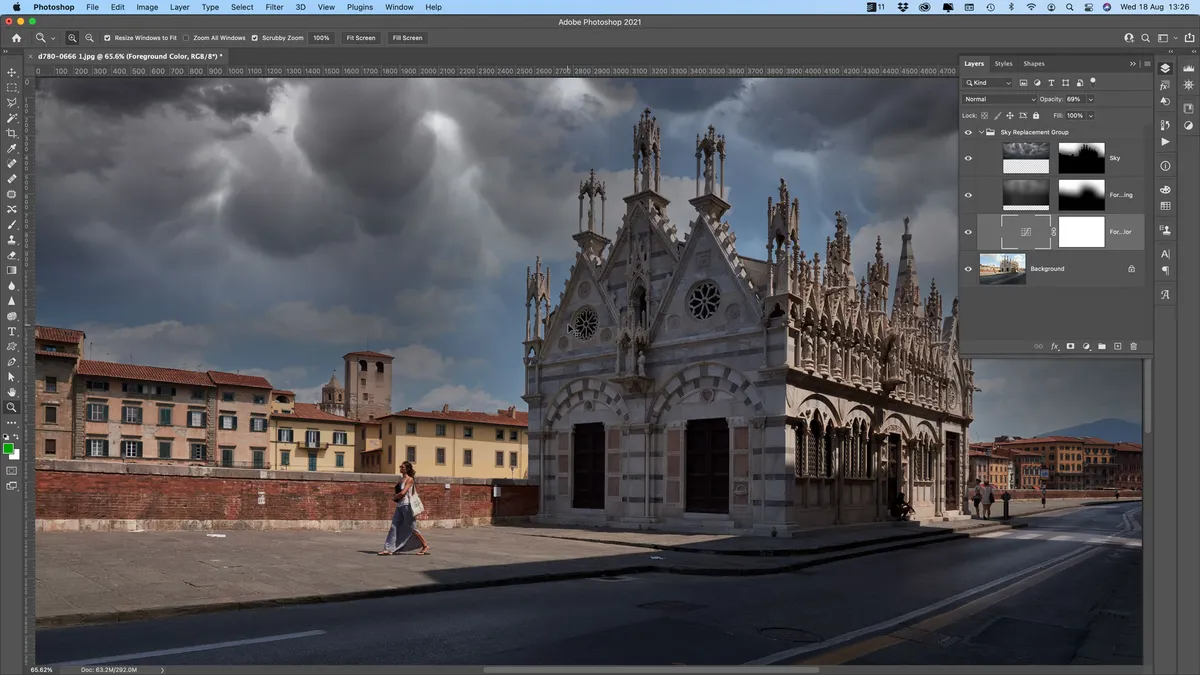
Photoshop may be an industry standard, but there are several reasons who someone may want to pick a different software instead, from cost to complexity.
- You don't like subscriptions? Fair enough. We happen to think the Adobe Photography Plan is a really good deal, but if you're dead set on paying a one-off licence fee then we have the answer – Affinity Photo.
- Photoshop costs too much? Well, if $240/£240 per year for the Photography Plan is too steep, get Affinity Photo! It's less than half that, and Affinity has never charged for an upgrade since the software was launched. It can also go toe-to-toe with Photoshop at every level.
- Photoshop doesn't suit your busy workflow? That's because it's a one-by-one image editor, not a bulk browser and processor. For that you need Lightroom or, better still, Capture One, with its powerful tethered shooting, Sessions or Catalog-based workflow and higher-quality raw processing.
- Photoshop is too daunting? That's easy. Photoshop Elements will offer you a lot of Photoshop features in an interface that's falling over itself to be friendly and helpful.
Why you may want to stick with Photoshop (even with the cost going up)

As someone who tests out new photo software on a regular basis, I know that there’s plenty of great options out there. If you don’t need to do intense edits, there are far more affordable choices. And for beginners, many Photoshop alternatives are far easier to learn. But, I’m still sticking with Photoshop for now; here’s why you may want to as well.
- The price isn’t going up for current subscribers (sort of). Adobe is discontinuing the most affordable plan that includes Photoshop for new subscribers starting on January 15, 2025. Existing subscribers, however, will still have access to the plan. While the price is also hiking up for current users, paying for one year in full rather than month-by-month negates that price hike. But that also means that, if I end my current subscription, if I want to return later, it will cost me twice as much.
- Photoshop still has advanced tools that most other programs don’t offer. Photoshop’s long history gives the app an edge in advanced editing tools. Nearly any photo editor will allow you to do basic photo edits, many offer mid-tier edits, but only a few offer advanced tools. If you want to tackle high-end retouching like frequency separation or use its myriad of content-aware tools, it’s hard to find a true replacement.
- Photoshop regularly gains new game-changing features. Because Adobe is such a giant in the software industry, Adobe regularly receives new updates – and many of them are game-changing. For example, Photoshop’s Generative Remove has allowed me to tackle edits I otherwise wouldn’t be able to do. Yes, sometimes it produces weird results, but often it saves me a lot of time when removing powerlines from the background or fixing a wardrobe malfunction.
- Photoshop is an industry standard. There are a number of benefits that come with using a program that’s as popular as Photoshop. For starters, you can find a tutorial on how to do pretty much anything inside of Photoshop. It also supports many plugins.
How to choose a Photoshop alternative
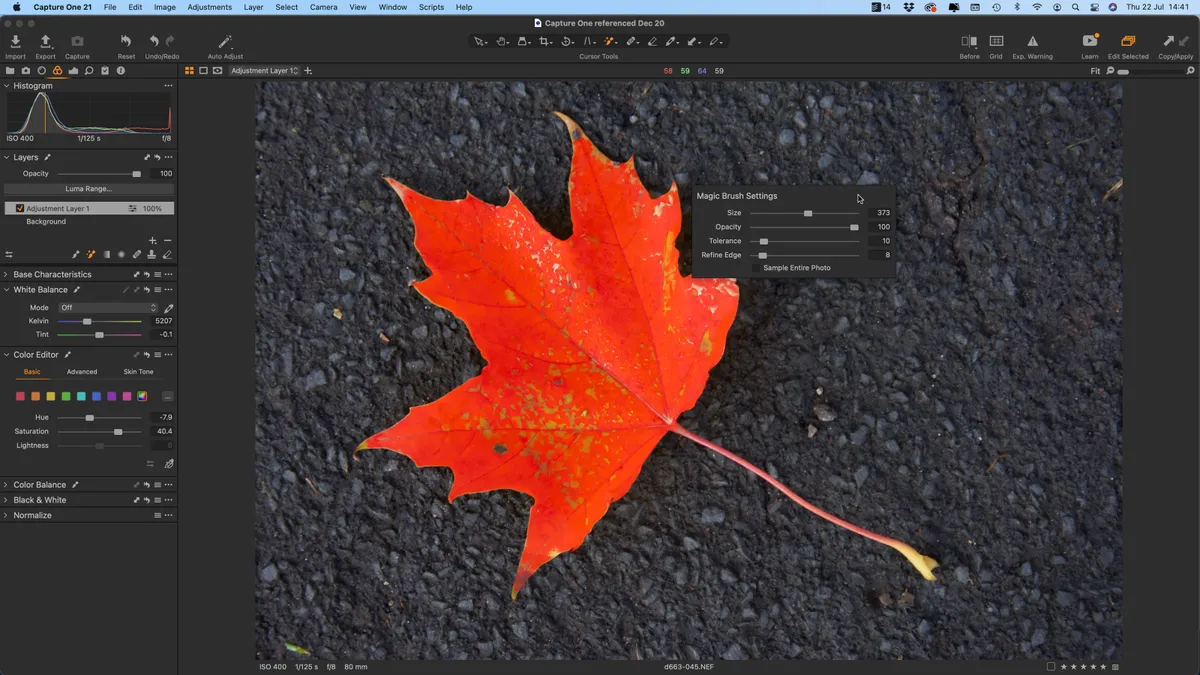
Choosing a Photoshop alternative depends on what, exactly, you need to accomplish with the software. A beginner will have a different set of requirements than an advanced retoucher; a photographer will have different needs than a graphic designer.
If you need high-edits, you’ll need a high-end program, such as Affinity Photo.
If you primarily adjust RAW parameters and do light retouching, you can get away with an all-in-one photo editor like Capture One.
If you just need to do some basic retouching, you can get away with a free program like GIMP.
If you want to create graphics too, you could bundle Affinity Photo with Affinity Designer.
If you are on a tight budget, you may want to consider programs like Corel PaintShop.
How we test photo editing software

When we evaluate a photo-editing application, we evaluate the software as a whole, from its user interface to its various tools. Specifically, we look for seven key features:
Advanced retouching, masking and composting tools: Particularly for Photoshop competitors, we look for advanced tools that are needed for high-end retouching and composting, like masking, layers and other high-end capabilities.
Image organizing and cataloging: Photoshop actually doesn’t organize or catalog photos, but it comes bundled with a software that does (Lightroom) if you opt for one of Adobe’s Photography plans. Software that does both, either in one app or by bundling with a separate program, tend to be must-haves for photographers.
Non-destructive editing: How difficult is it to undo an edit, once you’ve made it? That’s what we mean when we refer to non-destructive editing. In Photoshop, this is done through adjustment layers that can be easily modified later, but some photo editors have even more non-destructive features.
High-quality RAW processing: How a program handles RAW files can make a significant impact on the final image. Some RAW processors are better than others at rendering colors, smoothing out noise, fixing lens distortions and more.
One click-presets: When we test out a photo editor, along with trying the advanced options, we want to know – how much can you get done in one click? These one-click presets can also serve as inspiration when you don’t know where to start with a photo edit.
Beginner friendliness: How difficult is the software to learn? Some programs are intuitive, others require hours of tutorials to really grasp the capabilities.
Value for money: Finally, we consider the cost of the program. Do other lower-priced apps offer more or better options? Can you get more features for the same price with another option? Is the software subscription only, or can you access it with a one-time payment?
Frequently asked questions about replacing Photoshop
Can you edit images without Photoshop?
Photoshop may have pioneered digital image editing, but it is no longer the only option available. There are now countless apps for editing photographs and creating graphics, many of which offer more than enough tools for everyday use.
Photoshop remains an industry standard, but the best choice ultimately depends on what you need to do. If you only want to crop images, adjust exposure or make a few simple corrections, a cheaper and more straightforward program may be all you need. Even more experienced users are increasingly turning to alternatives such as Affinity Photo, which offers a wide range of advanced editing tools without the same ongoing cost.
What is the best alternative to Photoshop?
Of all the photo-editing apps we have tested, Affinity Photo stands out as the strongest alternative to Photoshop. It includes a wide range of professional tools that many competing programs lack, including layer-based editing, compositing and frequency separation.
Despite its advanced capabilities, Affinity Photo 2 remains competitively priced and is available without a recurring subscription, making it an appealing option for both enthusiasts and experienced editors.
Is GIMP as good as Photoshop?
GIMP is not as polished or frequently updated as Photoshop, so it lacks many of Adobe’s latest features and technical advances. However, it still includes a broad selection of familiar, long-established editing tools, making it a capable free option for many everyday photo-editing tasks.
You may also like
On a journey to find the right photography software for you? You may also want to browse our lists for the Best photo editing software, the Best video editing software , the Best monitors for photographers , the Best photo editing laptops , or the Best external hard drives

