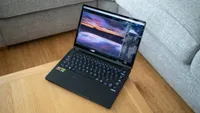
Digital Camera World Verdict
If you’re looking for a powerful laptop for high-end video editing, then Apple has pulled out all the stops with this one. Not only do you get its best-ever processor (until the next one), but loads of RAM and storage too. You’ll pay handsomely for the privilege of owning one, but if you have the workflow to effectively make use of the investment, it will pay you back over and over again. For most other people, however, there are cheaper options available, even from Apple itself, that may be more appropriate and better value, depending on what you intend to use it for.
Pros
- +
Extremely powerful
- +
Easily portable
- +
Thunderbolt 5
Cons
- -
Extremely expensive
- -
No OLED or touchscreen
Why you can trust Digital Camera World Our expert reviewers spend hours testing and comparing products and services so you can choose the best for you. Find out how we test.
Is it possible these days to buy a laptop that’s too powerful? Chances are that photographers will be rocking mid-level machines capable of running Photoshop while video types are lugging something more potent around with them, but this? This knocks just about every laptop ever tested into second place. The Vanilla M5 version of the MacBook Pro was already pretty good, supplying some of the fastest single-core performance the benchmarking apps had ever seen, but was left behind in multi-core and graphics performance by Windows PCs with more physical cores and discrete graphics chips.
In response, Apple has done what it’s done for every generation of M-series CPUs, and released a version with more of everything. That’s what we’ve got here, and it’s so good it’s almost scary. There are already two MacBook Pros in the big list of the best laptops for video editing, will this knock the M4 Pro off the top?
Specifications
CPU |
Apple M5 Max (18 core) |
NPU |
Apple Neural Engine |
Graphics |
Integrated, 32 or 40 cores |
Memory |
36GB, 48GB, 64GB, or 128GB LPDDR5 |
Storage |
2TB, 4TB, or 8TB SSD, SDXC card slot |
Screen |
14in Liquid Retina XDR (Mini-LED IPS), 3024 × 1964, up to 120Hz, 93% P3, 300 nits |
Ports |
3x Thunderbolt 5, 1x HDMI 2.1, 1x 3.5mm audio, Magsafe charging |
Connectivity |
Wi-Fi 7, Bluetooth 6 |
Size |
155 x 313 x 221 mm |
Weight |
2.15 kg |
Price & Availability
You’ll have to part with $5,699 (£5,699/A$8,949) to get the spec we’re reviewing here. That’s an awful lot of money, considering the MacBook Pro with the normal M5 chip starts at $1,599, and is certainly not an impulse purchase. If you’re willing to make the investment, you’ll get a laptop that can do anything, and do it quickly, but whether it’s a sound purchase depends very much on whether you think it will accelerate your professional workflows to a point that you can’t imagine life without it. Luckily, Apple’s build-to-order system means you don't have to max out every spec, so you can lower the price that way.
Design
The MacBook Pro hasn’t changed its design for a few generations now. You get a choice of two colours - black and silver - and two sizes, 14 and 16 inches. There's the option of a Nano Texture screen coating, to cut reflections when working around strong lighting, but the Liquid Retina display isn’t a particularly reflective panel even without it, and Apple’s apparent reluctance to embrace OLEDs, which have a reputation for being mirrors when looked at from the right angle or in the wrong lighting, may have something to do with this.

So you get a flat-sided laptop with softly rounded corners, the MacBook Pro name engraved into the base, and an Apple logo on the lid that doesn’t light up. It’s sleek and professional, as well as instantly recognisable. There are certainly thinner laptops out there - Apple makes one itself in the MacBook Air - but also many that are fatter, and it’s a remarkably compact package for the sheer amount of computing power the company has managed to pack inside. There are two fans for cooling, but they never get very loud, and any hot air is vented out of two small slits in the sides, as well as being absorbed into the aluminium frame. In testing it never got particularly hot, but it’s easy to imagine that a day spent churning through 8K video will cause it to warm up.
It’s worth noting that chargers are now optional extras when buying a new MacBook. The 96W USB-C power adapter is a £79 add-on, though there's a MagSafe adapter in the laptop’s box so you can use any USB-C brick you already have to juice it up, and you can also charge it through any of its Thunderbolt ports, which is handy if you’ve got it connected to a dock or a monitor with Power Delivery.

Performance
The M5 chip was already a strong performer when it came out in 2025. That model was a 10-core chip, with four of them Apple’s newly christened ‘Super’ cores and the other six ‘Efficiency’ cores for background tasks. The M5 Max introduces a new category, the ‘Performance’ core, which is a bit confusing, as Super cores used to be called Performance cores, but they now occupy a middle ground between Super and Efficiency. The M5 Max has six S and 12 P cores, with no E cores at all, and it all makes a difference to its benchmark scores.
Apple’s M5 chips are the only CPUs to score more than 4,000 points in Geekbench 6’s single-core test (as of early 2026, anyway), and the M5 Max continues the trend. What’s far more exciting is the multi-core test, in which the M5 Max pulls away, putting 6,000 points, or 23%, between it and the M4 Pro from the previous generation. Intel’s Core Ultra 9 275HX is around 30% slower than the M5 Max in this test.

Having 40 graphics cores against the vanilla M5’s 10 gives the Max a big advantage too, and it produces results that are approximately the same as a mid-range Nvidia card, though comparing different graphics architectures on computers running different operating systems is a difficult task. The MacBook Pro being reviewed also has an advantage from its 128GB of fast DDR5 RAM, something that accounts for a large chunk of its price.
What all this means in practice is that it absolutely flies along. It completed tasks in Photoshop and Premiere Pro extremely quickly, and while it’s not the absolute best out there at running AI tasks - that honour goes to machines with top-end GPUs - it’s no slouch either.
With all that processing power, you might expect the battery life to be measured in minutes rather than hours, but the efficiency of the ARM-based Apple Silicon means that, when asked to do light tasks, you can see as much as 17 hours of life out of a charge. While it’s probably true that a laptop like this is likely to spend a lot of its life plugged in and working hard, it’s good to see that taking it into the field is a possibility, even if the endurance will decrease when you make it work harder.
Final Verdict
This 14-inch MacBook Pro with the M5 Max processor is a remarkable machine, and it should be, considering the price Apple is asking for it. You’ll need to go through the online configuration process to get a laptop with this spec, and once you’re finished, it’s almost the most expensive Mac you can buy (that accolade goes to the Mac Studio with a 32-core M3 Ultra processor, into which you can put 256GB of RAM and 16TB of storage).
For most photo and video users, however, a laptop of this spec will be overkill, and while the excitement of simply owning one may be worth the price, something lower down the hierarchy will do just as well, especially when you consider that you’ll undoubtedly need extras like a Thunderbolt dock, Magic Mouse or Trackpad, and an external monitor such as the Apple Studio Display to go with it. Buy one, however, and you’ll have the kind of portable workstation that once we could only have dreamed of.
Features ★★★★½ |
With Thunderbolt 5, an SD card slot and a Liquid Retina XDR display on board, this is a well-equipped laptop. |
Design ★★★½☆ |
Looks the same as every other MacBook Pro has for the past few generations. It’s becoming hard to tell them apart. |
Performance ★★★★★ |
Nothing short of exceptional. The M5 was already a good mobile CPU, but the Max version piles on processor cores for extra grunt. |
Value ★★★☆☆ |
Once you start adding extras to a MacBook Pro, the price goes up quickly. If it’s necessary for your workflow, this may not matter, but most will be better off saving their cash. |
Overall |
★★★★½ |
Alternatives