

Digital Camera World Verdict
The U3000 Pro is a new flagship dash cam from Thinkware. To earn that status, it packs 4K video with HDR, an optional 2K rear camera, GPS and a new radar sensor. Fitted to both cameras, this enables the U3000 Pro to spot motion around your vehicle while parked, then immediately power up and start recording. Pair this with a hardwired setup – plus an optional LTE mobile data connection – and you have a 24/7 security camera for your car.
Pros
- +
Radar tech works well
- +
4K and 2K video
- +
GPS
- +
Various power options
Cons
- -
Expensive
- -
No display for quick settings access
- -
Radar can be overly sensitive
Why you can trust Digital Camera World Our expert reviewers spend hours testing and comparing products and services so you can choose the best for you. Find out how we test.
Since our cars tend to be parked for more than 90 percent of their lives, it makes sense for dash cams to continue to protect them when parked up and switched off. Many already do this, and parking modes are available on dash cams of almost all prices.
But, compared to other aspects like video quality, where now 2K and 4K resolutions are commonplace, the rate of improvement has plateaued, parking modes are an area where there’s still plenty of room for innovation.
The latest dash cam to up the parking mode ante is the new Thinkware U3000 Pro. This dash cam is a two-channel system that ticks all of the usual boxes – front and rear view, 4K and 2K resolutions respectively, wide lenses, HDR, promises of superior night vision, 5 GHz WiFi and an included hardwiring cable.
But what sets this dash cam apart is its use of radar. This is fitted to both the front and rear units, and is used to actively monitor up to five meters from your car while it’s parked. If motion is detected in that zone, to the front or rear, the U3000 Pro fires into life and starts recording.
Does all this make the U3000 Pro my new favorite dash cam? Read on to find out.
Thinkware U3000 Pro: Specifications

Resolution |
Up to 4K (front), up to 2K (rear) |
Frame rate |
30 fps (4K, front), 30 fps (2K, rear) |
Field-of-view |
147 degrees (front), 156 degrees (rear) |
HDR |
Yes, front and rear |
Wi-Fi |
Yes, 5 GHz |
GPS |
Yes |
Display |
No |
Battery |
No |
Parking mode |
Yes (hardwiring or OBDII cable required) |
Thinkware U3000 Pro: Price

The U3000 Pro is priced from £399 where I live here in the UK and $499 in the US. That already puts it into a high tier of dash cam, but it’s only half the story. If you add in a rear camera and the OBDII cable for continuous power (as tested for this review), you’re looking at £559 or $580 in the US. Strangely, the rear camera adds £130 in the UK but just $50 (£37) in the US.
But, whichever way you split it, this is an expensive product that sits right at the top of the dash cam market – at least in terms of price – rubbing shoulders with other flagships like the Nextbase iQ.
On top of all that, Thinkware also sells a £105 ($150) LTE module, which plugs into the U3000 Pro and gives it a mobile data connection – but remember, you’ll have to pay for a data plan too.
Thinkware U3000 Pro: Design & Handling

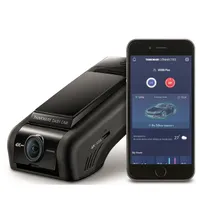
Like almost all other Thinkware dash cams, the U3000 Pro has a screenless design that blends in nicely with your car’s interior. Go down the hardwiring route, or neatly tuck the power cable behind interior trim panels, and the dash cam looks like it was installed at the factory, not an aftermarket add-on.
Being a flagship product with high performance, the U3000 Pro is quite large, but its shape helps it keep a relatively low profile against the windshield. There are a few degrees of vertical adjustment for the front-facing camera – enough to accommodate almost any rake of windshield – and the whole unit locks onto the adhesive mount with a sliding motion. It takes up a fair bit of the windshield, but should still fit behind the rear mirror of all but the smallest cars.

The rest of the hardware is par for the dash cam course. There are three status lights, three physical buttons, a microSD card slot and ports for connecting power, LTE and rear dash cam cables. These protrude a fair bit from the rear, so to avoid them fouling the roof lining or mirror housing you should plug them all in before fixing the adhesive mounting plate to the windshield.
The rear camera is much smaller, offers much more vertical adjustability, and has an integrated adhesive pad for fixing to the rear windshield. I’d rather this pad was on a removable mounting plate, because if you ever remove the rear camera it’ll lack the stickiness to fix securely to a new vehicle. This connects to the main unit with a long miniUSB cable. Overall, the U3000 Pro looks and feels like a quality item worthy of its high price tag.
Thinkware U3000 Pro: Performance


The setup process is quick and easy – especially since I wasn’t using the optional LTE module. Like other dash cams, the U3000 Pro will start recording right after you insert the included 64GB microSD card and start your car. But you’ll want to download Thinkware’s smartphone app, connect to the camera via Bluetooth, and go through the proper setup process.
This all went smoothly, and the 5GHz Wi-Fi connection means there’s no annoying delay when adjusting settings from your phone, and video recordings transfer more quickly than with dash cams using a lesser 2.4GHz connection.
Video quality is in line with what you’d expect from a high-end 4K dash cam. Footage is recorded at 3840 x 2160p at 30 frames per second from the front camera, and up to 2K (2560 x 1440p) at the same frame rate from the rear. Both cameras use a Sony Starvis 2 imaging sensor (IMX678 at the front and IMX675 at the rear). The viewing angles are 147 degrees and 156 degrees, respectively.
Above: sample video taken using the Thinkware U3000 Pro's front camera
Recordings are sharp and bright, with good detail and fairly accurate colours. There isn’t too much noise or grain – something many dash cams can suffer from even when they’re equipped with 4K sensors. I wouldn’t describe it as cinematic, but it’s perfectly decent for a dash cam, with important details like vehicle licence plates clearly visible during daylight, for traffic ahead, behind and passing by in the opposite direction.
A key feature of the U3000 Pro is its use of radar. This is used by both the front and rear cameras to detect motion when the vehicle is parked and turned off. This requires either a hardwired installation (where the dash cam draws power from the fuse box), or an OBDII cable, as tested for this review. Set up thus, the Thinkware snaps into life the moment motion is spotted, records a video, then goes back to sleep.
This is a welcome feature, as it’s a step ahead of other dash cam parking modes, which only start recording when motion or an impact is felt. Whereas they’ll only catch the aftermath of a collision or break-in, the U3000 Pro has the potential to record the moments leading up to such an event.
Above: sample video taken using the Thinkware U3000 Pro showing the motion detection feature
In testing, I found it responds quickly. When approaching my car from the passenger side, video was recording well before I’d reached the driver’s door. However, while this impressed, the default radar sensitivity is too high and the camera is woken up by rainfall. Turning the sensitivity down a notch helped address this.
I was impressed by how little power the U3000 Pro seemed to consume. Despite the high radar sensitivity causing the camera to record a few dozen clips of rainfall in a single night, my car started as normal and I’ve seen no issues with low voltage. There are settings to adjust in the app, but it looks like Thinkware has already configured this correctly, at least in my case.
The rear camera’s radar works in exactly the same way, and while the imaging sensor is still good, with 2K resolution at 30 fps, footage isn’t as sharp and clear as from the front. Low-light performance is good from both cameras, with the front in particular retaining detail and lacking grainy noise, even on dimly lit roads at night.
Thinkware’s new Super Night Vision 4.0 tech is doing the work here, along with those Starvis2 sensors, and while I wouldn’t describe the results as game-changing, recordings are essentially as good as you’d ever need them to be. Their clarity and lack of grain is particularly noticeable compared to lesser dash cams. There’s also HDR for both cameras to prevent over- or under-exposure and GPS for adding location and speed data to recordings.
As with all other dash cams, the U3000 Pro’s driver assistance features are best left disabled, since modern cars already cover these bases and they can’t always be relied upon. That said, I left the low-speed front collision warning active, ready to alert me if the vehicle ahead stops unexpectedly.
Thinkware U3000 Pro: Verdict

I’ve always been a fan of Thinkware dash cams, and the U3000 Pro continues that trend. It’s somewhat expensive, but brings something genuinely new (and useful) to a stagnating dash cam market, in the form of radar motion detection. This works well – arguably too well until you turn the sensitivity down – and is a reliable and surprisingly energy-efficient way of recording motion around your parked vehicle.
Add this to the rear camera and Thinkware’s OBDII cable, and you have a 4K+2K dash cam system that installs discreetly, has a constant power supply (without needing to be installed by a professional), and records parking collisions before they happen. Compared to dash cams with parking modes that only fire up after a collision is detected, this feels like a worthwhile upgrade.
Features |
4K dash cams are starting to feel normal, but dual Starvis2 sensors and radar motion detection really help set the U3000 Pro apart. I especially like how the radar and OBDII cable turn this dash cam into a reliable security camera for your parked car. |
★★★★★ |
Design |
It’s the familiar Thinkware design, with no screen and a body that fits snugly against the windshield. There’s nothing groundbreaking here, but with tidy cable management it can easily look like a factory-installed product. If you must have a dash cam with a screen, look elsewhere. |
★★★★☆ |
Performance |
Video quality is plenty good enough, if not jaw-dropping, with great daytime clarity and minimal grainy noise in low light. What impresses most is how quickly the dash cam fires into life and starts recording when motion is spotted by the radar while parked. Energy efficiency – and how dozens of recording events didn’t cause noticeable drain to my car’s battery – is also very good. |
★★★★☆ |
Value |
This is an expensive dash cam, especially when you add in a rear camera, OBDII port and the optional LTE module for a mobile data connection. Ideally, you should buy the hardwiring kit or OBDII cable, since the biggest feature – radar – requires constant power. If you want to use a 12-volt cable instead, you should consider a different model. Strangely, the rear camera is much better value in the US than in the UK. |
★★★☆☆ |
✅ Buy it...
- You want reliable parking protection: Radar helps the U3000 Pro wake up and start recording the moment motion is spotted by either camera.
- You want high-quality video: Video is 4K to the front, 2K to the rear, and captured by a pair of Sony Starvis2 imaging sensors that do a fantastic job of illuminating noisy grain from low-light footage.
- You don’t need a screen: If you’re happy to use a smartphone app to view recordings, transfer files and adjust settings, you’ll be just fine with this dash cam.
🚫 Don't buy it...
- You’re on a budget: Naturally, if you don’t have $300-$500 for a dash, then you should look elsewhere. The radar tech might not be necessary for you, but you can pick up a cheaper model that still offers similar video quality.
- You want portability: If you need a dash cam that’s easy to switch between two vehicles, this isn’t for you. It works best with a permanent power supply, via hardwiring or an OBDII cable
- You don’t want to use an app: Since it doesn’t have a display, your only way to adjust settings is via Thinkware’s smartphone app. Videos are viewed and transferred this way too, although you could pop out the microSD card and copy them to your computer
Alternatives
Also see our guides to the best front and rear dashcams, and to the best budget dashcams

