Digital Camera World Verdict
The case for a premium webcam is ever clearer – and this camera is certainly clear too, with a large sensor, 4K and dual microphones. This isn't the smallest gimbal-based webcam, but AI features impress and (assuming you have use for them) the price won't feel too extravagant.
Pros
- +
Quick to identify and follow subjects
- +
Sharp image quality impressed my colleagues
- +
Multiple tracking options – not just AI but phone remote too!
- +
Good quality AI image enhancement options for those who like them
Cons
- -
Gimbal could be more forgiving about where it is placed (it likes a level surface)
- -
Gimbal not infinite rotation
Why you can trust Digital Camera World Our expert reviewers spend hours testing and comparing products and services so you can choose the best for you. Find out how we test.
For various reasons, a lot of WebCams are not as high-quality as you'd hope – especially those built into computers. Laptop cameras, especially, are treated by manufacturers as components and have to overcome strict criteria on size and price. Quality is just one consideration, for a computer vendor – but it might be something much more significant if you're a YouTuber, a game streamer or just want to look your best when working remotely.
Insta360 are one of a small but growing number of companies concentrating on premium webcams. The Link 2 Pro is one of two models released at the same time that boast similar camera specs (the other is the Link 2C Pro).
Even though the 2C has an extra letter in its name, this one is the more powerful since it also includes a gimbal and AI that gives it the ability to follow it's subject around the room, making it more like having a personal camera operator.
A device like this can be a massive boon for streamers as well as those seeking to look good in standard video calls. If video conferencing is important to you paying a premium makes sense. For those running online training sessions, a camera like this is likely to help students see what you're doing – even if you need to move around. That can help them learn, and make your training more effective.
With all those reasons to own the device in mind, the question is, has Insta360 got things right with this model?

Link 2 Pro: Pricing
Launching at the start of 2026 for $249.99 / £239.99, this is more expensive than its previous generation, but brings more features and better quality, so there isn't an immediate surprise either – it's also still easier on the wallet than some premium PTZ webcams (I'm looking at you, Obsbot Tiny 3), so all round value is on the right side of acceptable.

Link 2 Pro: Specs
Sensor Size |
1/1.3-inch |
Field of View |
83.9˚ |
Resolution |
4K 30fps / 1080P |
Microphones |
Dual Mic noise cancel |
Subject tracking |
AI gimbal |
Stream Deck Control support |
Yes |
Weight |
3.6oz / 5.9oz with mount (102g/167g) |
Width |
2.8 inches ( |

Link 2 Pro: Build and handling
The Link 2 Pro has "Flagship" written on the box, and feels just as premium when you take it out.
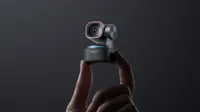
The core components are constructed from metal or high-quality plastic, nothing cheap, and that weight is reassuring. There is also something about the large size of the gimbal turntable and the camera head that reminds you there is a larger image sensor inside.

The camera connects using the generously long USB-C to USB-C cable included in the box, but (if you need it) you'll also find a USB-A adaptor. This feels the right way around these days to me; USB-A is, after all, a bit old school, but you never know!
In fact plugging it in is enough for most apps to identify the camera and, thanks to the gesture recognition, for you to turn on and off the face tracking feature that sets this camera apart from many.
Holding your palm up a couple of seconds is enough for the AI to recognise that you want to be tracked, after which the gently glowing green LED circle flashes a couple of times in acknowledgement and turns blue. Get up and walk about and you can get nearly behind the camera before it'll lose you.

The software is generous in nature, and installing it brings out the best in the camera. For example, I found the default track had a slight lag before it decided to turn, but it turns out there are simply three choices – personally I preferred the 'Quick' option, and by using Insta360's 'Link Controller' app you can access settings like these.
This is also the route to more tun-of-the-mill features like digital zoom which, again, offer a lot of directorial control if you're used to making do with the limited feature set of your meeting app.
Link 2 Pro: Performance
I tested the camera in low and good light, and the camera's 1/1.3-inch image sensor impressed me a great deal with no tweaks to the settings.
The camera can be used simply by plugging it in, and will recognise faces easily. It has dual native ISO, which means that the image generally retains detail across the image, unlike cheaper or built-in webcams, which invariably have over- or under- exposed areas.

Not everything was perfect about the digital effects. While my girlfriend was a fan of the digital effects, especially the Makeup options, they require switching down to 1080P.
Despite seeming newer and a bit more futuristic and 'AI' than the 'Background' options, which is a tech we've all gotten a bit used to from remote meeting apps already, I found that there was still a degree of fringing especially with motion. Where things can be improved (if you have the gear) is by using a green screen. If you check the box, it'll identify the key and take advantage of your setup.

You'll see that the autofocus and the auto tracking using the two axis gimbal (as I move in my seat) is quick. When I got up and walked around, it followed me until it was looking halfway behind before losing track of me because it cannot continue indefinitely.
Head tracking is smooth and consistent, and the phase detection autofocus system worked well in my testing.
Incidentally, 4K for a webcam can reveal some quite crisp detail and if your personal grooming is as poor as mine, well, that may not be ideal. Something that is much appreciated is that – should you choose to use the accompanying software (including AI makeup) – it is relatively straightforward and can act as a virtual camera so any of your apps can use it.
Positives are that it was easy to use compared to others I've tried. One slight issue – potentially a gender one? It had no problem at all applying digital 'makeup' to my girlfriend, even in low light, but even in good light I think my beard confused the AI because there were some brief flickers as the lipstick lost the lips momentarily!

Link 2 Pro: Overall verdict
I tested this camera on work meetings, with my girlfriend, and recording streams, and in every case – whatever the lighting – I found myself pleased with the result. What is especially pleasing about Insta360's implementation of the gimbal technology is the smoothness with which is handles subject tracking.
If I were looking for a negative, the camera is perhaps slightly bulkier than I'd want, especially knowing that a certain competitor seems to have made the same concept around half the size (Obsbot, since you ask, also found in our best mac Webcams guide).
Gesture controls, well, they can be a bit of an acquired taste – but it's one of so many options on this camera (the app is a great choice in my book). This camera makes a presentation practical, plus with features like whiteboard mode it can potentially save a lot of money against a full scale meeting room setup.
Features ★★★★★ |
Between the camera's sensor size & dual ISO, AI tracking, and the software features, this is a very powerful device which has options for streamers |
Design ★★★★★ |
Believe it or not, there are physically smaller alternatives, but the design is good and feels robust and portable. |
Performance ★★★★☆ |
I was genuinely impressed with the quality of the image – just a hint of grain in the lowest of lights. The audio is well above average, and the tracking is very smooth at default settings. Software is impressive in almost all regards. |
Value ★★★★☆ |
With a price rise, it's hard to award all five stars, but in truth this can be considered a massive cost saver for some who might have needed a bigger PTZ otherwise; it might be overkill if a standard static webcam would suffice. |
Alternatives