Digital Camera World Verdict
The Viltrox NexusFocus F1 surpasses expectations when it comes to results. Getting there includes some initial thought and setup, but once done, being able to use Sony’s excellent autofocus with any PL cine lens is remarkably effective and useful in many situations. It turns what could mean a minimum of a two-person job into a single-shooter option. Just be aware it will take a bit more gear than a straight bolt-on lens adapter.
Pros
- +
Easy to use
- +
Excellent results
- +
Opens up possibilities for lens choice
- +
Excellent build quality
Cons
- -
Some rigging needed
- -
Initial setup can be time consuming
Why you can trust Digital Camera World Our expert reviewers spend hours testing and comparing products and services so you can choose the best for you. Find out how we test.
Many shooters have come to rely on autofocus, especially as the consistently good results you can achieve make missed shots far less likely. On top of that, not needing an AC means you can shoot solo or in confined spaces, without the need for extra hands to adjust settings. However, there is one thing that holds autofocus a less inviting proposition, and that is lens choice.
Many filmmakers, including me, like to work with cinema lenses, or vintage glass, that just don’t have the electronics or motors, meaning they are full manual only. This is a crying shame, as it would be so useful to have some automatic features combined with the visual character these lenses provide.
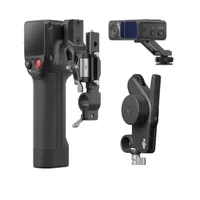
Now, there are some systems that can help here, like DJI’s focus pro, which does help here, and a motorised follow focus like the Tilta Nucleus Nano, which does go some way toward managing focus, but there are downsides to these systems. And really, we often want the rock-solid autofocus that Sony cameras have. That’s where Viltrox comes in, with the promising NexusFocus F1 (I’ll refer to it as the F1 from here). It’s a PL to E mount adapter, with some clever electronics, mated with a focus motor that essentially focuses through the lens using Sony’s own autofocusing system. That may restrict this to Sony shooters for now, but word has it that Viltrox is expanding this for other cameras too.
I spent some time getting to know the FR1, using my Sony A7RIV and a handful of cine lenses to see what’s what.
Viltrox NexusFocus F1: Specifications
Lens mount |
PL to E |
Adapter dimensions |
95 x 49.4 x 104.3mm |
Adapter weight |
262gm |
Motor weight |
146.5gm |
Power delivery |
D-tap to USB-C |
Viltrox NexusFocus F1: Price
Originally launched on Kickstarter, but it has far surpassed the amount Viltrox was looking for. The F1 is now available on Viltrox's online storeas well as in major camera stores.
The single motor kit is priced at $599 / £455, which feels like a bargain to me, but do factor in buying a few other bits, if you don’t already have them, as you will need to rig it up.
Viltrox NexusFocus F1: Design & Handling
Let’s kick things off with a look at what comes in the box. First up, the F1 ships in a nice semi-rigid case, with custom foam inserts to hold everything in place. I got the two motor kit, as you can see, there’s a precut section in case you add a third motor down the line (Yes, the F1 is FIZ system, but more on that later).
Next is the adapter itself, along with three USB-C cables and a D-tap to USB-C power cable. Everything is built well, feels rock solid, and the materials and finish are excellent. I’m also a fan of the rod clamps on the motors. As well as ratcheting grips, they are also swing away, so you can easily add or remove a motor without the need to remove anything you might have mounted in front, like a matte box. Good move Viltrox, and not something you see as often as you should.
Then there’s the power box. This sits between your power source and the rest of the setup, and it’s really the only part I’m not so fond of. It has a ¼”20 mount on one long side for mounting, and the two ports for power in and out. The problem is that it feels a bit clunky, and finding a good place to mount it isn’t always that easy. This might be in part due to the cables. Now, I’m not a fan of overly long cables, as they snag and get in the way, or need winding around something else, but the cables here are a little short for my liking. This means there’s less scope for mounting the power box, as it needs to reach the motor(s) and power. That said, the D-tap cable is pretty long, so it should be fine for most rigs.
Overall, everything looks and feels top-notch, but how is it in use?

Viltrox NexusFocus F1: Performance
Let’s start with rigging. As mentioned, everything is nicely made. The fit and finish are very good, but you will need a few extras to get set up. Keep in mind that this will vary depending on your use case, but for me, using an A7RIV, I already had a cage and a top handle, but I did need to add rods for mounting the motor. This isn’t an issue in itself. I have lots, so I grabbed a baseplate with rod supports and attached that to my cage.
The F1 needs V-mount power, so you’ll need some way of accommodating this. For me, I used a smallrig V-mount plate, which I mounted at the back to keep the weight distribution level. I do wonder if you could use a power bank and a normal USB-C cable for power, but Viltrox doesn’t mention it, and I didn’t want to risk damage. Either way, you’d need a mounting solution, so it’s neither here nor there at this point.
I wasn’t massively keen on adding bulk and weight to my little setup, which is usually used for handholding in tight situations or for use with a gimbal, but I think the payoff is worth it if you actually get Sony autofocus.
Once you’re all set up and rigged, you’ll need to add the adapter to your camera body, then connect all the cables, finishing by choosing your lens and lining up the gears of the motor. All very simple and quick.
Now, here’s where you might find an issue. Depending on your rig, you may struggle with a couple of things. Firstly, the cable connections and motor. If the gear rings of your chosen lens are too far back, it can be hard to line up, as the PL locking lugs can get in the way. This wasn’t a problem for many lenses, but keep it in mind. Also, my cage protrudes over the front of the camera body, obscuring the screen. That’s only a small issue, as you only really use it to choose a lens profile, and you can do that on the app, but it is a slight annoyance, especially when you have a top handle.

On to lens profiles, the most important part of the process. It takes a few minutes to get going, but it’s relatively straightforward. Power everything up, open the Nexus Focus app, and head to the library tab. If your lens isn’t on the list, you can set it up manually. Give a name and set things like the minimum focus distance, aperture range, and so on. You can define hard stops for focus, then calibrate using the focus chart supplied. The app is pretty good overall. I did have an issue where my iOS keyboard wouldn’t go, but this problem seemed to vanish, although I have no idea why. It was troublesome, though, as I couldn’t press the save button that was hidden behind it.
One thing to note is that you need your camera to be set to centre point focus during setup. I wonder if this is to do with lenses that might be soft around the edges, as you can change to other modes once you save your profile.
The connection between the phone and adapter is bluetooth and the signal was flawless.
On to the actual shooting experience, which was surprisingly good. The focus using this system is smooth and accurate. Not quite the same as a native E-mount lens, but very close indeed. I did find that, because of my setup, I couldn’t see the screen all that easily at some angles, but a quick addition of a field monitor (I used my Viltrox DC-L2) and everything was fine.
What I particularly like about the F1 is that everything is through the lens. While I do really enjoy the DJI focus pro, being lidar means that the closer you get to your subject, the more likely it is to miss slightly. For most situations, this won’t be a problem, but the added reliability of the F1 is a clear winner.

Viltrox NexusFocus F1: Verdict
If you’re a Sony shooter and miss the autofocus when using PL lenses, then the F1 is a no-brainer. You get all the benefits of that system, with none of the limitations of cinema glass. It’s also a big plus for one person shoots and small spaces too, and at this price it is well worth adding to your basket.
Features ★★★★☆ |
Easy to add lenses and adapt motor speed/power. All you need except some power options. |
Design ★★★★☆ |
A little messy with cables and power box but the adapter and motor are rock solid and look neat. |
Performance ★★★★☆ |
Works just as well as Sony autofocus. |
Value ★★★★★ |
Absolutely worth the cost. |
Alternatives