
Photo calendars show off a fresh photo every month – but the quality from different print labs can vary widely. That's why I didn't just order one photo calendar for the new year but nine to find which one shows off my images the best.
As a professional photographer and self-proclaimed color nerd, I'm picky about print quality. The colors from one lab often varies to the next, and details like sharpness and contrast can vary between labs too.
After scrutinizing nine different labs, from photo quality to design software for price, these are the labs that I wouldn't hesitate to order from again. Here are the best photo calendars that I've found.

As a portrait photographer, I'm picky about colors. A photo that skews skin tones too green will quickly get on my nerves – and I'm all too familiar with the fact that where you print your photos matters when it comes to getting the best possible image quality. Besides being the US editor at Digital Camera World, I'm also a wedding and portrait photographer and former photojournalist.
The best photo calendars
Why you can trust Digital Camera World Our expert reviewers spend hours testing and comparing products and services so you can choose the best for you. Find out how we test.
The best photo calendar overall


Out of all the calendars that I ordered, Nations Photo Lab impressed me with thick pages, sharp images, and excellent colors at a reasonable price point.
Nation's Photo Lab doesn't have the hundreds of templates that some other labs offer for calendars, but the templates they do have are excellent. The online software is intuitive and easy to use, and the preview tool creates an accurate 3D rendering before you order. My only complaint about the design software is that I couldn't change the color of the calendar grid, so I couldn't use darker backgrounds on the bottom pages without choosing a different template.
When I pulled the finish calendar out of the box, I was immediately enamored with the thicker, matte pages. Colors render nicely, in part because color corrections are free, and I didn't experience the oversaturated skin tones that I did with budget labs. Subjects are sharp, and there's lots of contrast without losing detail in the darkest parts of the image.
The biggest downside is that NPL is US-based and, while they offer international shipping, it is expensive. If you're reading this from Canada, Australia, or another region, labs that print on multiple continents, such as MixBook, are the better option.
Browse Nation Photo Lab calendars
Best photo calendar with worldwide shipping


Creating a photo calendar shouldn't be complicated – and the Mixbook app delivers a highly customizable yet simple-to-use app along with solid print quality.
Designing a calendar with the Mixbook app or online ordering starts with choosing one from hundreds of different design templates. While the software is template-based, Mixbook also makes it simple to start a design from scratch or customize a template when many other platforms don't allow you to rearrange the template layout.
The app made a good first impression, but the final calendar solidified Mixbook as one of the best photo labs for custom calendars. The calendar has thick pages with a lovely, subtle texture. The pages are matte, another plus for those that don't love the traditional glossy photo page. The colors in the final calendar weren't quite as good as accurate as high-end photo labs, but far surpassed budget labs.
Mixbook works with local labs on several continents, so odds are that no matter where you are reading from, you can order without high international shipping costs.
Best app for photo calendars


The Popsa app is so simple that I designed my entire calendar in ten minutes. The app autofilled the pages from the images that I selected. Then, I selected a layout, dragged and dropped photos to the correct month, and I was finished.
Popsa uses AI to aid the calendar design process, which includes pulling the colors from the photos to suggest inside the designs. That, plus the ability to drag photos to different pages, made the app simple and quick.
There are a lot of different designs for each calendar page, though one minor annoyance is that I didn't see a way to pick the same design for every page. I wish the app's AI could do even more. For example, I think it would be great if it could analyze the metadata and guess the right month to put the photo in, but it still only took a few seconds to drag and drop to rearrange the images to the desired page.
I ordered the glossy photo upgrade, and that really helped the colors in the image pop. Colors felt true to the scene without skewing skin tones. While the photo side is glossy, the calendar grid was not, which should help with writing on the different dates. The pages were also quite thick, though there was an occasional and minor stray crease from printing.
Best wall calendar


Saal prints photo calendars on real photo paper, and there's a dramatic difference in the calendar I received from Saal compared to budget labs. Colors are vibrant yet true to what I expected from the digital file, without skewing skin tones. Subjects are nice and sharp, and even the photos that I had captured on cheap cameras and an iPhone looked fantastic.
Designing the calendar was also straightforward. I picked one of the dozen or so designs, and the images I selected auto-populated into the different pages. I adjusted which photo fell on which month, added custom dates, and was ready to order without a long or overly complicated process.
While Saal has a few different types of calendars, they don't currently offer the classic two-page calendar with a photo on the top, binding in the center, and dates on the bottom. Instead, Sall's wall calendars are one-page affairs, which does make the date boxes a bit smaller. Still, the design and quality make the calendar feel like functional wall art.
The other thing to note is that printing on photo paper means the pages aren't as thick as some of the other options that I tested. If your calendar gets heavy use and is likely to crinkle, Saal's real photo paper may not be the best choice.
Order a wall calendar from Saal
Best budget photo calendar


Vistraprint is more of a print shop for marketing materials than a photo lab, but it's a highly affordable way to get a custom photo calendar, particularly if you want to order several with its bulk discount option.
The Vistaprint design program is a simple drag-and-drop, aided by more than 100 different designs to choose from. I found it only took me a few minutes to design a calendar with the templates, and it was easy to customize with my own photos, colors, backgrounds, text, and dates.
The final calendar is printed on thick, glossy pages. The print quality is quite good for the price, with nice contrast and vibrance. A few portraits had skin tones that were a bit oversaturated. But the calendars that beat out Vistaprint in quality all tended to sit at a higher price, making it a solid option for getting a calendar on a budget.
Design a photo calendar at Vistaprint
Best designs


Shutterfly has a hundred different designs to choose from for wall calendars – with such a wide selection, you're more likely to find a design that matches your decor, whether that's minimalist, modern, or even Disney.
The Shutterfly platform is fairly easy to use – once you've narrowed down to your favorite design template, you can autofill each page or drag and drop. using the online editor. The template determines the style of your calendar grid, however, so customizations may be a bit limited.
As a more affordable print shop, the print quality on Shutterfly's calendar is surprisingly good. Some photos had colors that were a bit off compared to pricier labs, but I preferred the print quality over Snapfish. The pages are also a thicker, cardstock-like matte material, so the calendar is easy to write on.
What else I tested
How I tested photo calendars

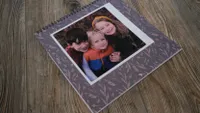
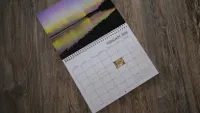
To find the best photo calendar, I tried options from nine different print labs across a range of different price points. I tested traditional wall calendars with a center binding where available and focused on the design software, the overall quality, and the price.
In order to compare image quality, I used a selection of the same photos across each calendar. Those photographs included high-resolution images, photos from mid-tier mirrorless cameras, and photos from budget cameras and an iPhone. I included color photos and black and white, as well as a few different scenarios, including low light and portraits.

Once all the calendars arrived, I analyzed each one, looking at factors like the color, sharpness and detail in the final print. I also looked at factors like how thick the pages are and how sturdy the bindings are.
FAQs

What paper should I choose?
When creating a personalized calendar you will likely be given several options of paper for printing on. While the cheapest may be the most appealing to your bank account, splashing out a little extra can give a much more high-end look to the final product.
It's much easier to write on matte paper than glossy so if there's a section for noting down dates it might be worth going for matte instead but if it's all about the photos glossy or lustre can give a really nice shiny finish.
What different types of calendar are there?
Desk Calendar - a small calendar perfect for someone's desk showing a picture and days of the month
Wall Calendar - They come with an easily hangable binding and usually you can choose from a single or double-page option
Kitchen Calendar - Perfect for busy families as there's room for dotting down important diary dates, events and schedules
You may also like
Browse the best photo books or the best cameras for beginners.

