Digital Camera World Verdict
While not ideal for scanning small objects, the Range 2 does a fantastic job with larger ones. The portable nature and fidelity of results are excellent. The app processing is fantastic too, just watch the file sizes!
Reasons to buy
- +
Good levels of fidelity
- +
Can scan large objects easily
- +
No need to be tethered to a computer
- +
Great colour capture
- +
Very portable
Reasons to avoid
- -
Some lighting situations can prove tricky
- -
Large file sizes
Why you can trust Digital Camera World Our expert reviewers spend hours testing and comparing products and services so you can choose the best for you. Find out how we test.
3D scanning has seen a surge in popularity over the past few years, as capabilities increase and prices decrease. This has meant that a broad range of devices have become available at much more affordable prices, and with that, finding the right scanner for your needs has become easier. This is because they are not all equal in terms of quality or use case.
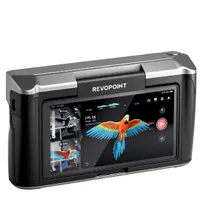
Revopoint offers a wide range of scanners for different uses. Some are designed for scanning small objects, while others, like this Range 2, are aimed at capturing larger ones. The Range is optimized for scanning people, automobiles, furniture, and so on, so its design is all about making that easier. I’ve spent some time with it to see how it compares to the many other 3D scanners I’ve used over the years.
Revopoint Range 2: Specifications
Accuracy |
0.1mm |
Frame rate |
16fps |
Working distance |
400-1300mm |
Camera resolution |
2MP |
Weight |
253 grams (plus phone) |
Revopoint Range 2: Price
The Range 2 has a retail price of $729 / £699 / AU$1,250, although at the time of writing, it was available at a 20% discount. That’s a considerable saving, making what was already good value even better.
Revopoint Range 2: Design & Handling
The Range 2 ships in a good, padded semi-hard case, which holds everything you need and does so well, unlike some cases of this type. There are cutouts for the main components on one side, and on the underside, you'll find spaces for cables, a tracking mat, and a sheet of tracking stickers.
The main unit is surprisingly light and feels nimble in the hand, even with the battery grip and a phone attached, and I had no issues holding it for extended scans. This light weight does mean some of the plastics feel cheap, but I think that the balance is just right between quality materials and the intended use. Overall, the build feels great, everything fits nicely, and I never feel like anything is at risk of breaking.
The Range 2 can be used in two ways. Firstly, it can be connected to a Mac or PC via the Revo Scan software to control everything, or to a smartphone using the app version of the program. Considering this scanner is aimed at users who want to scan larger objects, I think most will opt for the phone method, which is what I did for the most part. The computer system works just as well, so long as you don’t mind carrying a laptop, too.
The Range 2 connects to the battery grip via a split cable. A locking USB-C cable connects to the scanner, with a USB-C and a USB-A connecting to the handle. Between the two sits the phone holder, which has a button for quickly connecting to the main unit. This is handy for quick setups, and the adapter can stay screwed to the scanner, which still fits in the case nicely.

Revopoint Range 2: Performance
Let's talk about the basics first. Once everything is connected, the first step is to get the app up and running with WiFi. This is a simple case of connecting the Range 2 to the battery grip via the split cable. You’ll see a green light, at which point you can go to your phone's settings and choose the Range’s WiFI network. There’s no password to remember or save, which is great, plus no need to worry about being within range of a router. This makes perfect sense for a device meant to scan larger objects, enabling you to work outdoors on cars and other large items.
Now that brings me on to the main issue with the Range 2. Lighting in the area you wish to scan is key to good results, and harsh shadows can really throw it off, so bright, sunny days are a no-go. Ideal conditions are overcast, with even lighting and soft shadows. The Range 2 is equipped with four flashlights, but they can’t overpower the sun, so be mindful of this if your use case calls for extensive outdoor scanning.
But once you find yourself in suitable surroundings, the going is fantastic. The app is easy to use, with a large bar indicating the optimum distance from the target object. This makes it really easy to get the best results. Alongside the main 3D viewer, which shows the mesh as scanned so far, are other viewers showing the object in greyscale and colour. A neat feature of the main unit is a trio of buttons on the rear. You can use these to start a scan or, more usefully, adjust the exposure on the fly. If you move to a less well-lit section of an object, you can increase the exposure, helping the scanner resolve finer detail in those areas.
The actual scanning process is really very simple. You press the Start button and move around the object to be scanned, using the distance guide to ensure you are at the optimum range and check the images to see what you are capturing. You’ll likely capture other things too, especially the surface your scanned object is sitting on, but don’t worry: the software can handle that.

There’s a frame rate counter on the main screen. It’s worth keeping an eye on this, especially during your first few scans, since the Range 2 runs at 16fps. That doesn’t sound all that fast, but in use, it’s higher than you might think, and it’s worth slowing down a little to capture full detail.
The main difference in my experience, compared to scanners for small items, is the working window. The Range 2 can capture a larger area per frame, meaning you can cover the entirety of your object in fewer passes; this is very welcome when scanning something like a car! This also means less strain on the battery as you can work faster. That said, the battery life is pretty good. I scanned for nearly four hours before needing to charge the battery grip.
The software, Revo Scan, is really the heart of the setup here. Once you have your scan, you can process it with a single click. It can then identify parts that aren’t connected, like the floor, or sections of other objects that have entered the frame, which you can then delete.
The app even has tools to fill any holes in the mesh, which is nice to have generally and vital if you plan to 3D-print your models. You may prefer to do this in another piece of software if you’re a seasoned 3D pro, but the app does a good job, with pleasing results. The scanner does a really good job, and any gaps in the geometry tend to be very small. Plus, as you get used to adjusting exposure and speed of movement, any geometry issues like this will be reduced to pretty minimal.
Although the Range 2 is aimed at users wanting to scan large items, which it does very well, it can handle smaller objects too. I scanned everything from an apple, through a small fridge used for storing film, to an armchair. They all produced good results, but I would suggest the experience is better when scanning anything over around two feet in size, where the form factor, scan speed and working distance are really optimized.
If you are hunting for a scanner for small jobs, check out our guide to the best 3D scanners to see the alternatives best suited to your needs.
The Range 2 ships with a mat covered in tracking dots, which you place your object on for increased accuracy. There are also some adhesive tracking markers for the same purpose. I’d say the mat is probably better suited to smaller jobs, but the markers can be useful. If you need to scan bigger objects with large, smooth surfaces, placing some of these will really help the scanner produce good results on the first attempt.
One note on scale: yes, the Range 2 is the right tool for scanning large objects, but before you begin, make sure you have access all around and above your target. You may want to get a stepladder so you can reach taller objects, and it can be surprising how quickly you get to the limits of what you can comfortably cover. Luckily, you can pause and restart a scan, so moving a ladder or a box around to make life easier isn’t too much of a hassle.

Revopoint Range 2: Verdict
If you plan to scan objects that tend to be on the larger side, the Revopoint Range 2 is a great option. It’s truly portable, doesn’t rely on WiFi (other than its own), and is easy to operate. The software is excellent, with built-in processing and hole-filling. The geometry produced is accurate, and you can capture objects of almost any size. Highly recommended.
Features ★★★★½ |
Everything you need is included, bar a phone or laptop, and the powerful software handles everything with a full set of tools. |
Design ★★★★½ |
It’s a compact, light, very portable and well-designed piece of kit. |
Performance ★★★★★ |
A little processing is needed in some cases, but results are excellent. |
Value ★★★★½ |
At this price the capabilities of the Range 2 are not to be sniffed at. |
Alternatives