Digital Camera World Verdict
This is a very nicely designed frame, and the smart metallic outer frame really does put it a cut above its many plasticky competitors. With a choice of Champagne and Rose Gold finishes, it displays photos with an elegant edge. However, the companion app, which is essential for controlling the frame, could do with improvement, and there's no intelligent cropping of images. Hopefully, these issues will be addressed in future app and frame firmware updates.
Reasons to buy
- +
Actual metal frame, rather than metal-colored plastic
- +
Decent 32GB memory – and cloud storage, too
- +
Good-sized 14-inch display
- +
Excellent value
Reasons to avoid
- -
Companion app not the most advanced
- -
Doesn't crop images intelligently
- -
Long stand forces the frame away from the wall
Why you can trust Digital Camera World Our expert reviewers spend hours testing and comparing products and services so you can choose the best for you. Find out how we test.
Arzopa is a relatively new name in the digital photo frame world; however, the company behind the D14 Metal Digital Picture Frame is an established manufacturer of computer monitors, specializing in portable devices designed to complement laptops, so it does have some pedigree in making displays with a compact form factor. So it's perhaps only natural that the company is eyeing up the photo frame market.
That said, the digital photo frame market is a crowded one, dominated by established big players Aura and Nixplay, so how does this newcomer make its mark? If the D14 Metal Digital Picture Frame is anything to go by, it's with frames made from premium materials at a very competitive price, as we shall see…

Arzopa D14 Metal Digital Picture Frame: Specifications
Display |
14-inch touchscreen |
Resolution |
1920 x 1200 (160 pixels per inch) |
Inbuilt storage |
32GB |
Color gamut |
67% sRGB |
Connectivity |
Wi-Fi, SD, USB-A, USB-C |
Aspect Ratio |
16:10 |
Brightness |
300cd/m2 |
Sound |
Built-in Speaker |
Photo formats |
JPG / JPEG / PNG / WEBP |
Video |
MP4, 3GP |
App |
Arzopa |
Orientation |
Portrait / Landscape (Auto-Rotate) |
Arzopa D14 Metal Digital Picture Frame: Price
Arzopa's own website shows the 'list price' for the D14 as $219.99 / £196, but this feels like an artificially high price that is designed to be discounted. At the time of writing, Arzopa was selling it at $134.99 / £121, and it can be had for even less from the likes of Amazon, which was selling it for $109.99.
So, taking its full RRP with a pinch of salt, and considering its bigger-than-average 14-inch LCD panel and decent hi-res output, it's actually very attractively priced for a frame of this size and upmarket build.
In addition to this 14-inch frame, Arzopa makes the D10, a 10.1-inch model with a 1280 x 800 resolution that costs a little less, and the D15, a 15.6-inch frame with a 1920 x 1080 'Full HD' widescreen aspect ratio that costs a little more.

Arzopa D14 Metal Digital Picture Frame: Design & Handling
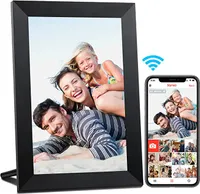
The most striking thing about the Arzopa D14 is its genuine metal frame, which is cold to the touch, catches the light, and adds a touch of class. It comes in 'Champagne Gold' and 'Rose Gold' finishes, which have an attractive sheen that simply can't be replicated with metallic-effect plastics. This surrounds a slim, textured inner mount, and the whole thing looks and feels way more upmarket than the multitude of cheap plasticky frames out there.
That said, the main material at the rear of the frame is plastic. And rather quirkily, the back is designed to look like a retro-styled phonograph, with a circular 'turntable' stamped into the plastic and a metal 'arm' playing the 'record'. This arm, in fact, pops out to become the stand and is poked into a hole in one corner of the frame to prop it up in either horizontal or vertical orientations, with images auto-rotating to suit.
The frame itself is pretty slim, but the stand is quite long, forcing the frame a good eight inches or so away from whatever is behind it, which might be a problem on shelves that aren't that deep or are cluttered with other knick-knacks. There are also hook recesses for wall hanging, if you don't mind its power cable trailing down to the nearest power outlet. This cable is of the plastic-coated variety, rather than the braided fabric of some rivals, so I think most people would prefer to have it tucked out of sight.
The only physical control is a power button on the back of the frame, with the main interaction via the touch-sensitive screen, which allows you to swipe between images, re-crop them, and access basic frame functionality. For anything more involved, you'll need to use the Arzopa app, more of which is in the 'Performance' section below.

Arzopa D14 Metal Digital Picture Frame: Performance
The frame is based on a 14-inch IPS touchscreen panel that has a 1920 x 1200 display, which is pretty high resolution and results in a pixel density of around 160ppi. The 67% sRGB color gamut isn't particularly earth-shattering on paper, but the images look sharp and detailed.
You can swipe left and right on the touchscreen to move through the images stored on the frame, and tapping the screen brings up a limited menu. This allows basic tasks, such as selecting between the frame's internal image libraries, resizing photographs, changing its brightness, and granting others access to the frame via an on-screen QR code.
By default, images are displayed in their entirety, necessitating a border around the 'empty' portion of the image. You can tap an icon to make images fill the screen instead, and pinch to zoom in further, while swiping with two fingers scrolls the image around to perfect your crop. It's a bit fiddly to get it right, and as the frame or app has no 'intelligent' cropping function, but merely zooms into the center of each image, you will have to manually recrop the vast majority of your pictures, as the frame's 16:10 aspect ratio isn't native to the 4:3 of most phones or 3:2 of 'proper' cameras. Otherwise, unless you've got your subject bang in the center when you took the original shot, zooming in to remove the unsightly border will likely result in the tops of heads being cut off and the like.


To access any in-depth settings, such as overlaying the time and weather on photos (I like to switch all of these kinds of distractions off), you'll have to delve into the companion Arzopa app. This is the main way to upload images from your phone, too. Once you grant the app access to your image library, you can scroll through your pics and check a tickbox to upload them. However, all images are displayed square in a grid, which makes it impossible to see whether the images are in portrait or landscape format.
Hats off to Arzopa for developing its own app, rather than using an off-the-shelf solution like the Frameo software that powers many rival photo frames, but it has to be said that there's plenty of room for improvement. It doesn't attempt to intelligently crop images to suit the subject, for example, or allow you to correct images that aren't well-cropped; you'll have to upload them to the frame first. However, software can always be updated, so I'm hopeful that Arzopa can improve this over time.
There's a generous 32GB of internal storage. Arzopa doesn't state how many images this will hold, but it does also claim to offer unlimited cloud storage, covering all the bases. There are also USB-A, USB-C, and SD card slots, which can be used to bump the storage up to 128GB or as a means of transferring images to the internal memory. You can also connect the frame directly to a PC to transfer images via USB, which is handy for photographers who like to edit their images on their computer first. But it is only compatible with PCs; Macs are not supported.

Arzopa D14 Metal Digital Picture Frame: Verdict
The Arzopa D14 is an attractive-looking and well-designed photo frame. The metal outer frame makes a really nice change from the usual plastic and is both unfussy and eye-catching. The high-resolution display shows off images crisply and clearly, even if the color gamut isn't as wide as some competitor frames. And just as importantly, it's available at a very good price considering its specs, undercutting the top-end competitors by quite a margin, while being a far more upmarket product than some of its cheap and cheerful rivals.
Its shortcomings are mainly on the software side. The companion Arzopa app is fiddly to use compared to the established apps from the likes of Aura, or off-the-shelf apps like Frameo, and having to crop each and every image manually on the frame is a bit of a faff. Hopefully, that's something that Arzopa can address over time.
Features ★★★★☆ |
While not the very largest display, the 14-inch 1920 x 1200 panel shows off shots crisply and clearly, and the 32GB of storage is generous. |
Design ★★★★★ |
An actual metal frame certainly makes it stand out from the crowd, though the long prop means it can't be placed on narrow shelves. |
Performance ★★★☆☆ |
The touchscreen works well and it displays images brightly, but its lack of intelligent cropping and the finicky app are drawbacks. |
Value ★★★★★ |
As long as you get it at its discounted price, it's very good value for a frame of such build quality and size. |

Alternatives