
Digital Camera World Verdict
What I see in the Canon EOS R50 V is a "baby Cinema EOS" – and I mean that in the best possible way. This camera fuses the form factor and heritage of the standard R50 with the functionality of Canon's cine cameras – everything from tally lamps and aspect markers to log modes and Look Files. It's also the first camera that works with Canon's Live Switcher app, making it super affordable to establish a multi-camera setup – not to mention a wallet-friendly way to get into VR shooting. For content creators looking to level up, I think the R50 V is a no-brainer.
Reasons to buy
- +
4K 30p oversampled from 6K
- +
10-bit 4:2:2 and C-Log 3
- +
Tally light and LCD indicator
- +
Beginner-friendly, pro power
Reasons to avoid
- -
4K 60p is cropped
- -
No in-body stabilization
- -
Product showcase limitations
Why you can trust Digital Camera World Our expert reviewers spend hours testing and comparing products and services so you can choose the best for you. Find out how we test.
The Canon EOS R50 V is the first interchangeable lens model in Canon's new V Series of content creation cameras.
The V stands for "video first", and the Canon EOS R50 V joins the entry-level Canon PowerShot V10 vlogging camera and the flagship Canon PowerShot V1 compact to offer a solution for higher-end creators who require interchangeable lenses and greater creative and technical options.
As you'd expect, the Canon EOS R50 V is a video-centric version of the enormously popular EOS R50 – which has been a go-to for vloggers since the days of the EOS M50. So what exactly does the R50 V offer that's new or different? Quite a lot, as it turns out – and not just for video.
In addition to introducing features like Canon Log 3 and 4K 60p, the autofocus and buffer depth have also been souped-up. And the body and ergonomics – which extends to the menu system – are an entirely different proposition. (Check out my Canon EOS R50 vs R50 V comparison to see the full breakdown of differences.)
In all, though, what the Canon EOS R50 V does best is put some advanced videography and even cinema-level tools in the hands of creators looking to elevate their content – but without cannibalizing accessibility for newcomers to video. Let's take a closer look…

Canon EOS R50 V: Price & availability
The Canon EOS R50 V launched at a body-only price of $649.99 / £729.99 / AU$1,169. It is also available in a kit with the new Canon RF-S 14-30mm f/4-6.4 IS STM PZ lens, priced $849.99 / £959.99/ AU$1,499.95 at launch.
However, the best bang-for-buck bundle is the Canon EOS R50 V Creator Kit, available for £999.99 in the UK. This includes the R50 V, the RF-S 14-30mm power zoom, along with the HG-100TBR grip and BR-E1 Bluetooth remote, plus the DM-E100 microphone and a 32GB memory card.
Canon EOS R50 V: Specifications
Sensor |
24.2MP APS-C |
Lens mount |
Canon RF / RF-S |
Autofocus |
Dual Pixel CMOS AF II • 4,503 AF positions for stills / 3,713 for movies |
Image stabilization |
N/A |
Weather sealing |
N/A |
ISO range |
100-32,000 (exp to 51,200) |
Max video resolution |
Up to 4K 60p (including streaming via UVC), FullHD 120p |
Max burst |
15fps (buffer: 95 JPEGs / 36 RAWs) |
Viewfinder |
N/A |
Rear screen |
3-inch, 1.04 million dots |
Memory |
1x SD UHS-II |
Connectivity |
WiFi, Bluetooth, USB-C, Micro HDMI, headphone jack, microphone jack, remote jack |
Battery |
LP-E17 |
Dimensions |
119.3 x 73.7 x 45.2mm |
Weight |
323g body only • 370g with battery & card |
Canon EOS R50 V: Build & handling
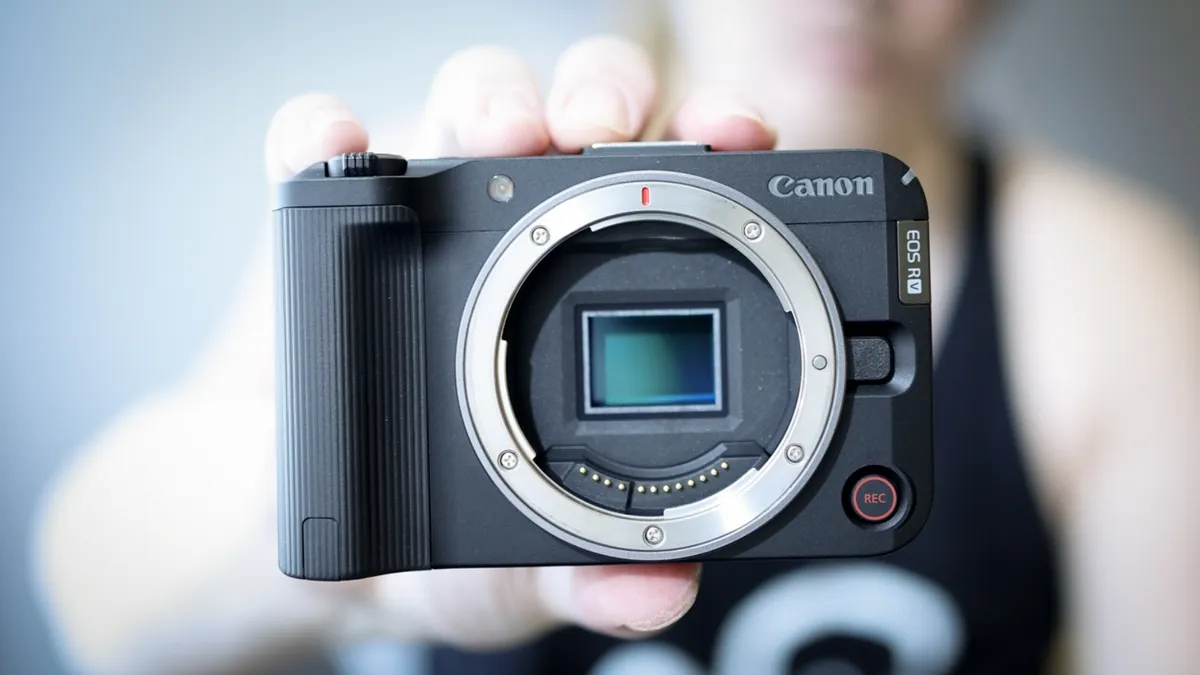
The first thing that struck me about the Canon EOS R50 V is just how small it is. Without a lens it's barely bigger than the PowerShot V1, which is a pocketable compact camera.
This makes a lot of sense, as the biggest physical difference between this camera and the original R50 is that the R50 V ditches the viewfinder – shedding not just height but also depth, giving the video body a much smaller footprint than its photo cousin.
While the lack of a finder is the most obvious difference, it's far from the most important. For solo self-shooters, the addition of a record button on the front of the camera (below the lens release) is manna from heaven.
I hate having to guess where the controls are on the top and rear of a camera when I'm trying to film myself (especially when I'm increasingly frustrated after the umpteenth blown take!), so the big red record button (similar to the one on the V10) is an incredibly welcome addition to the Canon EOS R50 V.


Speaking of the top plate, as you'd imagine it has been redesigned to accommodate video-first shooting. The shutter button is now another big red record button, and the traditional PASM dial has been replaced by a video dial giving you quick access to manual, auto, scene, custom (three of them), slow & fast, and stills shooting options.
Next to the record button is a Live button, for quick access to live streaming functions. However, perhaps the most interesting addition is the power zoom rocker switch that's wrapped around the front of the record button.
This is tailor-made for compact power zooms, such as the new Canon RF-S 14-30mm, and the speed can be customized depending on how fast or gently you want to push in or out. It seems like a big commitment to incorporate this zoom switch for just one lens (even if it is the kit lens that most people will buy in a bundle), so I wouldn't be surprised if we see more RF-S power zooms down the line.
Another new button on the rear of the camera is Color, which summons the Color mode menu for quick access to Picture Styles (Canon's usual selection of Standard, Portrait, Landscape and so on), Color Filters (with options like StoryTeal&Orange, ClearAmber and RetroGreen) and Custom Picture File (to make use of Canon Log 3 and 709, along with Look Files).

Along with headphone and microphone jacks, a USB-C connection (supporting UVC up to 4K 60p) and an HDMI mini port, the Canon EOS R50 V also benefits from the Multi-Fn Shoe to enable high-speed and in-camera communication with supported devices.
I asked Canon if this might be used for an external EVF, similar to the EOS M6 Mark II. While I was told that there are no current, if there is demand from customers then Canon might be open to it.
The only thing that sticks in my craw about this camera is the articulating screen. Not the size or the resolution or anything like that – but the fact that it's wonky! This is something I didn't even notice at first, and once I did I thought it was just a bad sample, but it's apparently just the way the camera is designed.
Flip out the screen and you'll notice, sooner or later, that it sits out of alignment with the camera body. It's not a deal-breaker in any way, shape or form, and it doesn't affect the camera's performance or have any other real-world impact. But for my slightly neuro-spicy brain, it just makes me shudder a little every time I see it!

Canon EOS R50 V: Performance
The Canon EOS R50 V succeeds at giving creators a truly video-first camera, combining a slew of advanced videography features with plenty of training wheels if you want them. Crucially, it covers all the basics – things like a tally lamp on the front, and a red tally box on the rear screen, along with displaying the shooting info vertically when you're shooting vertical video.
And I know I keep going on about the big red record button on the front of the camera, but I can't emphasize enough how Canon makes this camera easy to use by putting direct access controls at your fingertips.
This extends to things like the Live button. Setting up live streaming on other cameras involves putting on a miner's helmet and diving into cavernous menu systems, so to have it as a quick-access button is a dream.
It's a really instinctive camera to use, regardless of whether you're familiar with video bodies or even Canon cameras. The mode dial gives you access to everything you need – from stills to Slow & Fast (automated slow-motion and timelapse shooting) to a trio of custom modes as well as a fully automatic A+ mode.
The mode dial also gives you quick access to Canon's selection of Scene modes, which is typically skippable for more advanced users given its inclusion of things like Smooth Skin Movie. However, it's also home to one of the R50 V's most useful modes: Movie For Close-Up Demos.
This is Canon's product showcase mode, which always makes the autofocus prioritize objects you hold in front of the camera (for tutorials, product reviews, demonstrations and so on). Sadly, because it's here as a scene mode rather than being a standalone autofocus option, you don't have full exposure control – only exposure compensation.

That's a real shame, as it minimizes creative control over this kind of content – though it does speak to the beginner-oriented focus of the camera, as it certainly makes it easier for a complete newcomer to find and use (rather than getting lost in a maze of menus and potentially confusing autofocus settings).
Going back to ease of use, another shoutout goes to the Color button. This makes it easy to punch in everything from bog standard Picture Styles to advanced Cinema EOS features like Looks and log modes – a great Trojan horse to integrate more advanced tools into your shooting.
Indeed, the R50 V feels very much like a junior Cinema EOS device. It's the perfect halfway house between a camera that enables you to simply switch lenses and start a live stream, and one that offers powerful features like timecode and 4:2:2 output.
The 4K 30p is excellent, being oversampled from 6K. With the thermal limit set to High, there's effectively no recording limit due to overheating (at least in British climes) – I consistently got over 70 minutes of video before the battery died, without experiencing a heat warning.
While the 4K 60p capture is good, it does invoke a 1.56x crop – and because it uses a smaller area of the sensor, the image quality isn't nearly as crisp as 4K 30p. But again, it's still more than usable – particularly for a bit of slow-motion B-roll.
With no sensor-based in-body image stabilization, the Canon EOS R50 V relies on digital IS – which crops into the image area to compensate for shake and movement. This comes in two flavors, Normal and Enhanced – the latter adding a more severe crop to deliver greater stabilization.
That additional crop – which, especially if you're shooting in already-cropped 4K 60p, can create as much as a 2.23x reduced video area – means you'll need to be conscious of the lens you're shooting with. But it works well for stabilizing handheld footage, provided movements aren't too dramatic.
Try dynamic camera moves or walking shots, though, and the Jell-O like effects start to rear their heads – which can be compounded by the fairly aggressive rolling shutter. That being the case, you'll want to ensure that you use stabilized lenses (again, the RF-S 14-30mm has basically been tailor-made for this camera) or a gimbal if you're planning on adding motion to your shots.
The ability to shoot in Canon Log 3 is a big draw, and an exciting one if you're stepping into manual videography for the first time. Filming in log, if you're unfamiliar, is basically like shooting in RAW for stills, insofar as it gives you files with a large degree of latitude for post-production – giving you maximum dynamic range and giving great scope for things like color grading.
As you'd expect from a Canon camera, the autofocus is superb whether you're shooting humans, vehicles or animals – including birds in flight (and, indeed, seagulls fighting over stolen tourist food on the beach). It does make me wish that Movie For Close-Up Demos had its own AF setting, however, rather than being a feature locked-down in an automatic scene mode.
I don't believe anyone purchasing this camera will be doing so for stills, but I have to say that I really enjoyed photography with the Canon EOS R50 V. Obviously the EVF of the standard R50 is preferable for many situations, but if you're happy shooting from the rear screen then this is a very capable stills camera.
It was perfect as my "sling bag travel camera" during a few day trips, along with a street photography session and a portrait shoot. It has all the features of the R50, but the autofocus is slightly more refined and it has a greater buffer depth. Again, nobody is buying the R50 V primarily for stills, but for hybrid creators, it takes a mean picture!
Canon EOS R50 V: Sample videos
Here are a few snippets of video from various periods of testing the Canon EOS R50 V. The first video, filmed in 4K 30p using C-Log3, should give you a good idea of how RAW footage looks both straight out of camera as well as lightly graded for natural color (there is no sound, as the ripping wind was far too much for the internal mic!).
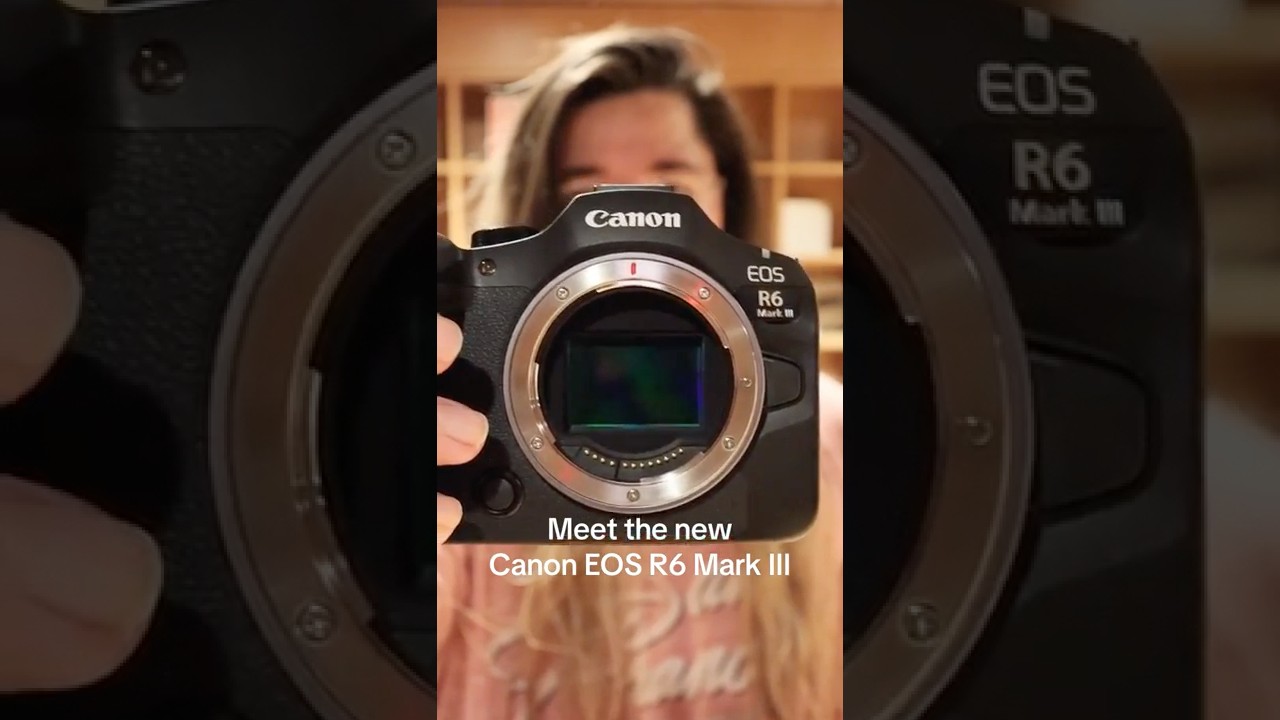
The final embed is an social media video I filmed for the Canon EOS R6 Mark III launch, to give you an idea of how the R50 V performs in its intended use case scenario.
Canon EOS R50 V: Sample photos


Canon EOS R50 V: Lab results
For our lab data comparison, we're comparing the EOS R50 V to three similarly-priced APS-C cameras intended for vlogging: the Fujifilm X-M5, Nikon Z30, and Sony ZV-E10 II.
We test resolution using Imatest charts and software, and dynamic range and signal-to-noise ratio with DxO Analyzer.
Resolution (line widths/picture height):

As you'd expect, the 24MP EOS R50 V sits between the 20.9MP Nikon and 26MP Fujifilm and Sony cameras. It does well to resolve comparable levels of detail to its more pixel-packed rivals at high ISOs, though.
Dynamic range (EV):

At low sensitivities the R50 V captures decent dynamic range, but push past ISO 400 it lags behind the X-M5 and Z30 by almost 2EV.
Signal to noise ratio (decibels):

This test compares the amount of random noise generated by the camera at different ISO settings as a proportion of the actual image information (the 'signal'). Higher values are better and we expect to see the signal to ratio fall as the ISO is increased.
The R50 V produces very similar noise levels to the ZV-E10 II throughout the tested sensitivity range. However, the X-M5 is the clear winner here, with noticeably cleaner images.
Canon EOS R50 V: Verdict
What the original R50 was to stills, the R50 V is to video and content creation: a powerful, portable powerhouse that takes advanced features and puts them front and center for creators looking to graduate from phones and fixed-lens compacts.
Where I think the Canon EOS R50 V really succeeds is in its design; as I've said so many time before, most "video cameras" and "vlogging cameras" are just ordinary camera bodies with retuned video specs – but they still have all the same buttons and controls as an ordinary photo camera, which are all on the opposite side of the camera if you're a vlogger who self-shoots.
Canon has put the user experience at the fore, with a front-facing record button and dedicated buttons for quick access to features like streaming and picture profiles. The ergonomics on this camera scream "I've been designed purely for video!" right down to the menus, which re-orient when you shoot vertically.
It has also done an impressive job of marrying features from its Cinema EOS line – not just the tally lamp and box on the rear screen, but incorporating features like Look Files, timecode, zebras, false color and C-Log3.
Not only does this camera empower creators who want to get started in interchangeable lens shooting, it gives them the foundational grammar to graduate to advanced videography and even cinema camera functionality.
There are some quirks and compromises, for sure. The most obvious one is the cropped 4K 60p, though for me the most irksome is the way Movie For Close-Up Demos (read: product showcase) is a scene mode and cannot be used with manual controls. However, those are concessions to the camera's entry-level positioning (in the case of the former) and its accessibility to newcomers (in the latter).
I think the upsides – the seemingly unlimited 4K 30p, log recording, form factor, autofocus performance and so on – far outweigh the handful of limitations. I've used this camera for everything from vlogging to vacation videos, and found it absolutely capable in every way I needed it to be. On top of that, it's a really great stills shooter as well – stick the RF 35mm on the front and you've got a great everyday snapper.
Invest in the Canon EOS R50 V and you're not just arming yourself to create great content today – you're arming yourself pro-level tools that will grow with you as your skills, reach and monetization mature. Make sure you pick up the RF-S 14-30mm Power Zoom with it – these two are absolutely perfect dance partners.

