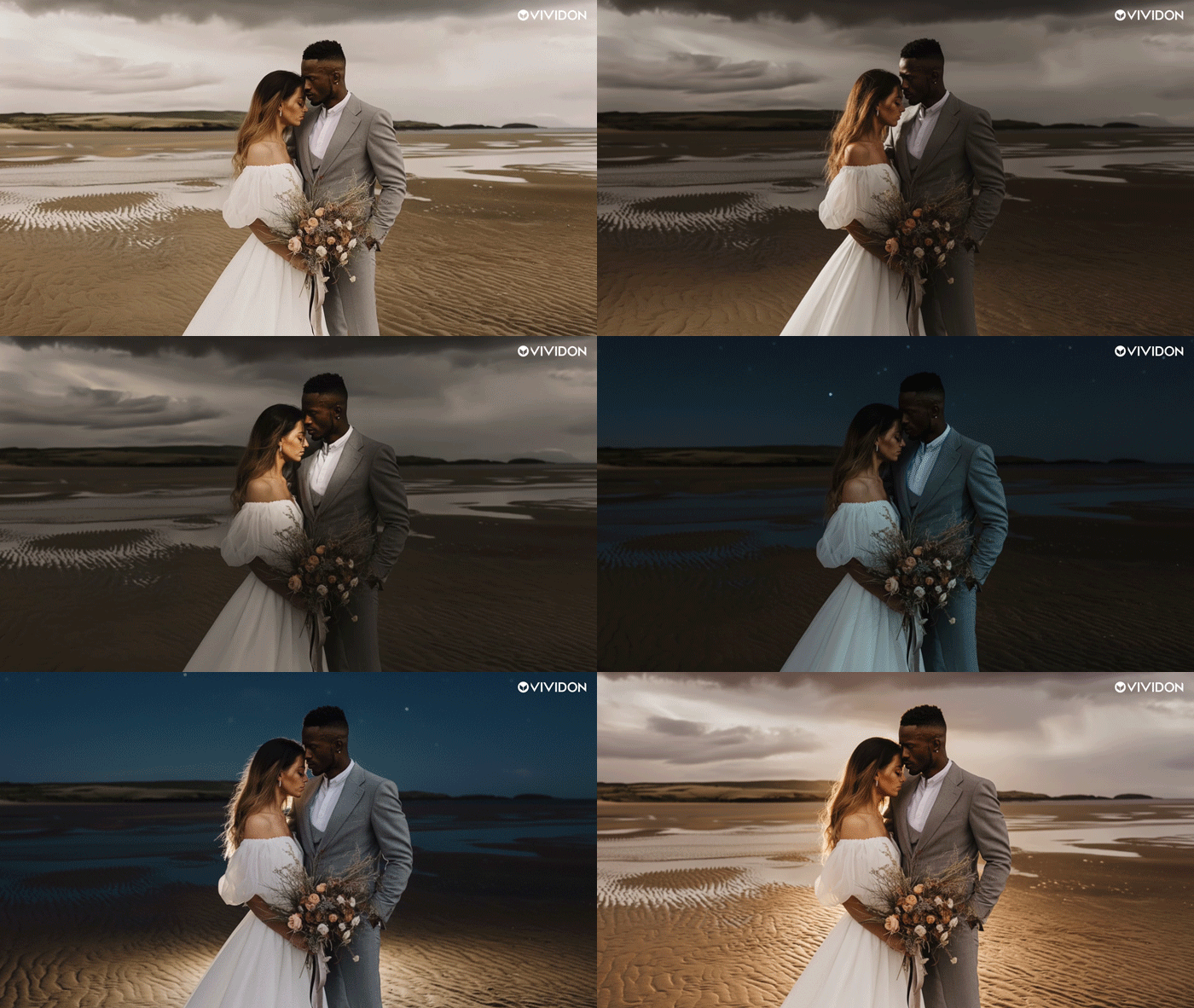
Another day, another AI-infused competitor charges into the photo editing software fray. This time it’s Swedish AI visual startup, Vividon, which has announced the beta launch of a promptless relighting plug-in for Adobe Photoshop. Emphasis on promptless.
The AI-infused plug-in, the outfit's first-ever release, is said to enable users to relight images by choosing from a vast library of lighting setups, designed to mimic both real-world studio and environmental lighting. The direction, intensity and mood can then be tweaked via a series of sliders.
"Lighting used to be a fixed, expensive process," explains Vividon in the demo video (embedded below).
"Rigs. Setups. But everything is about to change. Introducing Vividon – a groundbreaking, user-friendly relighting plug-in for Photoshop. No prompts. No complexity. Instead, curated lights. Truly photorealistic relighting, in any way imaginable.
"Vividon creates a clean, editable Photoshop layer ready to be used immediately. No lighting rigs. No reshoots. Massive savings. Limitless creative freedom."
This certainly sounds like a more familiar way of working for creatives than simply writing out a prompt and cycling through a series of random results.


The Stockholm-based outfit also states that adjustments are transparent, so the original image is preserved, providing what is presumably a non-destructive workflow.
This 'shoot once and decide on the light later' ethos could be useful for commercial photographers when dealing with feedback from clients. The AI startup itself says that the software, developed in collaboration with creatives, aims to “dramatically reduce the need for complex on-set setups, reshoots and heavy compositing.”
There are also plans to develop the technology further to provide more advanced controls, video platforms, and 3D pipelines. You can sign up for access to the free beta now at the Vividon website.
You might also like...
Check out the best photo organizing software. If you're looking for Adobe plug-ins, take a look at the excellent DxO Nik Collection 8. And if you want to update your hardware, here are the best MacBooks for photo editing.

