



Digital Camera World Verdict
The Nixplay Classic 10.1" is a well-rounded digital photo frame that does the basics well but doesn't have too much in the way of 'wow' factor. Its 720p, 10.1-inch touchscreen does the job, but it's up against plenty of physically bigger or higher-resolution rivals at a similar price. I really like the flexibility of uploading images via the phone app, web browser, or email. It's decent value if you can pick it up during one of the price promotions that Nixplay frequently seems to offer, but not so much at the full RRP.
Reasons to buy
- +
Image upload via smartphone, browser, or email
- +
Smart, minimalist looks to suit most decor
Reasons to avoid
- -
Subscription required to unlock full functionality (but you probably don't need it)
- -
720p display can't match some competitors
- -
No wall-hanging option
Why you can trust Digital Camera World Our expert reviewers spend hours testing and comparing products and services so you can choose the best for you. Find out how we test.
Nixplay is a well-established maker of digital photo frames, having launched its first frame back in 2013. There are more than four million connected Nixplay frames worldwide displaying in the region of 2.1 billion photos every day, and the company's 1.7 million users add more than 25 million photos a month.
While the company has produced many and varied frames in the past, with all manner of funky finishes, at the time of writing it has just a couple of frames in its inventory. There's the Nixplay Classic 10.1", which I'm reviewing here, and there's also a larger Classic 15.6" version. Let's take a closer look.
Nixplay Classic 10.1": Specifications
Display Size |
10.1” |
Overall Size |
10.6 x 7.4 x 1.5in |
Display Resolution |
720p HD |
Touch Screen |
IPS Touch Screen Brightness: 400 cd/m2 Contrast: 500:1 |
Available Colors |
Matted Black |
Aspect Ratio |
16:10 |
Built-in Speaker |
Yes |
Sensors |
Auto Rotate; Microphone Activity Sensor (Auto on/off, non-recording) |
Photo/Video formats supported |
JPG, PNG, MP4, MOV, MPEG |
Wall Mountable |
No |
Nixplay Classic 10.1": Price
The frame comes with a recommended price tag of $189.99 / £179.99 but is often discounted – at the time of writing, it was available directly from Nixplay for $129.99 / £129.99. This makes it a mid-priced digital photo frame that's a cut above the many cheap and cheerful budget frames but not as pricey as some larger-screened or more fully featured high-end models. Considering the screen size, resolution, and general functionality, it's reasonable rather than remarkable value.

The larger Big Classic 15.6" has the same look and basic functionality, but with a higher-res 1080p Full-HD display and a slightly squatter 16:9 aspect ratio. It has an RRP of $349.99 / £349.99, but again was discounted to $269.99 / £249.99 at the time of penning this review.
You'll need to use the Nixplay app to use the frame, which is a free download and offers basic functionality. However, to use its more advanced features, a subscription is required. This costs $29.99 / £29.99 annually. We'll take a look at what this gives you in the performance section below.
Nixplay Classic 10.1": Design & Handling
Like many digital photo frames, the 10.1-inch screen is surrounded by a textured white mat and black outer frame, which gives it a minimalistic, unfussy look that should fit in with most home decor. A gold accent tucked discreetly into the frame edge bears the Nixplay logo, but other than that it looks pretty much like a regular non-digital frame.

A stand props the frame in horizontal or vertical orientation, with the display auto-rotating to suit. The rear of the display is quite bulbous, which precludes wall-mounting, unlike some competitors. Then again, as the frame needs to be constantly plugged into a power outlet, this would leave the problem of a trailing cable. These types of frames are far better suited to shelf- or desk-mounting.

There are no physical controls whatsoever; it's a purely touchscreen device. Tapping on the right-hand side of the display advances to the next photo, while tapping on the left goes back to the previous one. Tapping the middle of the display brings up a menu that allows you to pause the slideshow, 'like' a photo, select from different albums from which to display photos, and access various settings. But for the most part, the frame is controlled via the Nixplay app.

Nixplay Classic 10.1": Performance
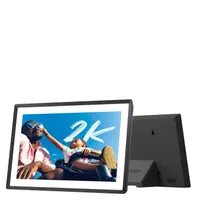
The 10.1in display has a 16:10 aspect ratio spread over 1280 x 800 pixels. This isn't particularly high-res, with some rival frames offering Full HD or even 2K resolution. Nevertheless, images look clear and crisp, thanks to the modest 10.1" screen size.
The 16:10 ratio will likely mean that images won't naturally fill the screen, and there are various options for fitting images to the screen, including panning and zooming around the image, filling empty areas with a ghosted-out image, or cropping to fit. Best of the lot is Smart face framing, which recognizes and centers images around faces. It auto-rotates between landscape and portrait orientation shots.

While you have the option to manually alter the screen brightness setting, there's no auto-dimming sensor to suit the ambient light in the room.
With no USB sockets or memory card slots, the frame is a purely Wi-Fi device. Nixplay has its own proprietary app for uploading and managing images on your smartphone, but there's also a browser-based uploader for uploading images directly from your computer, and on registering the frame, you're assigned an @mynixplay.com email address that enables you to email your photos to the frame, too.

This makes a welcome change from frames where you have to use the phone app to upload and manage your images, and will be especially welcome to those who primarily shoot using a 'proper' mirrorless camera or DSLR and edit their images on a computer prior to uploading.
The frame is controlled by your Nixplay account. By default, you're assigned the Basic plan, which is free. This gives you 500MB of photo storage and 500MB for video (clips can be up to 15 seconds in length), and the ability to control up to five frames. That's fine for most casual users and lets you store a few hundred images.

Upgrade to the Nixplay+ plan for $29.99 / £29.99 per year, and you get unlimited photo storage, 50GB for video (up to two minutes in length), control of up to 10 frames, and a few other bells and whistles such as the ability to sync with Google and Dropbox albums, subscriber-only competitions, casting to smart TVs, and a photo-editing suite.
You can invite others to download the Nixplay app and share images to your frame (Basic users have one shared album; those with Nixplay+ accounts have unlimited shared albums), or simply give them your frame's unique email address and they can mail photos directly to the frame.

Nixplay also offers a gifting option, which I was intrigued to try out. Essentially, this involves selecting images via the app and uploading them to Nixplay's servers; you're then presented with a code that you give to the recipient along with the unopened frame. When setting up the device, they have the option of entering this gift code, which then downloads the images.
It's not quite as sophisticated as some rival frames, in which the buyer scans a unique QR code on the packaging to preload the frame, without any further interaction from the recipient.
Nixplay Classic 10.1": Verdict
The Nixplay Classic is a well-made and capable digital photo frame, but it's not particularly feature-packed. There's no auto-dimming to match ambient light, for example, and no wall-hanging option. The 720p panel is comparatively low-res by today's standards, and while the 10.1" screen size displays images sharply, there are bigger panels out there for a similar price.
I do like the flexibility of being able to easily upload images from your phone, via a web browser, or simply emailing them to the frame, which makes sharing photos particularly easy. The gifting option is nice to have, but it could be better implemented.
The Nixplay Classic frame has an understated black-and-white design that will fit with most home decor, which is a good thing as Nixplay seems to have pared back its once-extensive array of frame finishes. In all, it's a perfectly functional digital photo frame but struggles against some similarly priced rivals in terms of size, resolution, or features. But frequent promotional offers make it a more tempting proposition.
Features ★★★½ |
With a relatively small panel and somewhat limited features, it's underwhelming compared to some of the competition. |
Design ★★★★☆ |
The minimalist black-and-white design will blend in with most home decor, but the frame is quite deep and can't be wall-hung. |
Performance ★★★★☆ |
The app is intuitive to use, it's easy to upload images, and the touchscreen is responsive. |
Value ★★★½ |
It feels a little steep at full price, and you need to pay to unlock some extras, but pick it up on promotion and it can be reasonable value. |
Alternatives