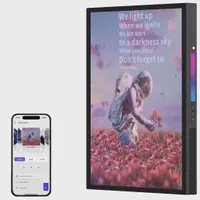
Digital Camera World Verdict
This is a beautiful frame to behold, which looks quite unlike traditional backlit displays that use the same basic tech as a laptop screen. It's large, it's stylish, and it gives images a wonderful print aesthetic. The main issue is the price; you'll need exceedingly deep pockets, but it's a real showstopper of a frame that can showcase famous artworks as well as your own photographs.
Reasons to buy
- +
Stunning, huge, hi-res E Ink display
- +
Really does look like a fine-art print
- +
Only needs recharging once a year
Reasons to avoid
- -
Very, very expensive
- -
Limit of 15 images in a slideshow
- -
E Ink tech won't work for every shot
Why you can trust Digital Camera World Our expert reviewers spend hours testing and comparing products and services so you can choose the best for you. Find out how we test.
Digital photo frames have evolved greatly over the years. On early devices, you had to transfer a bunch of images onto a memory card to plug into the back. Later models enabled you to do everything over Wi-Fi, uploading images remotely from a companion smartphone app. Displays have improved over time too, with small desk-based models giving way to bigger displays taking pride of place on the mantelpiece.
But even now, the majority of current digital photo frames suffer from two main drawbacks. Firstly, there's no disguising the fact that you're looking at a glowing, electric screen. Secondly, being electronic devices, they need to be plugged into a power outlet. So while many frames can be wall-mounted, there will be an unsightly cable trailing from the frame to the nearest mains socket.

Swiss company InkPoster aims to change all that with its range of 'ePaper' frames that use an E Ink display that emits no light of its own, but semi-permanently 'charges' embedded electronic pigments to reflect light instead, resulting in a much more natural-looking display that is hard to distinguish from a professionally printed artwork.
In addition to this reflective display, the other chief advantage of E Ink is that electricity is only used when the display changes; once set, it will continue to show the same image without drawing any electrical charge, so an artwork can be displayed indefinitely. It's a bit like the displays used in e-readers such as the Amazon Kindle, only much, much larger and in vibrant color.
But as with any new technology, these large E Ink displays are currently very expensive, and this is reflected in the prices of InkPoster's art frames (more than simple digital photo frames; they come with access to a large library of paintings, posters, and photographs). The question is: are they worth it, and do they deserve a place among the best digital photo frames that money can buy?


InkPoster Tela 28.5": Specifications
Screen |
E Ink Spectra 6 (with Sharp IGZO technology), 28.5 inches, 2,160 × 3,060 pixels (132 DPI) |
Aspect ratio |
3:4 |
Power |
Lithium-Ion Polymer rechargable, 25,000 mAh |
Connectivity |
Bluetooth, Wi-Fi, USB-C |
Material |
Black aluminium frame with white plastic mount |
Size |
27.9 x 34.8 x 0.98 in [70.92 x 88.37 x 2.45 cm] |
Weight |
16.5 lb [7.5 kg] |

InkPoster Tela 28.5": Price
I hope you're sitting down. The InkPoster Tela 28.5" is a high-end frame with a high-end price, retailing for US$2,399 / £2,399 / AU$5,150. There is also a larger Tela 40.5" that goes for $3,900 / £3,900.
Other InkPoster models are the lower-resolution Affresco, which comes in 13.3" (£$650 / £650 / AU$1,099) and 31.5" ($1,750 / £1,750 / AU$3,750) sizes. Or if you're feeling really flush, there's the Duna 40.5" at $6,000 / £6,000, which basically has the same size and specs as the 40.5" Tela, encased in a plush all-metal frame.

The Tela's price puts even the MorningBlues T2 30" art frame in the shade, which has a list price of $1,499 / £1,499 (but is often discounted), though that's a far more commonplace LED-based screen rather than the E Ink display here. I've also tested the $500 Aura Ink, another e-ink display, though this one is a much more compact 13.3" and is more comparable to the smaller InkPoster Affresco model.
Whichever way you look at it, the entire InkPoster range is made up of expensive high-end products, largely because the underlying E Ink tech is in its infancy. While it's the Tela 28.5" I'm looking at here, you may find the Affresco models a little more affordable, so you'll find the pricing across the range below.
InkPoster Tela 28.5": Design & Handling
Many of the digital photo frames I've reviewed can be described as minimalist, typically encasing the display within a deep art-paper-like mount finished off with a contrasting black frame, and InkPoster follows this design ethos, but takes things to a whole new level. That black frame is really slim, that white mount is really deep, but most telling of all, there are no buttons, touch bars, or any other controls on the device whatsoever. It and it really does look and feel like a genuine artwork.
I'll admit that when I first removed it from its from its box to power it up for the first time, it took a while to figure out where to plug in its USB-C charging cable. I eventually discovered it hidden under a subtle panel on the underside of the frame that pops open with a push to reveal the socket, charging light, and on/off switch.

The InkPoster Tela is designed to be wall-mounted, but weighing in at 16.5lb [7.5kg], a regular picture hook won't do it, and the frame comes supplied with a sturdy mounting kit to secure the artwork to all manner of surfaces.
With no controls on the frame itself, everything is controlled through the companion InkPoster app, which has a huge selection of built-in artworks, ranging from classic poster art, renowned masterpieces, and beautifully shot photographs, all optimized to make the most of the e-ink display. It also enables you to upload your own photographs and set up slideshows to automatically cycle through your chosen images.

InkPoster Tela 28.5": Performance
Once charged up, you can put the supplied USB-C charger away for a year or so, as the built-in battery should keep it going for up to 12 months with normal usage. The frame only draws any real power from the built-in 25,000 mAh battery when changing the displayed image. It also links to Wi-Fi and Bluetooth, which use negligible power.
The ePaper display is built around a Sharp IGZO panel. Unlike regular LED or LCD panels, this doesn't emit light, but is a purely reflective technology. There is no backlight, and the display is entirely lit by ambient lighting. Turn the lights off, and you won't see anything at all. This gives a far more natural viewing experience than we're used to with the vast majority of digital frames, where you're essentially looking at a computer monitor display. Even auto-dimming frames often struggle to successfully match a room's ambient lighting, looking too bright at night or not bright enough during the day.

Changing the image takes several seconds, with the screen flickering and flashing as it builds up the image with layers of color, a bit like a printing process. Bold, bright images work best, and there is a huge library of all sorts of genres to download to the frame that have been optimized for the display. The frame can display images in portrait or landscape format, though it doesn't 'know' which orientation it's in, so it's up to you to upload suitable images.
Obviously, with several seconds and a lot of flashing and flickering between image changes, this frame does not support video. It takes a good 30 seconds for the new image to settle, as you can see in the video clip below.
Everything is controlled via the InkPoster app, which is pretty straightforward to use. Once you've linked to your frame via Bluetooth and connected it to your WiFi network, you're presented with thousands of artworks. You can choose from a number of collated 'Collections', including classic Swiss advertising posters from yesteryear (fittingly, as InkPoster is based in Switzerland), vintage European railway posters, Japanese woodblock art, Impressionists, pre-Raphaelite art, among others.
You can also search the vast number of downloadable artworks by artist, genre, subject, or whatever else takes your fancy. If you're a cat lover, you'll find dozens of photographs, paintings, and posters of your feline friends, for example. Tapping a heart icon adds a picture to your favorites to make finding it again easier, and once you've decided on your chosen artwork, a button uploads it to the frame.

You can also select your own photographs from your phone's library. The frame has a 3:4 (or 4:3 in landscape orientation) aspect ratio, which is the same as most smartphones, but you can crop images to best fill the frame in whichever orientation you're going to mount it, and make basic edits to brightness, contrast, and saturation. Images are then stored in your 'private' library in the app, which you can upload to the frame as you would any of the other supplied artwork. It's not as sophisticated as some other digital photo frame apps when it comes to managing photographs, but it does integrate well into the way other art is handled.

As well as uploading artworks individually as and when the mood takes you, you can also set up slideshows to automatically cycle through selected art at a duration of your choosing, from anything from a minute apart to a whole month before displaying the next image. You do only get 15 images per slideshow, and there's only one for portrait and one for landscape orientation.
The more frequently you change the artwork, the more frequently you'll have to recharge. After my initial experimentation, I settled on changing it daily, with the changeover happening overnight.

InkPoster Tela 28.5": Verdict
This is an exceptional digital frame that displays natural-looking images that really do look as if they have been professionally printed and mounted into a stylish art frame, which can be hung wherever you like, without the need to be in close proximity to a mains outlet (or having an ugly cable trailing to one).
The oversized display wouldn't look out of place in a gallery, and in addition to the ability to upload your own images, you get access to a vast library of thousands of pieces of artwork optimized for E Ink tech. It's probably not the best option if all you want to do is display casual snaps of the kids, but it's very well suited to professionally taken images, so I can see this in photographers' studios, as well as well-to-do residences and upmarket establishments.
But there are no two ways about it: it is an extremely expensive device, costing several times as much as most digital photo frames on the market. I'm sure the technology will become more affordable over time, but in the meantime, you'll need very deep pockets.
Features ★★★★☆ |
There are few frills, but that's the point. It's an art and photographic display, pure and simple. |
Design ★★★★★ |
Looks like a real printed artwork rather than an electronic device. Metal frame exudes quality. No trailing cables. |
Performance ★★★★★ |
Lasts for a year on a single charge, and the enormous display is beautiful to behold. |
Value ★★★☆☆ |
It's still early days for E Ink tech, and you're paying an early adopter premium that will surely come down in the coming years. |
Alternatives