Digital Camera World Verdict
The MorningBlues T2 is a multifunction device that displays images beautifully, yet is so much more than a simple digital photo frame. It's also a top-quality, room-filling speaker that displays song lyrics against animated backdrops and your own personal art gallery. At the end of the day, if you're in the market for something to simply show off your shots, this is overkill, but if you're going to use its additional features and have deep enough pockets, it's a real statement piece.
Reasons to buy
- +
Beautiful, overly large 30in 'art' 2K display
- +
It's a top-quality speaker system, too
- +
Lots of built-in artwork and animations
Reasons to avoid
- -
Extremely pricey (but look for deals)
- -
Only really works in portrait orientation
- -
App-hopping required to control music and frame functionality
- -
Cannot stream music independently
Why you can trust Digital Camera World Our expert reviewers spend hours testing and comparing products and services so you can choose the best for you. Find out how we test.
MorningBlues is a maker of high-end audio equipment that is as much about artistic form as it is about functionality. Its range includes the S1 Nightstand combined bedside chest and speaker system, the Record S1 freestanding speaker with a circular screen that displays song lyrics, the SonicGlass A1 translucent box that overlays graphics over the innards of the speaker system, and the product I'm looking at here, the Gallery T2, which combines a stunning 30-inch art display with MorningBlues' trademark high-end speakers.
The multifunction display can showcase artworks and comes packed with paintings from world-renowned artists, show song lyrics in time to the music set against mesmerizing animated backdrops, and, yes, display your own photographs in stunning detail, putting it firmly in Digital Camera World's wheelhouse and offering something a little different from the best digital photo frames.

MorningBlues T2: Specifications
Resolution |
1898 x 1420 (79ppi) |
Display |
30in |
Orientation |
Portrait |
Dimensions |
641 × 491 × 54 mm (25.2 × 19.3 × 2.1 in) |
Control |
Touch-sensitive controls |
Connection |
Wi-Fi & Bluetooth |
Remote |
No |
Built-in storage |
32GB |
Motion sensor |
No |
Video |
Yes |
USB/SD slots |
No/No |
Cloud services |
MorningBlues app |
Weight |
10.7 kg (23.6 lbs) |
MorningBlues T2: Price
With a list price of $1,499 / £1,499 (Australian pricing TBC), the MorningBlues T2 is hardly an impulse purchase, and far more expensive than typical 'large' frames, such as the Aura Walden, which goes for around $299/£299. However, not only is it a very large frame with a 30-inch diagonal display (compared to the Walden's piffling 15 inches), but it's a multifunctional device, with a library of licensed artworks and top-quality speakers built in. It is available internationally directly from MorningBlues, as well as other retailers, depending on the territory.
It does come on offer from time to time, making the purchase price a little more palatable; I've seen it variously as a two-for-one deal or discounted to $999, and our price widget below works hard to find the best current deal for you.
MorningBlues T2: Design & Handling
It's impossible not to be a little taken aback by the T2's size. Its 30-inch screen isn't far off the real estate of a living room TV, and adding the thickness of the frame that surrounds it takes the overall dimensions to 25.2 × 19.3 × 2.1 inches (641 × 491 × 54 mm). It's no lightweight, either, tipping the scales at 23.6 lbs (10.7 kg). Should you want to hang it on your wall, clearly a regular picture hook won't do, and a substantial mounting bracket, along with a pair of self-expanding bolts, is supplied to secure it.
Note that it can only be wall-mounted in portrait orientation, and while the frame can display horizontal artwork and images, it is primarily designed as a vertical-orientation device; indeed, its speaker grilles are at each side of the frame, and so one channel would be blocked and muffled were you to prop it on its side, not to mention the stereo coming from above and below, rather than left and right.

If you don't wall-mount it, you'll need to place it against a flat surface, leaning it so the top of the frame is supported by a wall, as no prop is included. That said, it would have to be a very substantial prop indeed to securely support a device of this size and weight.
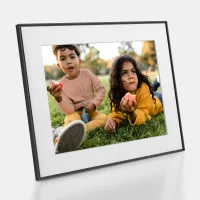
The 30-inch screen is surrounded by a deep black minimalist outer frame about an inch thick on all sides. There's no card-effect inset as I've become used to seeing on many competitors' frames, but most of the provided artworks are set within a virtual inner frame sized to fit the currently displayed picture, complete with fake shadows to give it a 3D look. This virtual frame can also be used to frame your own photos.

The screen isn't of the touchscreen variety, but there's a swipeable 'rainbow' bar on the side, along with an on/off/sleep push-switch, volume controls, and an 'OK' button. A one-fingered swipe moves between the previous and next image or artwork, while a multi-finger gesture switches between the various display modes. It's fairly intuitive once you're used to it, and I must say that I prefer this to touchscreens on photo frames, as the last thing you want are greasy finger marks smeared over the display.
A companion app also allows you to control the frame and offers more functionality, such as controlling the frame brightness. You can set day, night, and cloudy modes, which are essentially different brightness levels, or set a schedule to switch between them. There is no auto-dimming feature, however, to suit the ambient light levels of the room, as some frames have. The app also enables you to create albums of artwork, upload images, and a whole lot more besides, as we'll get to.
MorningBlues T2: Performance
The 1898 x 1420 pixel display is a reasonably high-definition 2K screen; although spread over 30 inches, this equates to a fairly modest pixel density of 79ppi. However, this is a display to be admired from afar rather than up close, so the overall effect is crisp and clear, and the anti-glare matte finish gives it the look and feel of a true work of art rather than an overly bright monitor screen.
And while it is perfectly capable of displaying photos, it's more than simply a digital photo frame. First and foremost, it's a fine art display, and comes wth 100 inbuilt works of art, fully licensed from some of the world's most prestigious fine art institutions, including works from old masters such as Rembrandt, Degas, Renoir, among many others, as well as more contemporary artists.


You can upload them to the screen as the mood takes you, or pop your favorites into a folder and select a time duration for the frame to automatically switch between them. If you want to discover more about a particular painting, tapping an icon brings up the title, the institution where the original hangs, and a short caption similar to the information typically found next to artworks in galleries.
One curious thing is that while the frame is designed to display portrait-oriented images, quite a number of the supplied artworks are landscape. As I mentioned, you can always rest the frame on its side to display these images, but you can't wall-hang it, and you'll be blocking one of the speakers.

Next up is the Scene Lyrics mode, and this really is fun. You can stream music from your favorite streaming app (all the big ones, including Apple Music, Spotify, Amazon Music, and YouTube, are supported), and the lyrics are overlaid onto animated backdrops, synchronized to the music. There's a sailing boat on rolling waves, a dancing couple, a manga-style cartoon with the words in speech bubbles, and Bauhaus-inspired (the artist, not the ’80s goth band) block graphics, among my favorites, and it's truly mesmerizing to see in action.
The sound is most definitely a cut above the tinny efforts you'd find on typical smart speakers; the not-insubstantial frame houses a pair of powerful hi-fi-quality stereo speakers that fill the room with deep bass and rich vocals, and the sound can be further enhanced by applying Panoramic Sound, Live Rhythm, and Pure Vocals audio filters, depending on your preferences.


You don't need to be in the Scene Lyrics mode for the frame to play music; it can carry on banging out the tunes with artwork, photos, or anything else displayed. You just won't get to see the lyrics. Effectively, the frame functions as a Bluetooth speaker, with all the benefits and drawbacks that this has. Anyone with permission can sync the frame to their phone via Bluetooth, but equally, the phone needs to remain within Bluetooth range to continue streaming music. Move out of range, and the music cuts out, unlike with a smart speaker, such as Google Nest, which you can link to your music library to play tunes independently of your phone.
While you can skip forward and back through the selected playlist and set the volume from within the MorningBlues app, if you want to do anything more complicated, such as play a different artist or another playlist, then a fair amount of app-hopping is involved.


The Albums mode is where you upload your own photographs (or other artwork). Like most other photo frames I've used, you give the MorningBlues app access to your phone's photo library, then simply pick the images you'd like to include. But, as the frame is geared to displaying portrait-orientation images, any landscape shots will need to work cropped to 4:3 aspect ratio portrait images. There's no intelligent smart cropping here, but you manually select the crop on each image as you upload it.
As the frame displays images so large, you will probably want to limit it to your most professional-looking shots, rather than casual snaps, so if this means taking images shot on a dedicated camera rather than a smartphone, you'll have to transfer them to your phone image library first. There's no way to transfer them directly from your computer.
You can set up three 'Private' galleries and set the frame to roll through slideshows. They are displayed brightly and crisply, and I can totally see this being used as a way to showcase images in a photo studio, for example. There's also the option to share galleries with other users via a code; they will also have to download the MorningBlues app. Further options enable you to display a Photo Wall made up of 35 individual images set into small squares, or videos, though of course these need to be shot in portrait orientation rather than the more traditional landscape format.

Meditation mode is less interesting. It displays time-lapses and aerial videos of various world locations, although only six are preloaded. And while Clock mode tells the time as you might expect, it does so via a cool montage of miniature clock faces or by spelling out the time in words. It's all very chic.

MorningBlues T2: Verdict
The MorningBlues Gallery T2 is much more than a simple digital photo frame. It's also a high-end speaker system and art frame, and if you're not going to use that functionality, you'll be spending way over the odds. It is as much an objet d'art as a functional device, and I can see it taking pride of place in upmarket residences, arty studios, or trendy workplaces alongside the foosball table and beanbags.
And while dedicated photo frames from the likes of Aura offer better functionality, its gorgeous 30-inch 2K display does show off photographs in beautiful, larger-than-life clarity. It is limited to vertical-orientation images only, so you'll have to pick images with care.
Yes, it's undeniably expensive, but let's not forget that you have access to a library of beautifully reproduced fine art paintings from some of the world's most famed artists. And it's a lot cheaper than a genuine Rembrandt.
Features ★★★★★ |
With licensed artworks and a high-end speaker system, this is packed with features that elevate it far beyond a mere photo frame. |
Design ★★★★★ |
The frame itself is minimalist, with most of the control via the app. I really like the 'virtual' inner frame, that complements art and images perfectly. |
Performance ★★★★☆ |
Photographs and artwork look equally stunning and the audio system is top-notch, but it only works for portrait-orientation images, and there's no auto-dimming. |
Value ★★★½ |
There's no two ways about it, it's an expensive product at list price, but you're paying for a huge display, a top-end audio speaker, and all its other bells and whistles. |
Alternatives