

Digital Camera World Verdict
IPS LCD monitors have long been my preferred choice for image or video editing, but the ASUS ProArt Display OLED PA279CDV has converted me to OLED. Thanks to its incredible contrast with deep, inky blacks, along with beautifully saturated colors, the PA279CDV’s image quality is noticeably more impressive than anything an LCD display can offer. And this wow factor doesn’t come at the expense of color accuracy, as the PA279CDV performed admirably in our lab tests, too. Connectivity is also excellent, as is overall build quality. It’s a pity there isn’t hardware calibration, and slightly higher Adobe RGB color gamut coverage would be nice. But you’ll be too busy marvelling at the PA279CDV’s sumptuous image quality to be bothered by these minor gripes.
Reasons to buy
- +
Pros: Eye-popping image quality
- +
Excellent color accuracy and uniformity
- +
99% DCI-P3 coverage
- +
USB-C with power delivery
Reasons to avoid
- -
No hardware calibration
- -
Adobe RGB coverage could be better
Why you can trust Digital Camera World Our expert reviewers spend hours testing and comparing products and services so you can choose the best for you. Find out how we test.
If you're in the market for a 27-inch monitor, there's no shortage of options. So in such a crowded market, how does a brand stand out from the crowd? The answer comes in four letters: OLED. This screen tech has been popular in the television sector for many years, and laptop manufacturers have also been using OLED displays for some time. But their entry into the desktop monitor sector has been much slower, as the vast majority of standalone monitors still use conventional LCD panels. This hesitancy by monitor manufacturers seems odd, as the advantages of OLED are clear: hugely improved contrast, far deeper blacks, improved brightness uniformity, and the potential for excellent color space coverage. Thankfully ASUS now embraces OLED tech in many of its desktop monitors, and the ProArt Display OLED PA279CDV Professional Monitor looks like a fine example. Let's see if it can live up to expectations...
Features
The PA279CDV uses a 26.5-inch, 4K OLED panel that boasts an excellent 99% DCI-P3 color gamut coverage, color accuracy to a deviance of just Delta-E <1.5, and 1000 nits of peak brightness. You also get handy extras like USB-C connectivity with 96W power delivery to a linked laptop, and a scratch-resistant coating on the screen surface claimed to be 2.5x more resilient than that on previous-gen QD-OLED panels. Being part of ASUS' ProArt Display range, the monitor is targeted squarely at creatives and imaging professionals demanding top class color accuracy and consistency, but the panel also runs at a higher than average 120Hz refresh rate, so it shouldn't shame itself during gaming sessions.
OLED displays offer a lot of image quality upsides, but they do introduce one potentially serious downside that isn't a concern for LCD monitors: screen burn-in. If an OLED monitor displays a static on-screen element for prolonged periods - something like the Windows task bar, for instance - a faint ghost of it could get stuck, or 'burned in', to the screen, staying visible even after the monitor displays a completely different image. To guard against this, the PA279CDV has ASUS OLED Care, which includes several screen-saving measures like Image Protection, which dynamically detects and identifies the task bar, logos, and video edges, reducing the brightness around them to minimise the risk of burn-in. The screen is also able to automatically reduce screen brightness if it detects you're not in front of it, further limiting the potential for burn-in.
Value
The PA279CDV currently sells for $699/£649. On the one hand that's quite a lot, when you consider that ASUS' own ProArt PA279CRV - an IPS LCD monitor, but also 27", 4K, with 99% DCI-P3 coverage and factory calibrated to an accuracy Delta E <2 - costs just $399. However, OLED screen tech is still relatively rare in this sector, and naturally commands a premium. You'll struggle to find a comparably-specced 27" OLED monitor for less than $550, while models with higher refresh rates can go north of $900, making the ProArt PA279CRV fairly priced.
Build & handling
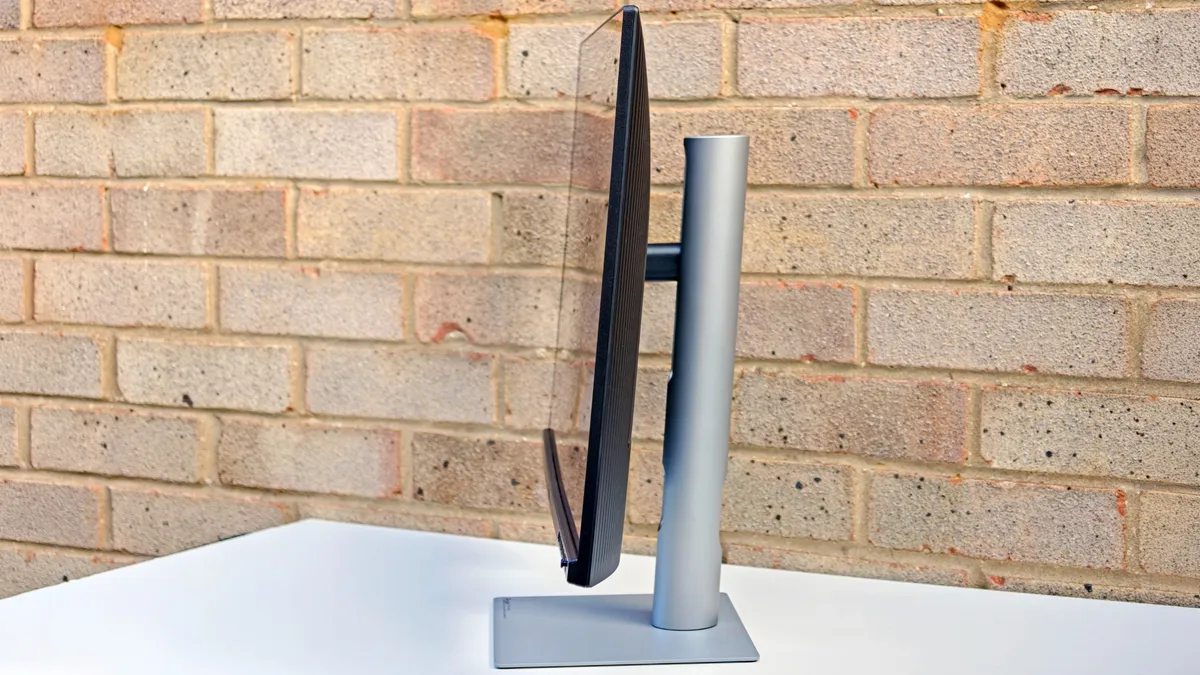
ASUS' ProArt monitors are designed for professional creatives, not gamers, so they feature a clean, simple design. The PA279CDV's panel has very slim top and side bezels, being less than 2mm thick. This is a little deceptive though, as the edges of viewable display area are set in a further 5-6mm from the bezels themselves. Even so, this is far from a deal-breaker. The panel itself is very thin, thanks to being OLED. OLED tech does away with the need for separate backlighting, so the panel itself can therefore be slimmer.
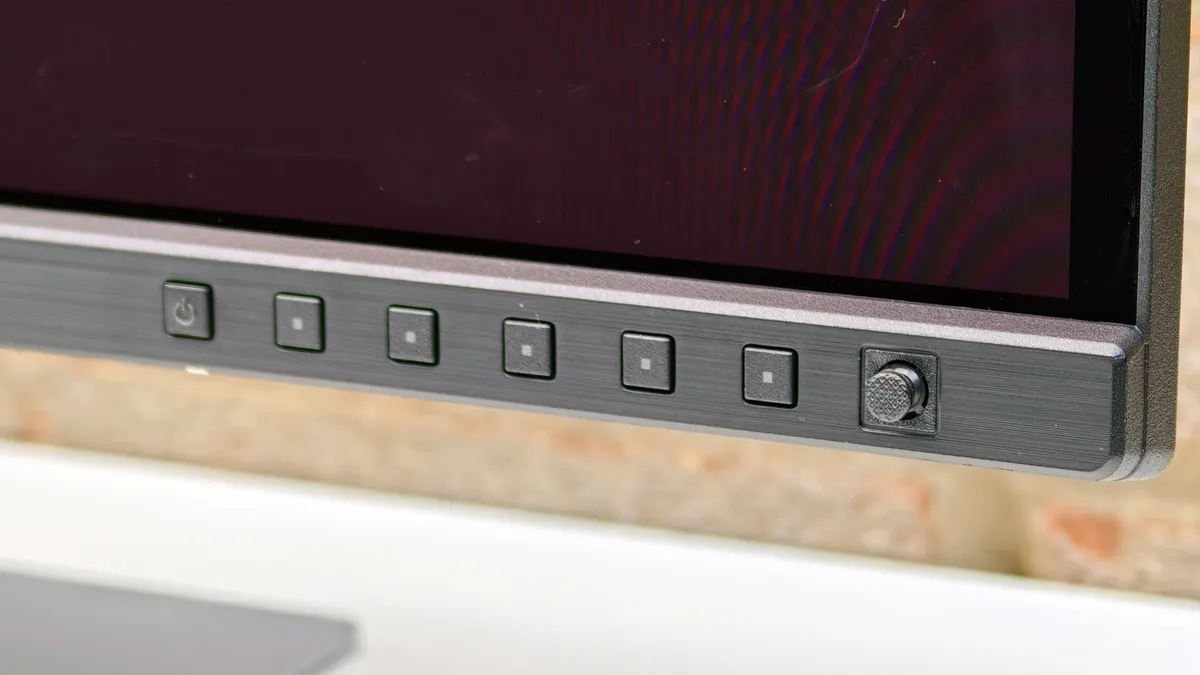
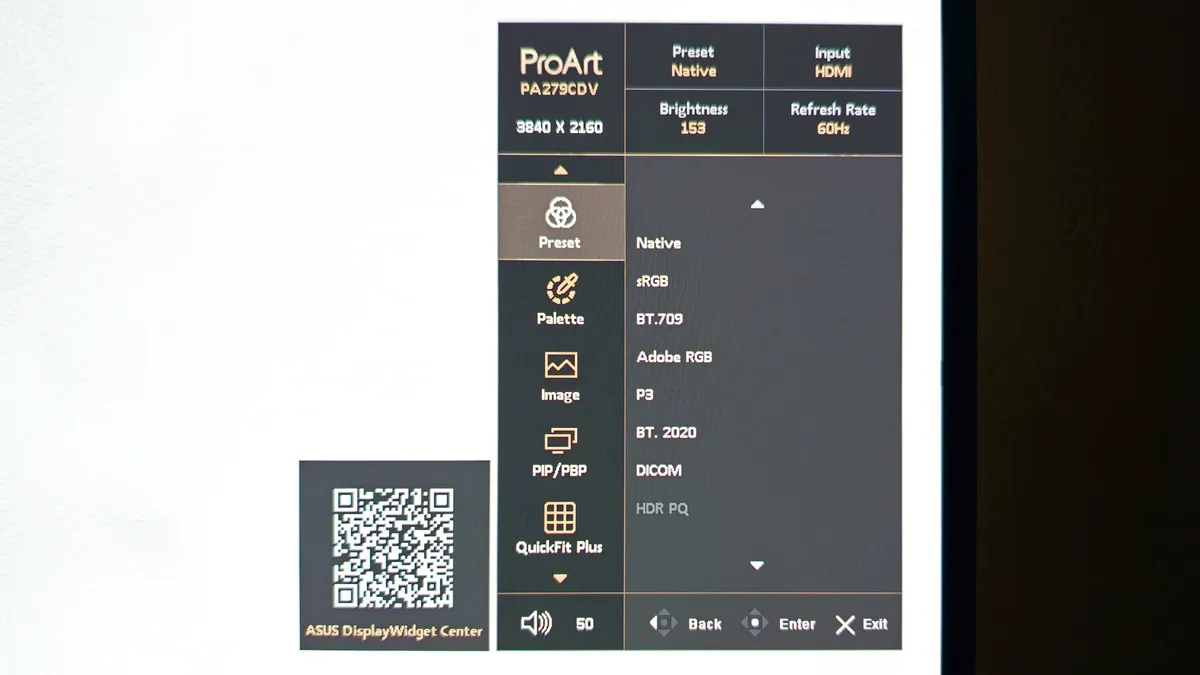
ASUS’ on screen display menus are clear and easy to navigate. A tiny joystick is positioned on the bottom bezel, with six direct-access buttons alongside. The joystick isn't the most responsive I've used (BenQ's monitor joysticks are better, despite usually being placed on the back of its displays) but it gets the job done.
The stand included with the PA279CDV is fairly typical in this sector - a fairly large, solid metal base plate with a matte finish, and a simple upright with a slot in the middle for cable management. Build quality is good, and the stand gives a reassuringly solid support for the display panel. The stand can swivel 90 degrees to enable portrait orientation, and unusually it can swivel both clockwise and anticlockwise. There's also a generous 13cm of height adjustment, although I found the maximum height about 3cm too low for my preferred viewing position.
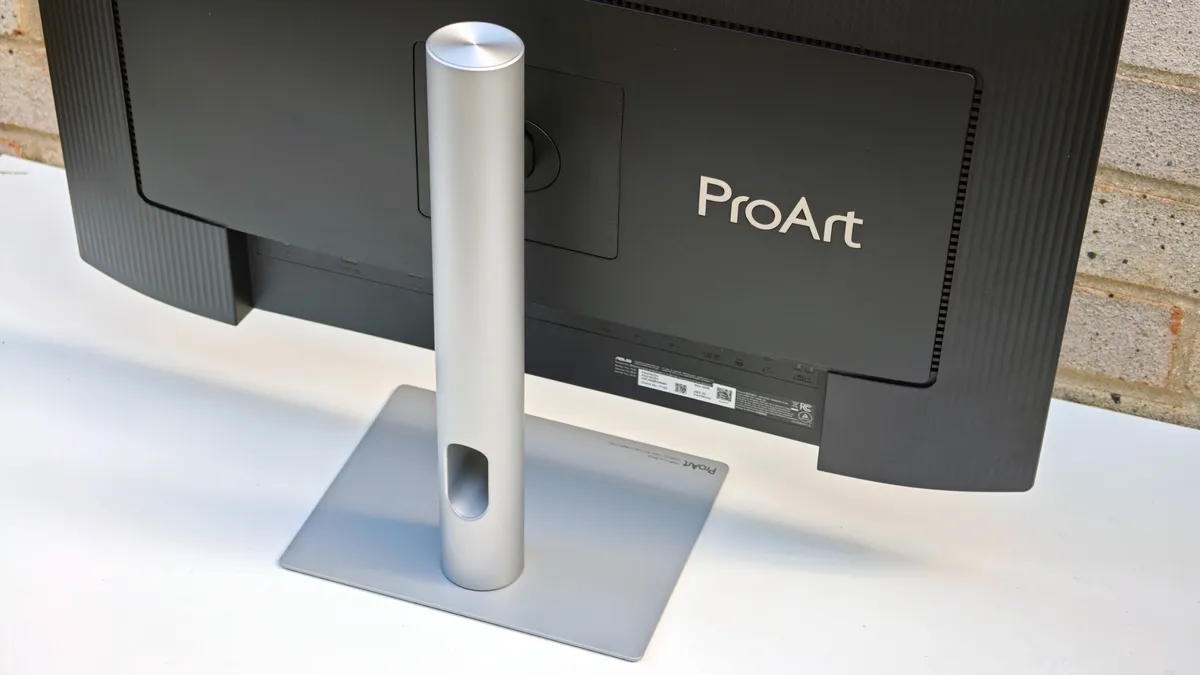
Physical connectivity is good, with three USB-C ports (one being the main port for laptop connectivity with Power Delivery, one a standard USB 3.2 Gen 1 port, and the third enables the built-in auto KVM that allows you to control two connected laptops or PCs with a single keyboard and mouse). There are also 3x USB-A ports, a pair of DisplayPort 1.4 sockets, an HDMI 2.1 port, and a 3.5mm audio pass-through socket.
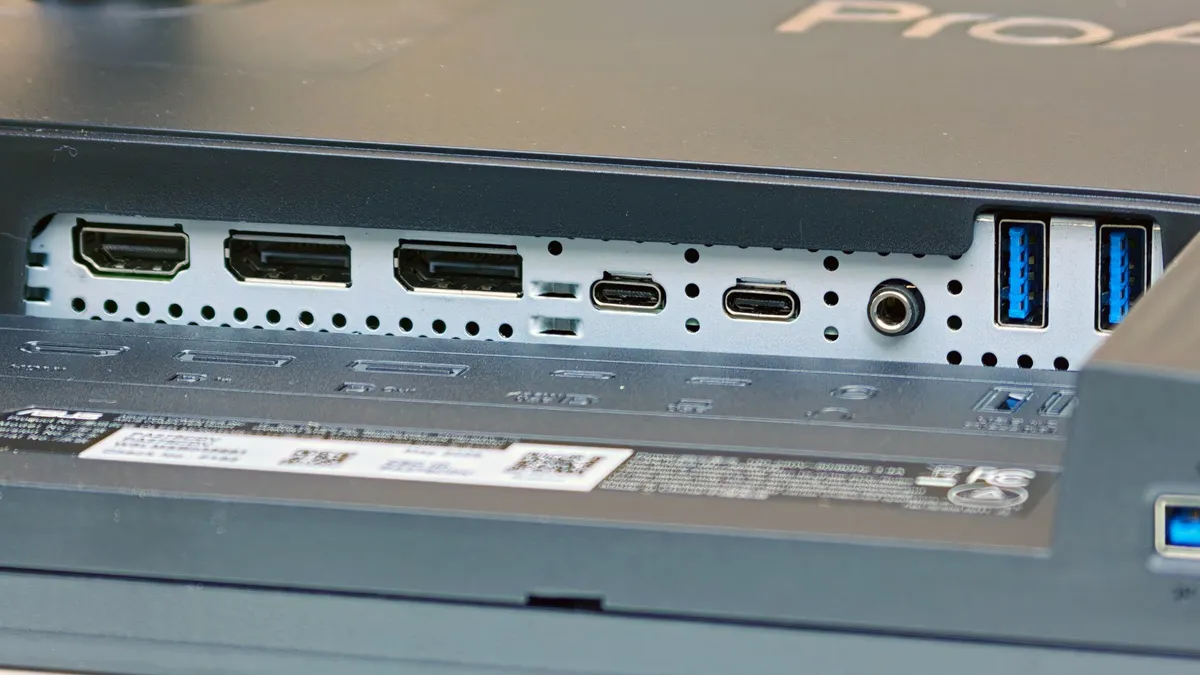
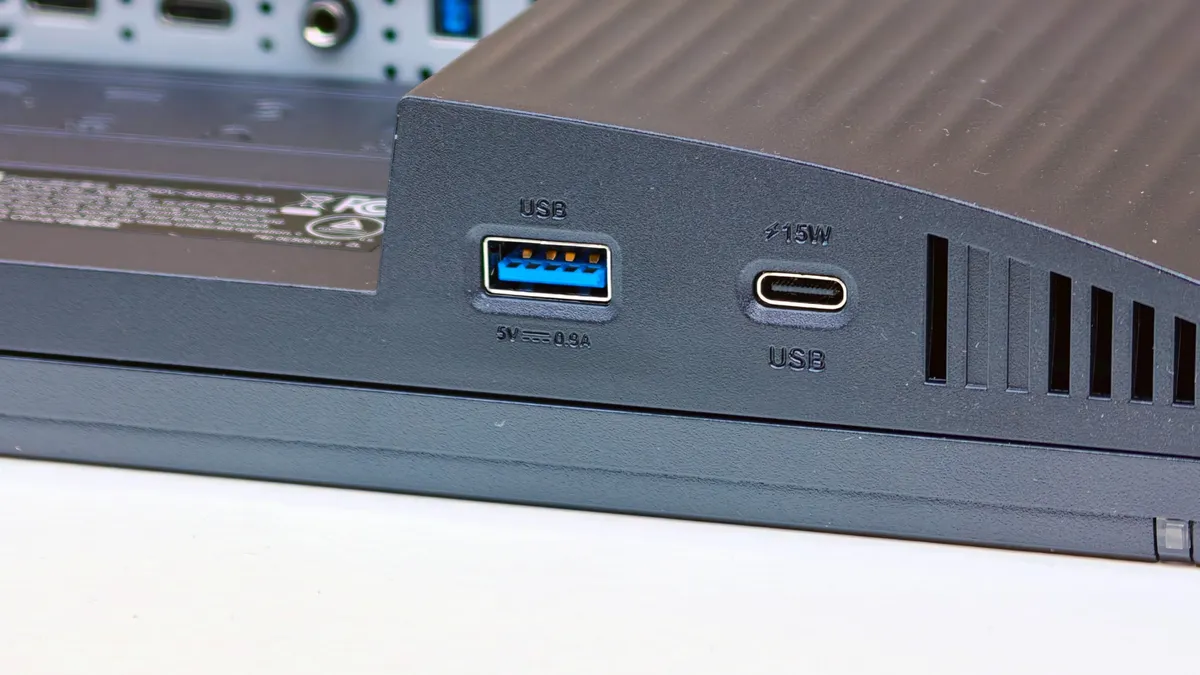
You even get built-in stereo speakers, but don't get too excited, as their audio quality is thin and they don't go very loud. I've yet to test a monitor with built-in speakers that sound halfway decent, and sadly the PA279CDV is no exception.

Performance
Most high-end LCD monitors I test usually appear very similar to the naked eye, but the OLED PA279CDV is in a completely different league. As soon as the Windows desktop loads, the extra contrast and color vibrancy is far beyond anything I've seen from even the very best consumer LCD monitors. At first it almost hurts your eyes, the intensity is that strong. However, once you get used to it (and lower the brightness!), the image quality from a conventional LCD monitor looks muted and lacklustre by comparison. And thanks to the lack of separate backlight (OLED pixels emit their own light, individually), you don't have to worry about uneven contrast consistency or backlight bleed - the entire display area has a feel of purity about it that you don't get from an LCD panel. 'Stunning' is an over-used word, however in the case of PA279CDV, its image quality truly deserves that description.

But while the PA279CDV passes a subjective viewing test with flying (and very vibrant) colors, you simply cannot rely on the human eye to test outright color accuracy, or other display attributes like color gamut coverage and brightness uniformity. To do this you need a device called a colorimeter, and it's here I turn to the Datacolor Spyder Pro, which is capable of analysing OLED displays, not just LCD.
Lab results
Color gamut:

ASUS quotes 100% sRGB and 99% DCI-P3 coverage, and I was able to more-or-less equal these claims. ASUS doesn't advertise AdobeRGB coverage, but I measured it at 92% - not the best I've seen, but still respectable.
Color accuracy (before calibration):

Color accuracy (after calibration):

The PA279CDV comes factory calibrated to an accuracy of Delta-E <1.5 from ideal color. For perspective, most factory calibrated monitors are set up to be within a less stringent Delta-E <2 tolerance. Our particular review sample tested at Delta-E <1.31, which is within ASUS’ claim. However, I was expecting slightly better accuracy after testing some laptop OLED screens that managed to score less than Delta-E <1. But once I took the time to manually calibrate the PA279CDV, it returned a stellar accuracy of 0.69.
Brightness and contrast:

ASUS quotes a peak screen brightness of 1000 nits, though it's worth remembering that this figure only applies when displaying HDR content, and even then only to a maximum of 3% of the total screen area. The maximum brightness that the entire panel can emit is advertised at 250 nits, though I recorded 292. That may sound a little disappointing when plenty of LCD monitors are capable of 350+ nits, but the numbers don't tell the full story. As the black depth is so low, contrast is therefore sky high, making the screen appear much brighter to the eye. During my time with the PA279CDV, I found a comfortable brightness setting to be around 33% - anything over 50% felt uncomfortably bright to look at for long periods in an indoor environment with modest ambient lighting.
Brightness uniformity:

Color uniformity:

Thanks to doing away with a separate backlight, OLED display panels have the potential to excel when it comes to color and brightness consistency across the entire screen area. Thankfully the PA279CDV lives up to expectation here, as it produced one of the best color consistency results I've ever recorded. As for brightness consistency, well that was better still, with only a 2% deviation between the brightest and dimmest screen regions.
Verdict
I'm fortunate enough to review a lot of high-end IPS LCD monitors, and to be honest I've got used to a certain image quality standard from them. A colorimeter is usually required to separate the best from the rest, as you'd be hard-pressed to see much of a difference with the naked eye. However, the same definitely cannot be said about the ProArt Display OLED PA279CDV. Thanks to its OLED screen tech, this is a display that will blow you away from the moment it powers on: its contrast, vibrancy, and overall image clarity are so obviously superior to any IPS LCD monitor I've previously tested.
But this is a monitor designed for color-critical image and video editing, so its image quality can’t just be eye-catching; it also needs to be accurate and reliable. Fortunately the PA279CDV doesn't fall short when it comes to color accuracy, or indeed any other image quality metric I measured. Laptop users will also appreciate the USB-C connectivity with Power Delivery for one-cable laptop connection.
Bad points? Adobe RGB color space coverage could be better, and there's no hardware calibration or built-in colorimeter, so to keep the screen calibrated you'll need do this manually with a separate monitor calibrator (the obvious choice would be ASUS’ own ProArt CaliContrO MCA02 three-in-one colorimeter). However, these are minor gripes that are far outweighed by the jaw-dropping OLED image clarity.
Ultimately, is the ProArt Display OLED PA279CDV worth around twice the price of a comparable IPS LCD monitor? My answer is an emphatic yes.
Check out our full guide to the best monitors for photo editing

