
I'm not making enough money as a photographer (cue sympathy, violins, and offers of a million pounds). So: what's the next best thing to taking your own photos? Starting an interior design website and writing about other people's photos, of course.
Which is where my blossoming relationship with the stock image library iStockPhoto comes in. For a mere $125 / £142.80 a month, I get to download 50 premium photos and keep them forever, and I've been having fun choosing and using them.
Owned by Getty Images, iStockPhoto assures me that it is "always AI free. iStockPhoto doesn’t allow any AI-generated visuals in our library. Every visual at iStock is crafted through human expertise, creativity, and ingenuity."

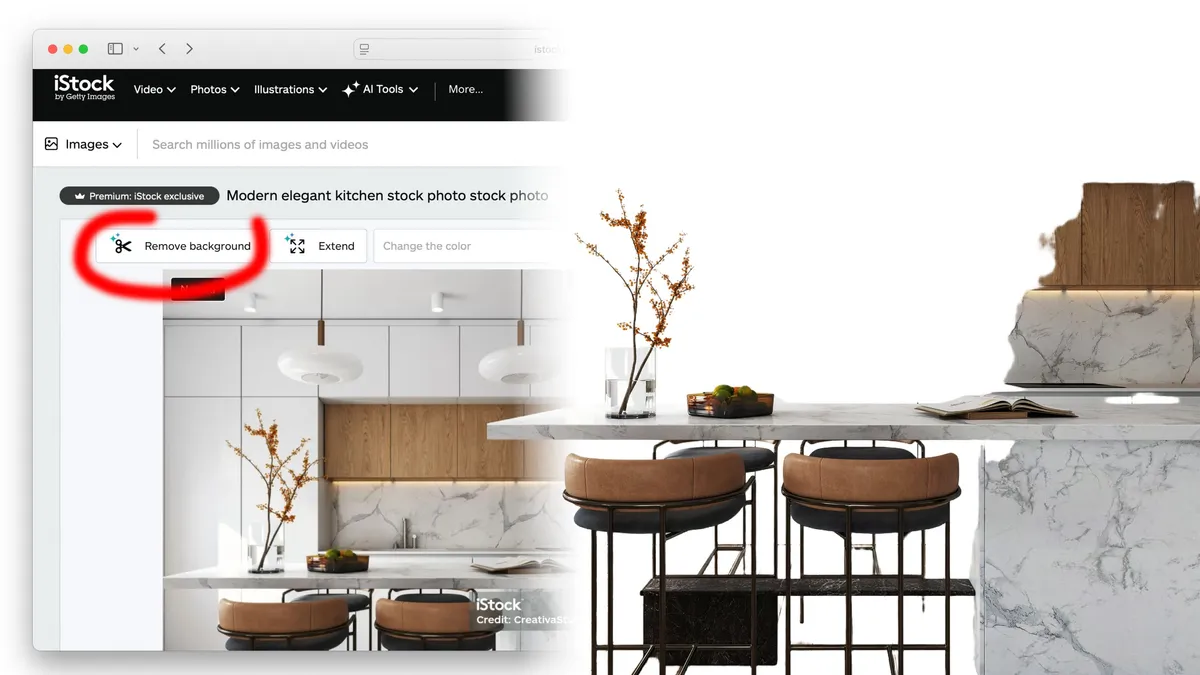
Which is kind of hilarious, because as soon as you purchase a photo, iStockPhoto encourages you to "customise this image" using AI!
Amusingly, if you click to follow that very instruction, it immediately sets about removing the background of the photo in question – which as you can imagine, is undesirable with, say, a kitchen. Removing the background of a kitchen leaves you with a worktop in the middle, and not much else.
If, however, you want to change any other aspect of the photo – and I often do, as I am a picky creature – you should actually use the text box at the top of the page, which asks you, "What would you like to change?" Type in, for example, "Change the plant to green" and hit "Modify." Hey presto, you have a green plant.
Admittedly, the AI sometimes changes it to an entirely different type of plant – I couldn't tell you what, for I have no botany credentials – but hey, it'll be a green one.
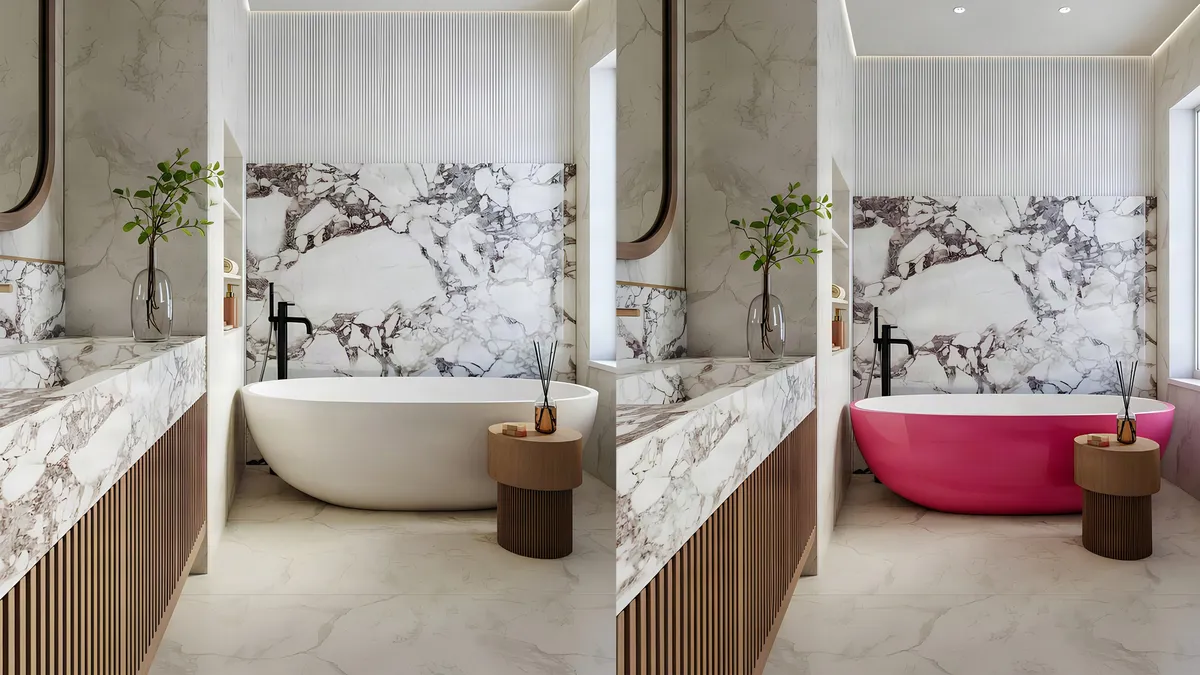
Against my better judgement, I also asked iStockPhoto's AI to turn a bath bright pink. The result made me feel a little nauseous but was very convincing – you couldn't tell the bath hadn't been pink in the first place.

The whole "our photos aren't AI, don't worry. But why don't you use AI with our help if you want to?!" thing is, I think, endemic of a world where many creators absolutely detest and resent AI, and the rest of us will happily use it.
Stock image companies don't know which section of the population to appease and pander to, but more than anything, they don't want to be left behind by other photo libraries using AI to their advantage.
So you get this comical situation where they're straddling both camps with a foot in each and wobbling around wildly. Still, at least they can turn plants green and baths pink. And what more can you really ask for?
You might be interested in our guide to the best photo stock sites.

