Digital Camera World Verdict
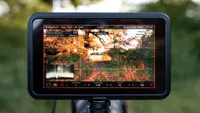
The Atomos Shinobi Go is an entry-level Atomos monitor that does everything some content creators, videographers and photographers will need, and possibly even some professional videographers. It’s bright, clear and well priced considering how well made and how thin and lightweight it is. Accessories are minimal, which does drive up cost, but for a basic monitor from an industry leader, it’s not bad at all.
Pros
- +
Thin and lightweight
- +
Touchscreen functionality
- +
Suitable for photography and video
Cons
- -
Not the least expensive in its class
- -
No mounting device included
- -
No camera control
Why you can trust Digital Camera World Our expert reviewers spend hours testing and comparing products and services so you can choose the best for you. Find out how we test.
I’ve been using a video monitor for capturing video and when shooting macro photography for some time, and although I use a budget model, it has been a game-changer. The Atomos Shinobi Go is a budget Atomos monitor aimed at content creators and photographers. And it is, if I’m honest, better than my own monitor in some ways, for only a small amount more. The major difference is the lack of accessories that come with the Shinobi Go.
That said, an Atomos monitor that costs just $249 / £259 means you can enjoy excellent quality on a budget. This makes it one of the best on-camera monitors available at the entry-level end since it’s a slightly cut-down version of the Shinobi II. Just factor in that you’ll also need to buy batteries, a monitor mount and an HDMI cable since these aren’t included.
The Shinobi Go is just a monitor and doesn’t record Raw video, but that’s why it’s aimed at content creators and photographers rather than professional videographers. Although it’s perfectly adequate for professional use if you capture video to your camera memory card.
This is a compact and lightweight 5.3-inch monitor with a bright 1500nit touchscreen display offering HDR functionality. It’s easy to use and offers a range of tools to help you achieve sharp and well-exposed shots, whether you’re capturing photos or videos of other people, or it also helps with composition when you’re filming yourself.

Atomos Shinobi Go: Specifications
Screen |
1080p 5.2-inch touchscreen |
Screen brightness |
1500nits |
SD interface |
for LUT and firmware installation only |
HDMI |
Input |
USB-C |
Power input and output |
Analog audio inputs |
N/A |
Analog audio outputs |
1x 3.5mm headphone jack |
Dimensions |
151 x 91.5 x 20.8 mm |
Weight |
7.4oz / 210g |
Atomos Shinobi Go: Price
The Atomos Shinobi Go was announced and released in March 2025. It’s the slightly more pared-back slim photography and video monitor when put up against the professional Atomos Shinobi II and the Go II. The Go is aimed at vloggers and content creators, while the Go II has a handful of more advanced and professional features up its sleeve.
As such, the Shinobi Go costs $249 / £259, while the Shinobi Go II costs $349 / £349. This is a reasonable price for a monitor of this quality and light weight, when compared to the competition. However, it’s fair to say that Atomos has skimped on useful accessories, which have to be purchased separately, namely a battery, a monitor hood for shooting in bright conditions and a coldshoe monitor mount. The cost of these has to be considered, especially when some competitors include all three as standard.
Atomos Shinobi Go: Design & Handling
The Shinobi Go looks identical to the higher-end Atomos Shinobi II, and is the same size and weight. The main difference between the two models is functionality. The Shinobi Go weighs just 7.4oz / 210g with svelt dimensions of 5.94x3.60x0.82in / 151x91.5x20.8mm. So, despite being home to a 5.2-inch capacitive IPS touchscreen, it certainly won’t weigh heavily on your camera hotshoe or add excessive weight to a video rig.
The build quality is excellent, and the body is made of robust ABS polycarbonate plastic. The screen is nice and bright, with a maximum brightness of 1500 nits. Yes, you can view the screen in bright light, but a monitor hood would make it even easier and more comfortable to view the screen in bright conditions since it’s not immune to glare.
The front of the monitor is minimalist with no controls, just the touchscreen, white ports and a power button can be found along the two shorter edges of the monitor. On the back, you’ll find a locking battery slot that's compatible with NPF-type / L-type batteries, and there’s a vent for the passive cooling system rather than a fan for cooling, which maintains silent operation.


Controls and ports include the power button and SD card, with the latter being only for firmware and LUT installation of up to eight LUTs in .cube format in 17 and 33 points. On the other side, there's a 3.5mm headphone jack for sound monitoring and a remote port. There's one 1/4-inch thread with anti-rotational points for mounting the monitor on the bottom, with compatibility for a variety of monitor mounts with dual, left or right anti-rotational pins.
Power can also be delivered via the USB-C / PD port on the back of the monitor using a power bank, and if using a battery, power can be delivered to your camera using this port and a USB-C cable. I’m not sure how useful this will be in reality because you may need all the power you can get for the monitor while having multiple camera batteries to cover your needs. I guess it may be useful in a power emergency close to the end of a shoot.
The user interface is fairly easy to navigate, and there are video tutorials available to help you get to grips with setup and features if you’re not familiar with what video monitors have to offer. Battery life depends entirely on the capacity of the batteries you’re using, and Atomos claims that the near-identical Shinobi II can last a full day using a single Atomos NP-F750. I was using lower-capacity Viltrox batteries during testing, and these lasted commendably, so the Go does appear to have a low power draw.

Atomos Shinobi Go: Performance
The Shinobi Go is a solid performer despite being Atomos’ entry-level model. The resolution of the screen is 1080p, but it can handle up to 4K 30fps input with HDR/HLG/PQ Support. 1080p can be monitored up to 60fps. Footage can be viewed in 8 or 10-bit flat if you’re shooting in a Log or standard color profile, or you can install a LUT to show a view that’s closer to a neutral or creative color grade when capturing in Log. One point to note here is that since this is an entry-level monitor, there’s no anamorphic desqueeze feature.
As well as simply providing a larger screen, video monitors also come packed with tools and guides to make it easier to capture video successfully; the Shinobi Go is no exception in this regard, with plenty of tools at your fingertips. These include both shooting frame guides and a variety of scopes.
Shooting guides available include the rule-of-thirds grid and framing guides to aid with composition when outputting to social media or cine aspect ratios other than 16:9 landscape format. Cinematic and social media aspect ratios ranging from 2.41 and 2.35 to 16:9, 9:16, 4:5, 1:1 and more are available.
Then there are exposure and focusing guides available, which include waveform, histogram, vectorscope, false colour and focus peaking. These can be used for both photography and video, and once you get used to them, they become increasingly valuable and, indeed, useful when shooting both ways.


Unlike the Shinobi II, there’s no camera control available via the monitor. This can be a useful feature because it means you can do most things with the monitor, but at the same time, using your camera’s direct access controls isn’t a problem, and when navigating the camera menu, you can enjoy a larger view on the monitor.
I’ve briefly mentioned the lack of accessories a few times, and it is frustrating that the Shinobi Go doesn’t come with an HDMI cable, a monitor mount or even a sun shade/hood. You can, of course, purchase all of these separately but the Atomos options do drive up the overall cost of the monitor. Atomos might argue that it allows individuals the opportunity to decide what they need if they already own some of these accessories, but I would like to see at least a cable and mount included.
Atomos Shinobi Go: Verdict
The Atomos Shinobi Go is an entry-level Atomos monitor that does everything some content creators, videographers and photographers will need, and possibly even some professional videographers. It’s bright, clear and well priced considering how well made and how thin and lightweight it is. Accessories are minimal, which does drive up cost, but for a basic monitor from an industry leader, it’s not bad at all.
The main thing about this monitor is that it does exactly what you’d hope, which is that it makes it easier to compose photos and videos, and to manually focus with ease while achieving a correct exposure using the built-in tools such as the waveform, histogram, vectorscope, false colour and focus peaking. It’s certainly not the best video monitor available, but it’s a fantastic budget option.
Features ★★★★★ |
Useful guides and scopes alongside HDR monitoring and 4K input. |
Design ★★★★☆ |
Compact and lightweight minimalist design with touchscreen functionality |
Performance ★★★★★ |
Great performance and fairly easy to use. |
Value ★★★★☆ |
Well priced for a premium manufacturer, but accessories have to be purchased separately. |
Overall |
★★★★½ |

✅ Buy it...
- If you would like a 5.2-inch monitor for composing photos and videos.
- If you’re on a tight budget but need a quality monitor.
🚫 Don't buy it...
- If you need Raw video recording in a monitor.
- If you would prefer a larger 7-inch video monitor.
Alternatives