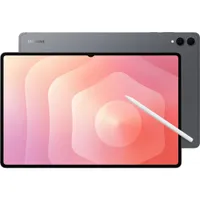
Digital Camera World Verdict
The iPad Pro M5 is everything that a photographer or videographer could ever want from a tablet. The design is lightweight, minimal, and robust. The performance is second to none across a range of creative workflows, including editing photos as well as videos. I would like to see the return of more ports, but it's a very small pet peeve that in no way affects how good the overall performance of the tablet is.
Reasons to buy
- +
Huge, high-resolution display
- +
Powerful hardware for creatives
- +
Thin and lightweight
Reasons to avoid
- -
Very expensive
- -
Only one rear camera
- -
Limited to one USB-C port
Why you can trust Digital Camera World Our expert reviewers spend hours testing and comparing products and services so you can choose the best for you. Find out how we test.
In both of our guides to the best tablets for photo editing and the best tablet camera it's no surprise to see that the iPad Pro M4 takes pride in place as 'best overall' winner. When we reviewed it in 2024, we said it "lets you put your foot down with video editing and photo fixing" and praised its Ultra Retina XDR display and powerful M4 chip.
Since then Apple has released the M5 version: an even more powerful chip with 10 cores and an integrated 10-core GPU. Its performance is second to none, and with a five star rating is now the best tablet for all types of creatives, beating the M4 when it comes to sheer power.
There are, of course, many worthy alternatives in the Windows and Android realms with the Microsoft Surface Pro 10 and the Samsung Galaxy Tab S11 Ultra worthy of consideration. But if you want the very best, Apple has delivered it yet again.
Specifications
CPU |
Apple M5 (10 cores) |
NPU |
Apple Neural Engine |
Graphics |
Integrated, 10 cores |
Memory |
16GB |
Storage |
256GB, 512GB, 1TB, 2TB, 4TB |
Screen |
13-in Ultra Retina XDR display, 2,732 x 2,048 px, 1,600 nits, 10Hz to 120Hz adaptive refresh rate |
Ports |
USB-C |
Connectivity |
Wi-Fi 7, Bluetooth 6 |
Size |
11.09 x 8.48 x 0.20 in |
Weight |
1.28 pounds |
Price & Availability
The 13-inch model of the iPad Pro ranges from $1,499 / £1,499 for 256GB storage and standard glass all the way up to $2,699 / £2,699 if you choose 2TB storage and nano-textured glass.
The model I tested featured 1TB storage and nano-textured glass, which off-the-shelf costs $2,099 / £2,099. The quoted prices are for Wi-Fi only, although for a little extra you can add cellular connectivity.
Compared to the 13-inch iPad Pro M4 (2024), Apple has increased all prices by $200 / £200. The iPad Pro is also available as an 11-inch model with prices beginning at $1,199 / £1,199.
Design
The iPad Pro M5 is everything you'd expect from Apple: sleek, refined, and incredibly well-engineered. It is thin, lightweight, and compact—so much so that it feels like Apple has nowhere to go when it comes to design iterations. That reality is demonstrated in the fact that the iPad Pro M5 is almost identical in design to the M4 2024 version. That means anyone thinking about upgrading shouldn't do so based on the design.
At the heart of the iPad Pro is a huge 13-inch slab of glass, which is contained inside a gorgeous and smooth aluminum chassis. The four smooth corners are complemented by small, sharp bezels on all edges. As a result, it feels comfortable in the hand without putting any strain on your wrist or fingers.


The iPad Pro boasts an Ultra Retina XDR display, which, thanks to 1,600 nits of peak brightness, is bright enough to use in almost all scenarios, including outdoors with bright sunlight. There's also an anti-reflective coating, which comes into its own when you're surrounded by bright lights.
The display itself is everything a person who cares about photos and video needs. The 2,732 x 2,048 px resolution means images pop with detail and clarity. Creatives will also love the P3 wide color gamut and Apple's True Tone white balance feature, which, when combined together, delivers colors you can trust.

On the back there's a small camera bump that houses a 12MP wide camera that is capable of capturing 4K video with the ProRes codec. The rear camera is backed up by a landscape 12MP Center Stage camera located centrally on the front. Thanks to its design, it blends in beautifully with the surrounding black strip, so you'll hardly notice it's there.
The iPad Pro is available in two sizes. The one I tested is the 13-inch model, which measures 11.09 x 8.48 x 0.20 inches and weighs just 1.28 pounds. The larger size is perfect for photographers and videographers who plan on using the tablet for editing. If you can forgo the larger display, then the 11-inch model is a perfect alternative. It measures 9.83 x 6.99 x 0.21 inches and weighs 0.98 pounds.
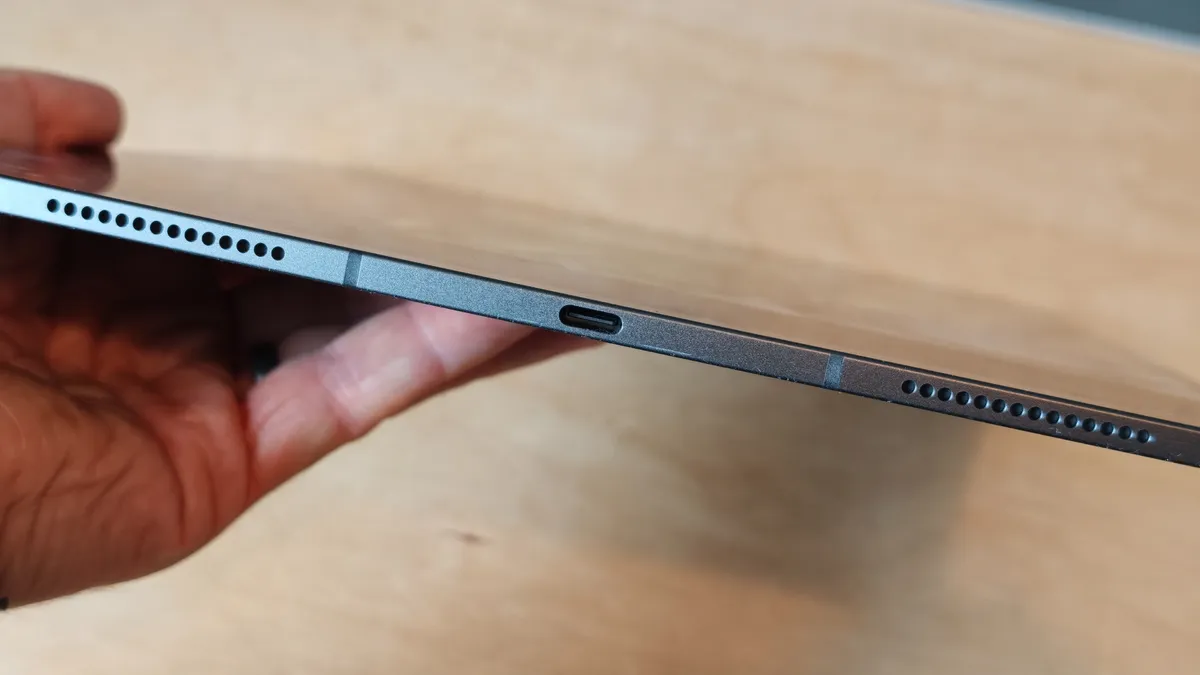
As has been the case for a number of years, the tablet is limited to just one USB-C port. Through this you can charge the tablet, pair with and charge an Apple Pencil, and finally connect to other peripherals such as headphones.
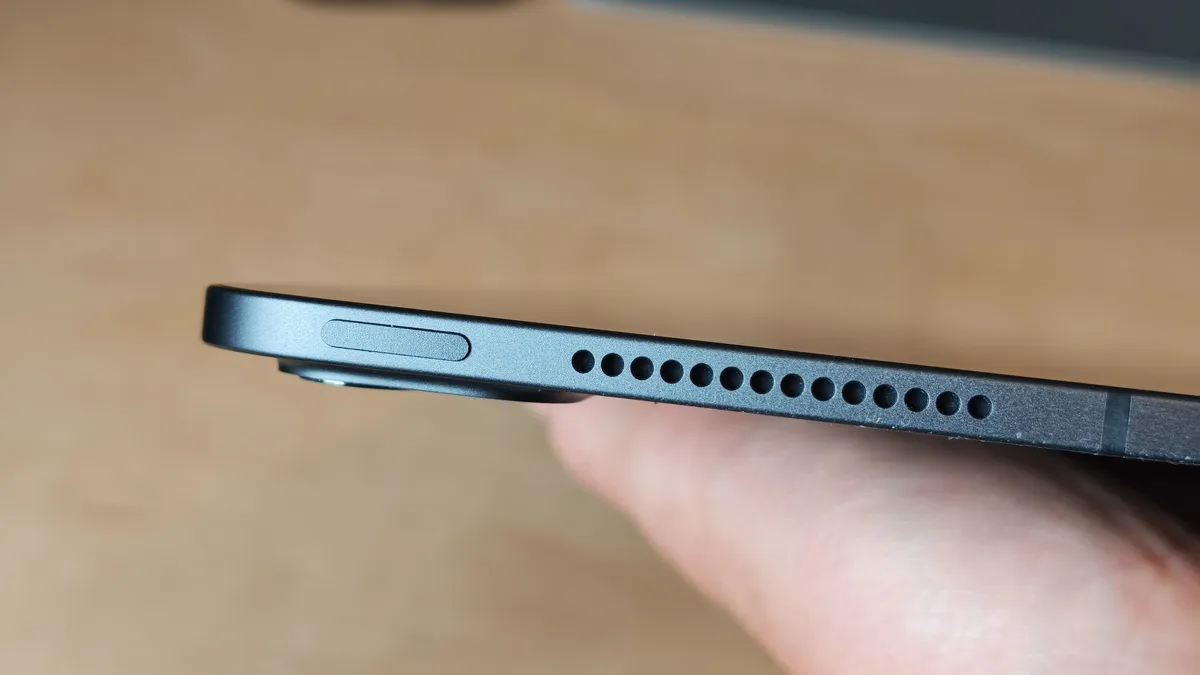
On either side of the port, which is located at the bottom (when in portrait mode), are two speakers. The design is mirrored at the top with two more speakers. The power button is also found on the RHS of this top edge. And finally, the volume buttons are located towards the top of the right edge.
As for colors, the tablet is available in two colors: Space Black and Silver.

Performance
Beginning with Geekbench 7 CPU tests, the iPad Pro M5 scored 3,606 and 16,841 in single-core and multi-core tests, respectively. This benchmark covers things like using File Compression, PDF Viewer, Photo Library, Text Processing, Photo Editor, and Video Encoder. It's a solid all-round test of the CPU, and the M5 performed incredibly.
Impressive performance continued with the GPU test, with the tablet scoring 72,057. This benchmark looks at items such as Background Blur, Face Tracking, Super Resolution, Horizon Detection, Photo Filter, and RAW. The integrated GPU found on the M5 chip offers some of the best performance found on any tablet from any brand.
These amazing test scores are backed up by experience. When using Adobe Lightroom for the iPad, I was able to perform a whole host of color corrections and edits to a library of photos with no hang-ups or issues at all. It simply cracked through them, displaying results instantly and without fuss. Being able to do this makes the iPad Pro the perfect companion for photographers who need to be able to edit and deliver their photos before they've managed to get back to their desk.
In recent years, we've also seen an increase in dedicated video editing software for the iPad. So I downloaded and installed DaVinci Resolve for iPad and proceeded to make some edits and carry out some color grading. Despite not pushing the software to the absolute limit, I was impressed by how the M5 chip was able to handle what I threw at it.


Both the front and rear cameras deliver respectable results with solid resolution and color replication. They can be relied upon to produce accurate and reliable images, but they lack the creative control you get from flagship phone cameras, namely telephoto lenses with gorgeous depth of field effects.
The bottom line is that the iPad Pro M5 is the fastest and most capable tablet you can buy at the moment, and if you buy it for your creative pursuits, I'm sure you'll quickly find yourself using it for a whole host of tasks that you used to use a laptop for.
Final Verdict
I'm running out of superlatives for the iPad Pro M5. With the very latest silicone power of any Apple tablet, the iPad Pro M5 is arguably the best tablet we've seen, from any brand, ever. It might look almost identical to its predecessor, but that just goes to show how good the previous design was. Other than the provision of more ports, there's literally nothing that I would change about its design.
The tablet is a performance powerhouse that is built with photographers and videographers in mind. Our experience as well as the CPU and GPU benchmark tests that we ran confirm how fast, smooth, and responsive the tablet is. In fact, it's so good that it could replace most people's laptops, especially if it's only being used to edit photos. Video editors will love the ability to edit on the go, but if you're handling a lot of large files with complex edits and filters, then you'll need something with more power.
All in, the iPad Pro is for serious creative professionals who can afford the financial outlay. It delivers great results on almost every front, and despite the potential imminent release of the M6 version, the M5 chip will be more than powerful enough for most people for a long time to come.
Features ★★★★½ |
Access to the Apple ecosystem delivers a familiar experience, but there's not a whole lot that's new. |
Design ★★★★½ |
A beautifully sleek design that is thin and lightweight. It's perfectly engineered, but unfortunately it's almost identical to its predecessor. |
Performance ★★★★★ |
Outstanding benchmark results backed up by real-world testing of Adobe and DaVinci software. |
Value ★★★★★ |
There's no getting away from the fact that it's very expensive, but for the money you get an incredible table with excellent performance. |
Overall |
★★★★½ |

Alternatives