
Like many fans of cutting-edge tech, smart glasses with a camera and AI assistance have held appeal for me for some time.
If you can forgive a little tech nostalgia, I still remember using my Google Glass in the early 2010s. Everyone I knew was fascinated by them. Soon, though, I realized for myself that they weren't actually very useful and, worse still, the wider world was a lot more hostile than the optimistic nerds at Google might have expected.
Now things are very different. Cameras in glasses frames are still the subject of debate, but – thanks to Meta's non-display variants – have to some extent been normalized.
The problem is more that, especially for someone interested in the content they're creating, the process – heavily dependent on checking your phone display – all seems very disjointed. It's not as "smart" as the name implies.
Step forward the Meta Ray-Ban Display – like the Google Glass there is visual feedback, but this time it's in color. Plus there are a lot more means to interact. Is this the solution?
When Meta / Ray-Ban finally offered me the opportunity to try out the glasses, I jumped at it so I could find out.
Even though I've tested a lot of eye-worn displays – from RayNeo's head-worn monitors, through drone FPV goggles with menus, to Apple Vision Pro – the Meta offering still surprised me in a number of ways.
First things first, I'm pretty confident that it is something I'd be fairly happy wearing in public. They are light, and the frames look okay given the tech inside.
My wife was actually pretty complimentary about how they looked (before I showed her the price tag). Sure, it's a bit Buddy Holly – and I'd have felt comfortable on the cover of a Weezer album – but it's not all about the glasses.

The downside is the wrist band – or "neural band" – which is worn on the wrist of your dominant hand and communicates with the glasses.
It detects the movements that form your interactions with the user interface. These are rotating the hand left and right (for example, to handle volume), and gestures of tapping your thumb against different fingers.
It took me no more than a minute to grasp this – but a few more to start to remember which of my first three fingers I should be tapping with my thumb in some situations.
Really it's no more complicated than a computer mouse with a few buttons – but even once you're used to the interface, the band itself is one more thing to keep track of… and take on and off and charge.

What that buys you, though, is not having to look at your phone all the time, which surely is the whole promise of smart glasses.
It also means the glasses are capable of a lot more genuinely cool tricks, like putting subtitles in your view – using AI translation – when someone is speaking in a foreign language, or displaying translations of things you can see.
From the perspective of a photographer, too, it enables you to see your images or video. There is a 12MP camera, set for vertical images – only the new Ray-Ban Meta (Gen 3) have the option of landscape shooting, but they don't have a display.
I don't know about you, but I find a visual interface easier to follow than asking an AI and wondering if it correctly understood me, so a display is incredibly reassuring compared to similar tech.
It is 600 x 600 pixels, which makes it capable of displaying a phone-like interface three icons wide.
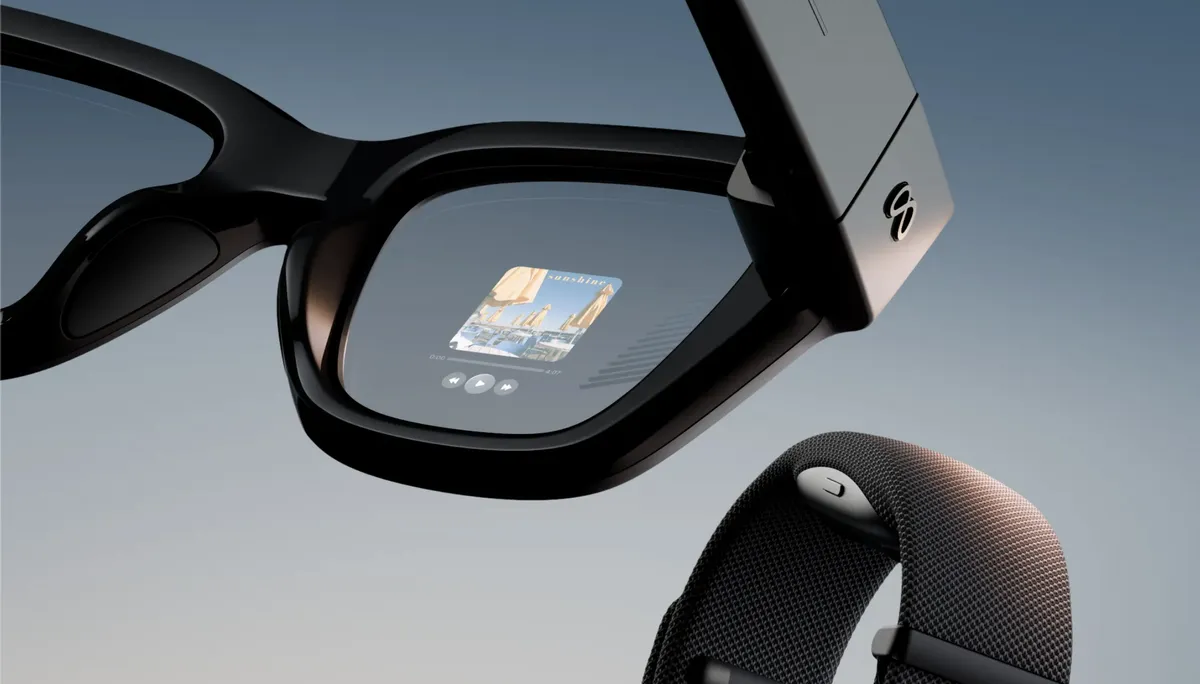

That is where things get a little weird, though. The interface isn't exactly the one you're used to from your phone – Android or iOS – but Meta's own.
Interactions with the device are through Meta's AI. Meta is a big player, and it wants to be part of – or dominate – the new face of computing, and that is interaction through AI.
In fact, I strongly suspect this is why the company has invested so much in releasing this range of products and kept them at relatively accessible prices.
Meta's modus operandi is to use the information (not the photos and videos) from user interactions to develop its AI system.
That can include pictures, if you ask the glasses "Meta, what am I looking at?" – but not your personal gallery. It's a significant distinction, but it does technically mean that someone working at Meta HQ may end up seeing more or less what you saw, which might feel a bit strange for some folk.
The cameras on smart glasses have always created privacy concerns, but leaving that aside it is impressively useful.

What I did find myself asking, from a demo that included the camera and some Meta smart functions (including translations of what I could see), was whether these are significantly more useful than either the glasses without the display or the Google Glass of over ten years ago?
To fully answer that, I'd need to spend longer with them. But one of the key demonstrations projected directions onto the display to help me find a nearby subway station.
The thing is, I generally don't need a map – but I know others do, so I can see the use in this. But I suspect I'd feel more comfortable with Google or even Apple Maps.
The camera gets a zoom function, powered by twisting your hand, which I'm sure is great for socials but must involve some compromise in quality. The live preview in the display means you are at least recording what you want, though.

My test was a controlled demo, so I wasn't able to link the device to my own phone and get the full experience, which means I stuck mostly to the photo and translation tools.
Translation seemed futuristic to me. I could see the ability to look at menus and have them converted into an image in my language as much more discreet than having it read out to me, but live subtitles was amazing.
Just quickly reviewing my images without reaching for the phone was a massive step up, too.
Then again, there were limits to this unconnected demo. I tried to play the music of Ariane X (easily found by Siri) by voice, but Meta couldn't – and there was no prospect of linking to my own accounts unless I bought the glasses. I could, of course, use them as headphones, but that doesn't feel as "smart".

So, are they all that they promised from my hands-on?
Well, they're cheaper than Google Glass. In fact, if you're interested in cool tech, they're also cheaper even if you buy a premium phone like an iPhone 18 Pro Max than the iPhone Duo. So while the $799 / £749 might seem a high starting point, there are other ways to look at it.
You might also like…
Take a look at the best camera glasses from other manufacturers.

