Digital Camera World Verdict
Nikon's Z-line cameras have always been very video-capable, but the bodies have been designed first and foremost for shooting stills. The Nikon ZR essentially takes a Z6 III, lops off the viewfinder and mechanical shutter, and wraps it into a video-friendly shell. But there's more to it than that. The oversized 4-inch monitor is a delight to use, the in-camera 32-bit float audio is groundbreaking (and made practical due to the fanless design), but it's the implementation of the Red Color Science that makes it a true videographer's dream, and all at a price point that is hard to believe (in a good way).
Reasons to buy
- +
Big and bright 4-inch monitor
- +
32-bit float audio in-camera
- +
Red Color Science gives gorgeous results
- +
Weather-sealed and fanless design
Reasons to avoid
- -
No open gate video
- -
'Only' 6K
- -
4K video is cropped at higher frame rates
- -
Brick-like design isn't great for handholding
Why you can trust Digital Camera World Our expert reviewers spend hours testing and comparing products and services so you can choose the best for you. Find out how we test.
The Nikon ZR is the first in a line of 'Z Cinema' cameras born from Nikon's acquisition of high-end cinematography company Red. It's based heavily on the Nikon Z6 III stills-oriented camera, but adds Red's renowned 'Color Science' to achieve professional cinema-grade footage for the first time in a consumer-level video-centric camera.
I go into a lot more detail about the technical details of the camera in my 'Introducing the Nikon ZR' news story, but for this review, I am concentrating on my personal experience of using the camera. Nikon initially gave me a sneak preview in a sound studio, where I got to try out the camera's video (and stills) capabilities for myself, with the help of a drummer and a lot of paint. And now I've got my hands on a review sample to truly put it through its paces. Here's how I got on.

Nikon ZR: Specifications
Sensor |
24.5Mp full-frame partially stacked |
Processor |
Xpeed 7 |
Lens mount |
Nikon Z |
Autofocus |
Hybrid phase-detection / contrast AF with AF assist, -10 to +19 EV detection range, 253 AF points (video), 299 AF points (photo) |
Image stabilization |
5-axis, up to 7.5 stops |
Weather sealing |
Yes |
Sensitivity |
Dual base ISO (800 / 6400) • ISO100-51,200 (204,800 exp) |
Max video resolution |
6K 60p, 4K 120p, Full-HD 240p |
Max stills burst |
20fps Raw, 120fps JPEG |
Viewfinder |
N/A |
Rear screen |
4-inch vari-angle touchscreen, 3.07 million dots, 1,000 nits brightness |
Memory |
1 x CFexpress Type B, 1 x microSD |
Connectivity |
Wi-Fi, Bluetooth, mini HDMI, USB-C, headphone, mic, digital accessory shoe |
Battery |
EN‑EL15c |
Dimensions |
134 x 80.5 x 49 mm (5.3 x 3.2 x 2 in) |
Weight |
540g (1lb 3.1oz) body only, 630g (1lb 6.3oz) with battery & memory card |
Nikon ZR: Price
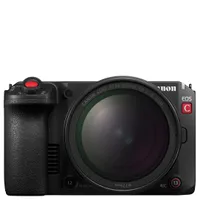
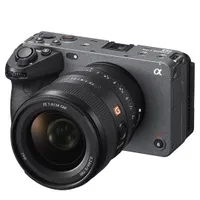
The Nikon ZR has a launch price of $2,199 / £2,199 / AU$3,499. That's a darn sight cheaper than Red's own Raptor and Komodo line of cameras, which typically have five-figure price tags. It's very well priced compared to its more direct competitors, too. The closest Sony equivalent, the Sony FX3, sells for $4,098 / £3,799 / AU$6,499, while the Canon EOS C50, announced a mere matter of hours before the Nikon ZR, is due to launch at $3,899 / £3,359 / AU$5,899.
It even undercuts the Nikon Z6 III stills camera it is based on, too, in many territories, made possible in no small part thanks to the lack of an electronic viewfinder, one of the more expensive components of a regular mirrorless camera. Nikon has certainly priced the ZR aggressively, at a price designed to tempt existing videographers to the Nikon / Red system, as well as Nikon photography advocates looking to make a move into more serious cinematography.

Nikon ZR: Design & Handling
Those migrating from Nikon's stills mirrorless cameras will be in for something of a shock. The form factor of the ZR is almost entirely rectangular, with no bump to speak of, nor a protruding viewfinder assembly. There's a textured area to provide a bit of grip under the right hand. This is fairly typical of video-centric cameras, which are often designed to be placed in a cage or rig. It's surprisingly light to hold, but I'd certainly want a wrist strap at the very minimum when handholding the camera, just to be sure.
There's no electronic viewfinder, but to make up for this, the rear screen is huge and takes up almost the entire back of the camera. It measures 4 inches diagonally, compared to the 3.2 inches of most other Nikon full-frame Z-series cameras, and is of the vari-angle touchscreen variety. The screen flips out to the side and tilts up and down for a comfortable viewing experience. The screen-facing side can also be tucked against the camera body for protection and to preserve power when being used as part of a setup with an external monitor.

And while the control configuration of Z-mount cameras has been fairly consistent across the range since launch (aside from the odd button swapping places here and there) and had been a natural progression of the control layout from Nikon DSLRs, things are radically different here. Up top, there's a single large Record button that takes the place of the standard shutter button, surrounded by a rocker lever for zooming in and out with compatible power zoom lenses, among other functions. The Rec button is also duplicated on the front of the camera, although, like many controls, its function can be customized.
The traditional front and rear control dials offer a degree of familiarity, but rather than dedicated buttons for things like exposure compensation, ISO, and so on, there's a row of three programmable buttons, simply marked '1', '2', and '3'. Controls on the rear of the camera are even more pared back, limited to a simple joystick for navigation, and a menu and playback button.

It may take some getting used to, but all these design changes suit the camera's main purpose for recording video perfectly; eye-level viewfinders are rarely used for videography (the days of shaky camcorder footage aside). I actually found it to be really convenient to use the touchscreen for changing settings, as there's no need to take your eye from the scene you're recording, and with it being so big and bright, it soon becomes second nature to move between menus, change video looks, and the like.
Nikon ZR: Performance
The camera uses the same Xpeed 7 processor, 24.5Mp partially stacked sensor, and has the same autofocus, subject-tracking, ISO range, and image stabilization performance as the Z6 III it's based on. So much so that, control oddities aside, it can be pretty much be regarded as the same camera as the Z6 III. There's no technical reason that this camera can't take just as good images as the Z6 III when it comes to stills shooting (apart from action photography perhaps, as there's no mechanical shutter, only an electronic one). It's just a bit more fiddly to get there, as you often have to delve into the menu system for even basic photography tasks. Changing from aperture priority to manual mode, for example, is a case in point, as there's no shooting mode dial.

Above: I shot this short video segment with the Nikon ZR and videocentric Z 28-135mm f/4 PZ when Nikon gave me a sneak peek of the camera just before its announcement
And while the underlying hardware that powers the video capabilities of the camera is also indistinguishable from the Z6 III, with the same headline 6K 60p max video output, it's the inclusion of Red Color Science that sets the ZR apart. It records 12-bit Raw video in an all-new R3D NE (Nikon Edition) format, which doesn't have the full color depth of Red's 16-bit R3D files, but otherwise mimics the look and feel, and offers the same flexibility. In essence, you can freely mix and match footage shot on a ZR with that shot on Red's top-end Komodo and Raptor cameras.
You will need a powerful computer to process R3D files (among other supported Raw codecs), and an on-screen alert pops up to warn you of this, should you try to select them. Much like still images shot in Raw, the files look rather flat straight out of the camera, and need processing in Red's RedCine-X Pro software (available as a free download from Red's website for Mac and Windows). Other pro-level video software, including Davinci Resolve, will support these files in time. As a further word of warning, Raw video absolutely chews through memory – a 512GB CFxpress card is only good for around 30 minutes of footage.

If you don't want to get bogged down in the nitty-gritty of Raw video straight off the bat, you'll be relieved to know that Red has developed a bunch of Red Picture Controls that apply a range of gorgeous cinematic looks in-camera. The RedCine_Bias Picture Control comes pre-installed and gives video a classic cinematic look. Up to nine others can be downloaded from the Nikon Imaging Cloud service, developed by Red, as well as the professional cinematographers from Nikon's Ambassadors and Creators program. These are really useful for those cutting their teeth in the world of video, and it's really easy to switch between them to see their effect on the large monitor before you start recording footage.

There is no technical reason that Nikon couldn't bring this Red Color Science to the Nikon Z6 III (or, indeed, other Z-series cameras) as it's firmware rather than hardware dependent, but whether the company actually will is another matter: aside from the time and effort recquired to do this, the big N may well want to keep the Z Cinema line distinct from its stills-oriented Z-series cameras. In short, if you want to shoot the sort of cinematic video that Red's Color Science achieves in an affordable camera, then the ZR is the only way to do it for the foreseeable future.
Recording at 6K and 4K up to 60p, video takes the entire width of the sensor, but this is cropped to a DX format when shooting 4K 100p or 120p, thereby applying a 1.5x crop to the focal length of any attached lens, which is useful when you want to get closer to the action, but not so good for expansive wide shots. Full HD can be recorded in both horizontal and vertical formats without changing the orientation of the camera, again with a cropped section of the image sensor.

Whatever resolution you decide to record your footage, its output is in the standard 16:9 aspect ratio used by the cinema industry. However, the sensor has a native 3:2 resolution, so this loses pixels at the top and bottom of the display. Some will be disappointed that it doesn't output 'open gate' video, which is essentially the full sensor readout data that is later cropped in post-production. Perhaps this is something that a future firmware update might address, as surely Nikon's powerful Xpeed 7 processor has the grunt to do this?
The camera has a CFexpress card slot for its primary storage medium, and these fast cards are more than capable of keeping up with anything that the ZR can output. I was a little surprised that its secondary slot is of the microSD variety, which is not nearly as fast. Still, it's good enough for less data-hungry video resolutions, and at least the camera has a second card slot; Nikon has clearly learned a lesson from the backlash over the original Z7 and Z6 Z-series mirrorless cameras, which only sported a single slot.

It's highly unusual for a video camera to run without a fan to keep things cool, but the ZR is indeed fanless. Nikon tells me that this is possible due to the energy-efficient design of the Z-series architecture, which does not produce as much heat as rival systems in the first place, and dissipates it through the camera's magnesium alloy chassis. The camera can record up to 125 minutes of video without taking a break, although if you're shooting with the standard EN‑EL15c battery, it'll conk out after about 90 minutes or so.
One upshot of this fanless design is that there is no need for vents, and so the camera is properly weather-sealed, just like other Z-series stills cameras. So you can shoot in inclement conditions without (overly) worrying that moisture will find its way inside.

The other big advantage is that there's no fan noise to contend with, which goes a long way to explaining one of the other aspects that sets the ZR apart from its competition: it is the world's first camera to offer 32-bit float audio in-camera. This essentially enables a vast range of sound levels to be recorded, faithfully recreating everything from the quietest whispers to the loudest noises crisply and clearly on one soundtrack without clipping or distortion. The three microphones built into the camera body also enable spatial audio effects, such as sound moving from left to right in sync with the onscreen action.
I also got to try out Nikon's new ME-D10 digital shotgun microphone, developed especially for the ZR. It slips into the hotshoe on top of the camera, but has an inbuilt digital interface on the underside that transfers the 32-bit float audio from the microphone without additonal cables. It's a neat solution, and was used to record my sample drumming video.

Nikon ZR: Lab results
Historically we haven't lab tested full-on cinema cameras, as our testing procedure measures still image quality. Consequently we don't have lab data for some of the ZR's main rivals. Instead we're comparing it to Nikon's own Z6 III, which costs the same as the ZR and is great for vlogging. The Panasonic Lumix S1 II is pricier, but it's an exceptionally well-rounded camera with pro-level video credentials. The Sony ZV-E1 is the closest rival to the ZR which we've lab tested, both in terms of its focus on video and its price.
We test resolution using Imatest charts and software, and dynamic range and signal-to-noise ratio with DxO Analyzer.
Resolution (line widths/picture height):

With the both Nikon cameras and the S1 II all having sensors in the region of 24 megapixels, it's not surprising that they all resolve similar amounts of fine detail. The 12.1MP ZV-E1 isn't the camera for capturing super-detailed stills, but that's not what it's designed for.
Dynamic range (EV):

The ZR captures almost identical levels of dynamic range to the Z6 III, as we'd expect because they share the same sensor. The S1 II delivers comparable results, but the Sony is the camera to have if you regularly shoot at high ISOs. With only 12.1 megapixels spread over its large full-frame sensor, each individual photosite (pixel) is relatively large, enabling it to be more light-sensitive, which pays dividends when capturing dynamic range.
Signal to noise ratio (decibels):

This test compares the amount of random noise generated by the camera at different ISO settings as a proportion of the actual image information (the 'signal'). Higher values are better and we expect to see the signal to ratio fall as the ISO is increased.
All four cameras produce similar levels of image noise at higher sensitivities where it's most visible. However the Sony, and to a lesser extent the Panasonic, cameras do produce slightly cleaner images than the two Nikons at the highest sensitivities.
Nikon ZR: Verdict
Nikon Z-series cameras have always been capable when it comes to recording video, with hybrid phase detection AF points built into the sensor, combined with advanced subject tracking, enabling them to keep pace with moving subjects for silky smooth footage. It's certainly a huge improvement over the video capabilities of DSLRs.
However, their DSLR-like form factors aren't ideal for video production. The design of the Nikon ZR is much more video-friendly, able to work standalone (thanks to its oversized monitor and excellent audio capabilities) or as part of a rig. But it's the Red Color Science that sets this new camera apart from others in the Z-series line. I was really impressed with the Picture Controls developed by Red that gave footage an instant filmic look.
The first fruits of the collaboration between Nikon and Red appear to have paid off handsomely, resulting in a brilliantly compact camera that can deliver professional-level video at a price point that us mere mortals can afford.
Features ★★★★★ |
6K video and 32-bit float audio in a manageable body are the standout features, and Red's Color Science is beautiful to behold. |
Design ★★★★☆ |
The 'slab' design is perfect for use in a rig, but less ideal for handholding. Pared-back controls are made up for with the oversized monitor. |
Performance ★★★★☆ |
More than two hours' continuous recording in a fanless body is some achievement, it's a shame there's no open gate, though. |
Value ★★★★★ |
The ZR offers incredible value for a specialized videocentric mirrorless cinema camera, massively undercutting the competition. |
Alternatives