




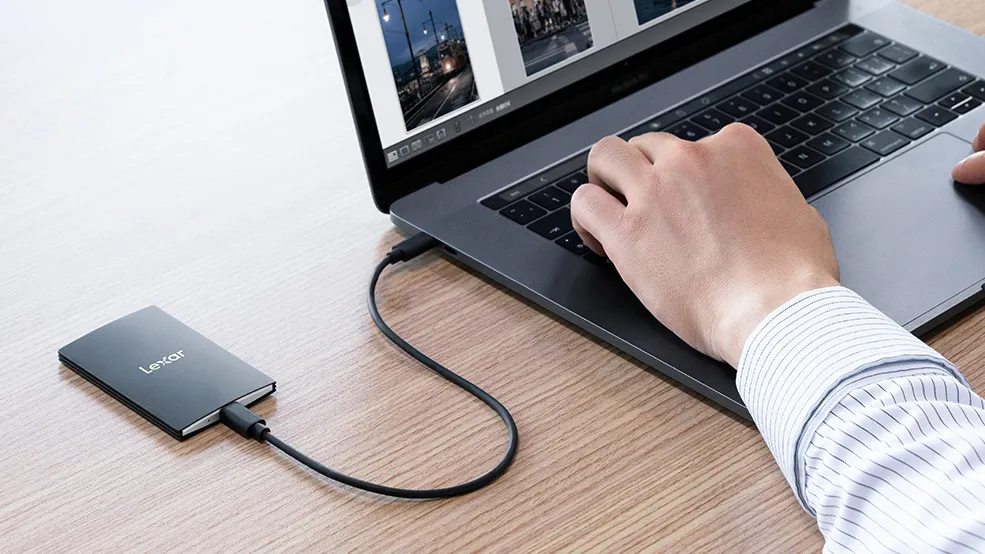
The best portable hard drives are the ideal way to store, back up and archive your images and videos to keep them safe and accessible. If you're constantly on the move and need a storage solution that can move with you, then we'd definitely recommend picking up one of these portable hard drives.
Ultimately, your computer's storage is only going to take you so far. Images and videos take up a lot of digital space, and if you shoot even a reasonable amount, you'll find pretty quickly that you need somewhere to keep all this data. Even if you already use cloud storage, portable hard drives can be an excellent choice. They offer an extra layer of backup without needing to access the internet.
There are two types of drive to consider: a conventional portable hard disk drive (HDD) is a good economical choice, packing plenty of space for a low price. However, a portable solid-state drive (SSD) will offer much faster transfer speeds, while also being lighter and slimmer than conventional hard drives.
Portable SSDs used to be way more expensive than portable hard disk drives, but prices have now come down significantly. Considering how much extra speed a portable SSD delivers over a hard disk drive, we think it's worth spending a little extra to get a huge performance boost.
We're listing the best portable SSDs just below, followed by the best portable hard disk drives. If you need even more storage space, you'll want to look into the best desktop hard drives.

Ben is the Imaging Labs manager, responsible for all the testing on Digital Camera World and across the entire photography portfolio at Future. Whether he's in the lab testing the sharpness of new lenses, the resolution of the latest image sensors, the zoom range of monster bridge cameras or checking the performance of portable storage, Ben is our go-to guy for technical insight. He's a human encyclopedia of benchmarks when it comes to recommending the best buys.
Best portable SSDs
Why you can trust Digital Camera World Our expert reviewers spend hours testing and comparing products and services so you can choose the best for you. Find out how we test.
Best overall

✅ You want a speed at a fair price: This is one rapid portable SSD, yet it undercuts many rivals on price.
❌ Style matters: The rubberised outer casing may help with shock resistance, but it's a magnet for dust and lint.
With maximum advertised read and write speeds of 2000MB/s and 1800MB, respectively, this is one of the faster portable SSDs you can buy. Despite this, it's still easily portable, measuring just 9.73 x 6 x 1.24cm (3.83 x 2.36 x 0.49 inches). The RP60 is also built to be rugged: the shock-resistant rubberized casing helps the drive survive drops from up to 3 meters, while an IP65 ingress protection rating means water and dust shouldn't get inside.
Sometimes manufacturer speed claims can be overly optimistic, but we were pleasantly surprised when we tested the RP60. We recorded a maximum read speed of 2013MB/s, and a 1782MB/s write speed - almost exactly the same as PNY's advertised numbers. Real-world transfer speeds were inevitably lower, though they were still some of the fastest we've recorded from a portable SSD.
Considering the RP60 can often be found for a lower price per gigabyte than rival SSDs from SanDisk and Samsung, we think it's a real bargain.
See our full PNY RP60 portable SSD review
Lab results |
Score |
Rating |
|---|---|---|
Read speed |
2013MB/s |
★★★★★ |
Write speed |
1782MB/s |
★★★★★ |
Best for extreme speed

✅ You have a need for speed: This drive will shift gigabytes of video in seconds, speeding up your workflow considerably.
❌ You only have a USB computer: you'll need a Thunderbolt 3+ computer to make the most of this SSD. You'll get less than half its speed potential via USB.
If you frequently need to shift huge 4K video files, or large numbers of high-res raw stills, the SanDisk Professional Pro-G40 SSD is the portable SSD for you. Capable of transfer speeds up to 3000MB/s, it's one of the fastest portable SSDs on the market, yet it's no bigger than most of its rivals.
The Pro-G40 is also built to last. It'll survive drops from heights of up to 3m and resist crushing forces of up to 4000 lbs. Furthermore, it has an IP68 rating for dust and water resistance, enabling it to withstand submersion at depths of 1.5m for up to 30 minutes.
When we tested the Pro-G40 we got impressively close to SanDisk's speed claims, recording a max read speed of 2800MB/s, and a 2604MB/s peak write rate. You will however need a computer equipped with a Thunderbolt 3, 4 or 5 connection to get these speeds. USB 3.2 Gen 2 can also be used, but transfers will be limited to below 1000MB/s.
Read our full SanDisk Professional Pro-G40 SSD review
Lab results |
Score |
Rating |
|---|---|---|
Read speed |
2800MB/s |
★★★★★ |
Write speed |
2604MB/s |
★★★★★ |
Best value

✅ You want performance AND value: This SSD is quick enough for most scenarios, yet it's very well priced.
❌ You want bleeding-edge speed: we couldn't hit the claimed 2000MB/s read speed. You might be more lucky though.
Lexar is a brand usually associated with top-notch memory cards and card readers, but it also offers several portable SSDs. The SL500 is its latest offering and measures an easily portable 85 x 54 x 7.8mm. Build quality feels reassuringly solid, and the matte black finish looks classy.
Lexar advertises rapid maximum read/write speeds of 2000/1800MB/s. When we tested the SL500, we clocked the drive at a maximum 1067/1058MB/s using storage speed benchmarking software.
When reading/writing a single large video file – a best-case real-world speed scenario - the SL500 managed 861MB/s read and 634MB/s write. These are impressively fast speeds, but it's a pity we couldn't get closer to Lexar's advertised speeds. Your experience may be different though.
The Lexar SL500 can be had in popular 512GB, 1TB, and 2TB capacity options, and connects via a Type-C port.
This runs at USB 3.2 Gen2x2 speed, so you'll need a computer that supports this or the faster USB4 standard to extract the drive's full performance. You can connect to older USB 3.1, 3.0 or 2.0 computers (a USB Type C to A adapter is included), but transfer speeds will become bottlenecked.
Read our full Lexar SL500 portable SSD review
Lab results |
Score |
Rating |
|---|---|---|
Read speed |
1067MB/s |
★★★★ |
Write speed |
1058MB/s |
★★★★ |
Best for style

✅ You want a sleek and ultra-portable drive: the svelte, matte metal exterior of the T7 gives it a genuine feel of quality.
❌ You need very high capacity: Like many portable SSDs, the T7 tops out at 'only' 2 terabytes.
Samsung's entry is as sleek as portable SSDs come, with a simple matte aluminium casing that oozes understated quality. Measuring only 85 x 57 x 8mm, it easily slips into a shirt pocket, and there are even three color finishes: gray, blue, and metallic red.
You might not guess it from the stylish exterior, but the SSD T7 is also rated to survive a 2-metre drop, and your data can be protected by 256-bit hardware encryption. 500GB, 1TB and 2TB capacity options are available, with each boasting hugely fast transfer speeds of up to 1050MB/s read and 1,000MB/s write.
Read our full Samsung T7 SSD review
Best for high capacities

✅ You work with huge files: this portable SSD is very unusual as it has an 8-terabyte capacity option, albeit at a very high price.
❌ Speed is a priority: This isn't SanDisk's fastest portable SSD as it tops out at 1050MB/s. That's far from sluggish though.
Note: SanDisk used to call this the SanDisk Extreme Portable SSD V2, which is the name of the SSD we reviewed. The 'V2' suffix has now been dropped, but the actual product remains the same.
This is not SanDisk's top-of-the-range portable SSD - that honour currently goes to the Extreme Pro Portable SSD - but this cheaper non-Pro version still offers excellent performance, and more capacity options.
SanDisk quotes a peak read speed of 1050MB/s for the Extreme Portable SSD. Despite testing with a blazing-fast laptop, we could ‘only’ manage a peak 780MB/s when reading a large video file (a best-case scenario) and 564MB/s when writing it to the drive. Still, that’s hugely fast, and image transfer speeds of 693/496MB/s read/write are equally incredible. It should also be noted that a portable SSD will rarely - if ever - perform as fast in actual file transfers as in a software benchmark.
Capacities start at 500GB and then double until you reach the top 8TB model. This is uusally spacious for a portable SSD, though it'll cost you nearly $1000! The 1TB and 2TB options offer the best value.
Read our full SanDisk Extreme Portable SSD review
Lab results |
Score |
Rating |
|---|---|---|
Read speed |
780MB/s |
★★★★ |
Write speed |
564MB/s |
★★★ |

✅ You want ultimate portability: the curved plastic shell of the My Passport SSD makes it one of the most portable drives on this list.
❌ Ruggedness is important: Though WD claims this drive can survive drops from up to 2m, it still feels flimsy.
This is WD's latest version of its long-running My Passport SSD. The new version has a smoother, more rounded design, and is slightly smaller than many of its competitors, so it'll easily slip into a tight jeans pocket.
This My Passport SSD is built around NVMe SSD technology, with advertised max read/write speeds of 1050MB/s and 1000MB/s, respectively. Refreshingly, we found WD's claims to be bang-on, as in our testing we measured 1041MB/s and 1002MB/s read/write rates in benchmarking software - very impressive.
Switching to real-world testing inevitably brings a performance hit, but the My Passport SSD still performed well. We achieved an average 651MB/s and 569MB/s read/write speed with video files, and 538/364MB/s with multiple image files.
Capacity options include 500GB, 1TB, 2TB and 4TB, with connectivity being via USB Type-C 3.2 Gen 2. A USB-C to USB-A adapter is included in the box.
Read our full WD My Passport SSD review
Best portable hard disk drives
Best portable hard disk drive

✅ Price matters more than performance: this portable hard disk drive costs way less per gigabyte than an SSD.
❌ You regularly move large files: read and write speeds of around 150MB/s are ok, but you'll need an SSD if you regularly move very large files.
If you want the most portable storage for the lowest possible outlay, a traditional portable hard drive remains a solid choice. They cost significantly less than an equivalent‑capacity portable SSD, yet are just as simple to use, with no external power supply needed.
Toshiba’s Canvio Flex is one such drive, offered in 1TB, 2TB and 4TB capacities, and designed to work seamlessly with Windows and macOS computers, as well as iOS and Android mobile devices. That broad compatibility means you can even back up files directly from your phone without involving a laptop.
The Canvio Flex keeps things straightforward in terms of design. Its plastic shell helps reduce weight — just 155g for the 2TB model tested — though the 4TB version rises to 212g, and is noticeably chunkier with a 19.5mm thickness.
Toshiba doesn’t publish official transfer‑speed figures, but our benchmarks recorded maximum read speeds of 149MB/s and write speeds up to 156.4MB/s. Those numbers are well below SSD territory, but still perfectly respectable. Real‑world video transfers were slightly slower, though not signficantly.
For anyone working to a tight budget, the Canvio Flex is an easy drive to recommend. Its build quality and performance are solid for the price, and while the USB micro‑B port may look dated, it poses little real‑world inconvenience.
Read our full Toshiba Canvio Flex review
Lab results |
Score |
Rating |
|---|---|---|
Read speed |
149.35MB/s |
★★ |
Write speed |
156.40MB/s |
★★ |
Speed comparison
Read speed (MB/s)
| Product | Value |
|---|---|
| PNY RP60 | 2013 |
| SanDisk Professional Pro-G40 SSD | 2800 |
| Lexar SL500 | 1067 |
| SanDisk Extreme Portable SSD | 780 |
| Toshiba Canvio Flex | 149 |

How to choose a portable hard drive
1. Hard drive or SSD?
Portable hard disk drives are relatively slow and use sensitive moving parts, making them vulnerable to drops. Portable SSDs are much faster and have no moving parts, so are also more resilient.
2. Formatting: Mac or Windows?
Some drives are pre-configured for either Mac or Windows. This can almost always be changed to enable cross-platform compatibility, though you may need additional software.
3. Transfer speed
Don’t expect a portable hard drive to always perform at its best. Transferring a large batch of image files will usually take longer than shifting a single video file of the same size.
4. Well connected
All these drives are powered by their USB or Thunderbolt connection, and so they don’t require a separate power supply. Many also include cables or an adaptor to convert between USB-C and USB-A port designs.
5. Little extras
Portable hard drives aren’t just about size and speed. Many manufacturers also bundle extras like backup software, data encryption, or even complimentary cloud storage.
