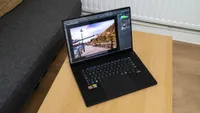
Digital Camera World Verdict
Gaming laptops contain exactly the right kind of processors to make them excellent choices for processing photos and videos. Lightroom, Photoshop, and Premiere love them, as do the kind of AI applications that are becoming more prevalent. The Razer Blade 18 is one of the largest and most expensive of its kind, but it churns through pixels like little else.
Reasons to buy
- +
Very powerful
- +
Gorgeous screen
- +
Thunderbolt 5
Reasons to avoid
- -
Big and heavy
- -
Very expensive
- -
Gets hot and loud
Why you can trust Digital Camera World Our expert reviewers spend hours testing and comparing products and services so you can choose the best for you. Find out how we test.
The Razer Blade 18 is an absolute whopper of a gaming laptop, probably too big and heavy to be easily portable (unless you’re used to carrying camera lenses like the 600mm f/4 and 400mm f/2.8 around, as it’s light compared to those) but when used on a desk, or even in the back of a car, its top-end components and superb screen really make themselves known. If you’re editing 8K video, doing dense GPU-accelerated effects work, or passing high-res raw files through Lightroom’s denoise function, you’ll appreciate this kind of power.
It’s like having a desktop PC that you can take with you, with the kind of price attached that will make you think twice before pressing the ‘buy’ button.
Specifications
CPU |
Intel Core Ultra 9 290HX Plus |
NPU |
Intel AI Boost |
Graphics |
Nvidia GeForce RTX 5090 |
Memory |
32GB |
Storage |
2TB SSD, SD card reader |
Screen size |
18in |
Screen type |
Dual-Mode IPS |
Resolution |
3840 x 2400 |
Refresh rate |
240Hz (440Hz in 1920 x 1200 mode) |
Ports |
1x Thunderbolt 5, 1x Thunderbolt 4, 3x USB 3.2 Gen 2 Type-A, 1x 2.5Gb Ethernet, 1x HDMI 2.1, 1x 3.5mm audio |
Wireless connectivity |
Wi-Fi 7, Bluetooth 5.4 |
Dimensions |
28 x 275 x 400mm |
Weight |
3.2kg |
Price and Availability
For the spec that’s reviewed here, which is about in the middle of the Blade 18 range, you’re looking at $5,399.99 / £4,999.99.
That’s a lot of cash, but it may be worth it if the increased speed you’ll experience will pay for itself as you power through work more quickly. Alternatively, it makes the perfect double-duty machine for photo and video editors who like to play games once the day is done.
The model we’ve reviewed here has 32GB of RAM, but video or AI enthusiasts might want to look into an upgrade to 64GB, which will push the price even higher.
Design
The Razer Blade 18 for 2026 is certainly substantial, though Razer minimises its visual bulk through a stepped design that sees the edges remain relatively slim before the body thickens toward the center, where the cooling vents are located. Despite this styling trick, it’s best viewed as a desktop replacement rather than a truly portable machine - it’s certainly not something to take hiking, and you’ll always need to be aware of the position of the nearest power socket.
Razer maintains its familiar gaming laptop aesthetic, combining a matte-black finish with green highlights. These accents appear inside the USB ports and on the illuminated lid logo, while the rest of the chassis remains understated black. When powered off, the display and keyboard blend seamlessly into the dark body. Switching it on reveals a customisable RGB keyboard with per-key lighting options, though a simple white setup can also be set.

Connectivity is a major strength of the Blade 18. Among its five USB ports are both Thunderbolt 5 and Thunderbolt 4 connections. The Thunderbolt 5 port links directly to the Nvidia graphics processor, making it the preferred choice for external monitors, while the Thunderbolt 4 relies on the CPU’s integrated graphics.
Unfortunately, neither port is clearly labeled, making identification less intuitive than it should be. Most users will likely opt for the convenient HDMI connection, reserving the Thunderbolt ports for docks or high-speed storage devices.
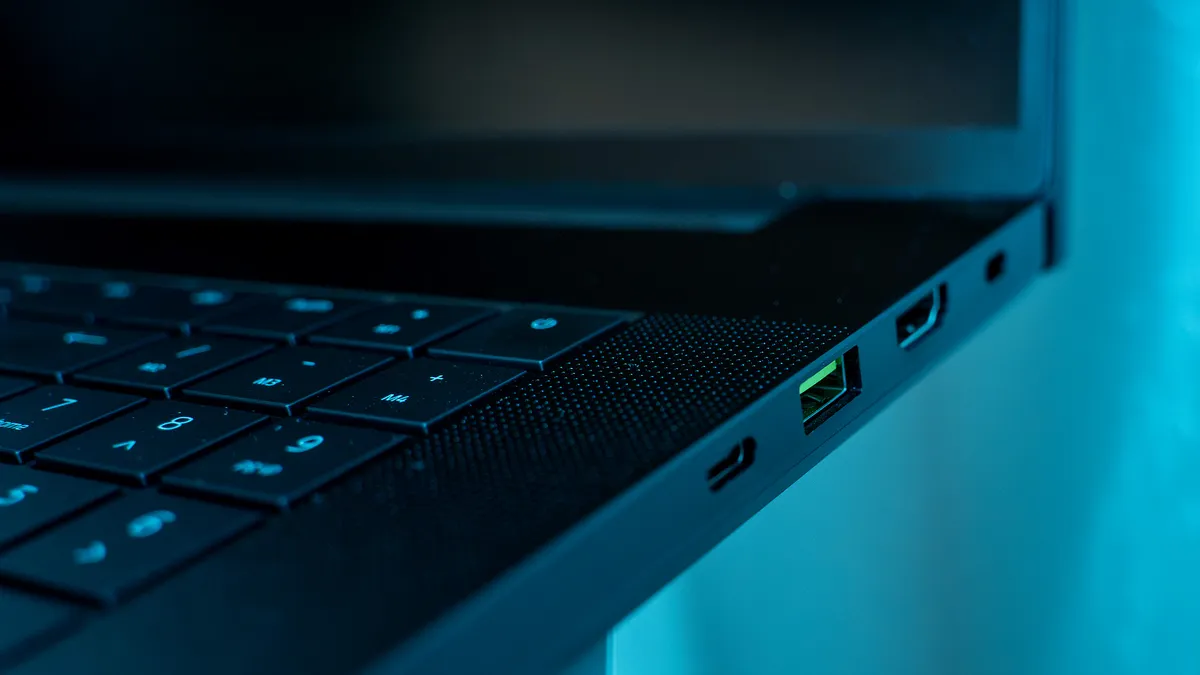
Networking is handled by Wi-Fi 7, and there's a fast Ethernet socket too. Power comes from a large external adapter that connects via an L-shaped plug, which can partially obstruct the Ethernet port next door. Audio is delivered through a six-speaker THX-certified system that outperforms typical laptop speakers, although headphones will remain the better option, as the noise of the fans can be considerable.
The Blade 18’s standout feature is the stunning 18-inch 4K display, which can exceed 600 nits of brightness and offers excellent colour accuracy across the DCI-P3, Adobe RGB, and sRGB gamuts. Battery life for gaming laptops is usually paltry, but the Blade’s is surprisingly good, surpassing eight hours of video playback, a remarkable achievement for a gaming laptop of this class. Make it work harder than this, however, and it will drop quickly - don’t expect to do eight hours of video editing on location without some sort of power bank on hand.

Performance
The Razer Blade 18 delivers exceptional performance for photo and video workloads, making it one of the most capable laptops available for photographers, videographers, and other digital artists. Equipped with Intel's Core Ultra 9 290HX Plus processor and Nvidia's flagship GeForce RTX 5090 laptop GPU with 24GB of VRAM, it has the power to handle demanding editing tasks from high-resolution image manipulation to complex video production workflows.
The Blade 18 excels in Photoshop, Lightroom, and similar applications, producing some of the quickest results we've seen, especially when denoising. Large RAW files, layered compositions, AI-assisted editing tools, and batch exports are all processed quickly, keeping waiting times to a minimum. High memory bandwidth and reduced system latency, thanks to the Ultra 9 290HX Plus getting a die-to-die frequency boost (speeding up communication between different parts of the processor), help maintain responsiveness, even when working with extensive projects.

Video creators are equally well served. Whether rendering timelines, exporting 4K footage, applying visual effects, or enhancing clips using AI-powered software such as Topaz Video AI, the Blade 18 delivers outstanding results and allows editors to work more efficiently without as much waiting around.
A major contributor to this performance is the presence of Nvidia's top-tier laptop graphics processor, whose generous 24GB VRAM allocation is particularly beneficial when working with high-bitrate video, large image files, motion graphics, or other GPU-accelerated applications. The heat this generates is controlled by an advanced cooling system that includes a vapour chamber and improved thermal materials designed to maintain sustained performance during lengthy rendering sessions. The trade-off for this capability is noise. Under heavy workloads, the three-fan cooling system becomes clearly audible as it works to control the temperatures.
Verdict
For creators working with demanding photo and video projects, the Razer Blade 18 combines desktop-class power with the flexibility of a laptop, making it a compelling option for professional production environments. It’s also a great choice for enthusiastic amateurs looking for a desktop replacement that can whiz through all their photo and video editing needs and then play the latest first-person shooters until bedtime; the Razer Blade 18 will do all that and more.
Features ★★★★★ |
Everything you could need, from a UHS-II SD card slot to Thunderbolt 5 and lots more USB. |
Design ★★★★☆ |
Understated matte black with a few green accents, but the gamer aesthetic asserts itself through the RGB keyboard. |
Performance ★★★★★ |
Exceptional for a laptop. It will chomp its way through any graphics workload you care to throw at it. |
Value ★★★½☆ |
Very expensive - you could get seven MacBook Neos for the same price as the model reviewed here. |
Alternatives