





Apple is one of the biggest and best camera phone manufacturers, and it offers many different devices in its lineup, but the best iPhone for you lets you balance high-quality photographs and videos at a price that suits your pocket.
If you've got an unlimited budget and want the best that money can buy, the best iPhone for photography overall has to be either the iPhone 18 Pro Max. With three 48MP cameras, a variable aperture in one, and class-leading sensors, this is the camera phone to beat.
On the very near horizon, too, is the inferior cameras but (literally) more flexible design of the iPhone Duo – Apple's first folding phone – which is available for pre-order but won't feature such a good a camera as the iPhone 18 Pro Max.
Older iPhone models tend to be cheaper, and this increased affordability continues as you go back through the range – though you'll also start to compromise on camera functionality.
To help you find the right balance, we've listed the best iPhones for photography and the best prices you can get them for right now.

Gareth is the Reviews Editor at Digital Camera World, and the person in charge of approving all the latest camera-related tech. An everyday user of both iPhones and Android devices, and several years as a professional photographer – he certainly knows exactly what he likes in a phone camera!
The best iPhone for photography
Why you can trust Digital Camera World Our expert reviewers spend hours testing and comparing products and services so you can choose the best for you. Find out how we test.
The best iPhone for photography overall

The iPhone 18 Pro Max – like its predecessor – is great for everyday photography thanks to its reliable color science and because all three rear lenses now feature 48MP Fusion sensors, ensuring consistent, high-resolution detail and color accuracy across the board.
The big new feature for this generation is also aimed squarely at camera creatives: a variable aperture. Previous phones had a fixed f/1.78, whereas this phone has physical components that allow it to opt for f/1.48, f/1.8, f/2.8, f/4.0. In practice, the camera chooses roughly the same f/1.8 most of the time, but the wider stop is definitely useful in low light.
As before, telephoto is adequate (and has been since the 17 Pro generation), though to my eye the software is a step better again. The camera system provides quick access to a full range of focal lengths, from 13mm to 200mm equivalents, directly in the UI for rapid on-site adjustments to composition.
Videographers will love the ability to capture uncompressed, high-quality ProRes RAW recordings that are essential for professional color grading and post-production flexibility. Features like Dual Capture and the high thermal management of the A20 Pro chip make it a reliable tool for sustained, high-quality video capture. The camera also supports Apple's new 'reference image' system for verifying real photography from AI.
Overall, the iPhone 18 Pro Max is a powerhouse, with improved cooling despite an apprently unchanged form factor. Its large 6.9-inch Super Retina XDR display is one of the best on the market (though perhaps Apple's new iPhone Duo fold phone will have something to say about that), and the phone boasts category-leading battery life.
See our full iPhone 18 Pro Max test
The best iPhone for most people

The iPhone 17 now features a dual 48MP camera system, with both the wide and ultra-wide lenses benefiting from an increased pixel count. This provides more flexibility for cropping without a substantial loss of detail, which is crucial for photographers looking to refine their compositions or create larger prints.
Photographers will also appreciate the enhanced zoom capabilities. The 48MP wide lens enables a 2x telephoto optical zoom by intelligently cropping the sensor, essentially providing three useful focal lengths in a compact dual-camera setup. This flexibility in focal lengths offers greater compositional versatility without relying solely on lower-quality digital zoom.
The camera system also boasts the Photonic Engine and Deep Fusion technology that leverage the powerful A19 chip to optimize photos. This results in an impressive dynamic range and fine detail, particularly in mid-to-low light. As a result, photographers can enjoy cleaner images with less noise.
Beyond the camera, the iPhone 17 features a 6.3-inch Super Retina XDR display with ProMotion, which brings an adaptive refresh rate up to 120Hz, making the display smoother than previous base models. Thanks to the powerful A19 chip, the phone is able to handle demanding photo-editing apps, video recording, and general multitasking with ease.
Read more: Apple iPhone 17
The thinnest iPhone

The iPhone 17 Air might only boast a single rear camera, but it still offers a 48MP resolution. This lens provides high-resolution quality using advanced pixel binning to intelligently merge sensor data. That means the iPhone 17 Air can be relied upon for professional-grade photos and large prints.
The camera also features a 2x optical-quality zoom which crops the center 12MP of the 48MP sensor. This is equivalent to a classic 52mm equivalent focal length with no perceptible loss in quality. It will, of course, always pay off to move closer to your subject, but this is a great option when that's not possible.
The front camera offers an impressive 18MP which is equivalent to the iPhone 17. Its square sensor enables high-resolution vertical and horizontal selfies and videos without rotating the phone. I also love the Dual Capture feature, which records from the front and rear cameras simultaneously, which is ideal for vlogging, reaction videos, and capturing a scene along with the photographer's perspective.
The iPhone 17 Air is defined by its ultra-thin profile, measuring just 5.6mm thick, and is powered by the efficient A19 Pro chip. It features a large 6.5-inch Super Retina XDR display with 120Hz ProMotion and a durable Ceramic Shield design on both the front and back. The combination of flagship-level performance in a light and thin body makes the Air a unique choice for creatives.
The best last-gen iPhone for photography

Two generations old now, one of the best things about this phone is the Camera Control button. It adds an undeniably natural functionality to me, someone used to using a 'real' camera, although in practice I still find myself using the on-screen buttons more.
The fact I can tweak the button to EV compensation mode makes using the phone as a camera feel a lot more 'Pro' compared to tapping the screen to adjust exposure compensation, and the half-press to focus doesn't really make sense on a phone camera if we're honest. But feels good, and in a retro world, why not?
The camera system is pretty solid, but for this edition Apple had upgraded the sensor in the wide lens and not the one on the tele camera – the opposite of the way round I use them in photography (but, I suspect, motivated by things like QR-code reading apps).
The computational photography system is a bit like having a kind of baked-in ultra-flexible filter system which you can change before or after shooting. You don't have to go to a separate app for more things. Some creatives will love it. It shows the potential for computational photography. RAW photo, ProRes Log video, and – now – 120fps 4K are there too.
The iPhone 16 Pro Max is a tiny amount bigger than its predecessor but no thinner; the screen is more perceptibly bigger, though, as the bezel has shrunk too, rising to 6.9-inch from 6.7-inch. More useful, it can now go right down to 1-nit at night if you don't want to wake anyone up!
Apple seems to be steering harder into the 'Pro' side. It can record ProRes video over USB-C cable and features 4 'studio quality' microphones. There is also 'ProMotion' – silky smooth 120Hz screens so you never see a judder as you scroll. Only Apple considers this a 'Pro' feature these days, but it does stand out!
Read more: Apple iPhone 16 Pro Max review
Cheapest iPhone

Want the photography smarts of a modern iPhone, but on a tight budget? Then I recommend the latest update to the iPhone 16 – the iPhone 16e. At a reasonably affordable price (it is Apple after all), you get an impressive camera setup, with a 48MP f/1.6 aperture wide camera on the rear. This isn't really in the same league as the iPhone 16 Pro Max, but that phone is several times the cost of the 16e.
The fast A18 Bionic chip makes everything work smoothly and beautifully, and there are photography-focused features such as the AI-enhanced Portrait mode and the same Smart HDR 4 tech as the iPhone 13, giving you lots of great shooting options. For selfies, the front camera (12 MP, f/1.9) is pretty decent too.
Elsewhere, the iPhone 16e offers 5G, longer battery life, and improved durability. It's rated IP68 for water and dust resistance, features the Home button, and supports Touch ID and Apple Pay.
On the downside, the screen is smaller than its XL siblings at 6.1 inches (unless you love small phones, that is), and you're not getting zoom or ultra-wide lenses. But overall, you're getting a very nice camera phone indeed, for not a lot of money.
iPhone Duo

What about the iPhone Duo for photography?
If you're wondering about Apple's newest, most expensive phone – the iPhone Duo – and why it doesn't seem to be top of this list, that's because it's not without some compromises.
In terms of power, it has the same A20 processor that affords the meaty grunt behind the iPhone 18 Pro that was announced at the same event, and of course it boasts
Camera-wise, however, it's significantly lacking. Even the Center Stage selfie camera is lesser – 12MP rather than 18MP – but the real loss is the third (telephoto) camera. The triple camera system is how the iPhone Pro series emulates the flexibility of a camera with a decent zoom lens, and removing it means you're closer to having the equivalent of a standard compact camera.
In exchange for this significant compromise, there are some cool features that are specific to the folding form factor with an 1398x2034-pixel outer display. Apple has caklled them 'Smart Take' (the ability to detect the 'perfect moment') and 'Duo Preview' (in essence using the half-folded phone as a tripod).
UPDATE: Don't worry, I will be testing this phone as possible – in fact you can see my very first hands on with the iPhone Duo with sample images as I get to grips with the cameras, the compromise, and those amazing screens.
How to choose the best iPhone for photography
Choosing the perfect iPhone for photography involves considering each devices cameras, your expectations for what you hope to shoot, and of course – your budget. The latest iPhone models, such as the iPhone 18 series, boast cutting-edge features and enhanced capabilities but are also the most expensive, you can save some bug money by looking at older and cheaper models.
iPhones also cater to different size preferences – from the compact 4.7-in iPhone SE to the 6.3-in iPhone 17, all the way to the biggest 7.6-in iPhone Duo, there is a size of iPhone for almost everyone. However, camera enthusiasts seeking advanced photography and videography will find the most powerful camera systems in the largest Pro Max model – not the (most expensive) Duo.
Battery life is also a crucial factor for power users, with models like the iPhone Plus or Max models offering extended usage over smaller iPhones with their more diminutive batteries.
Future-proofing your purchase is essential; newer models typically receive updates for a longer duration, ensuring compatibility with upcoming apps and features. Although Apple does promise up to 7 years of updates, so even the oldest phone on this list has quite a few years left.
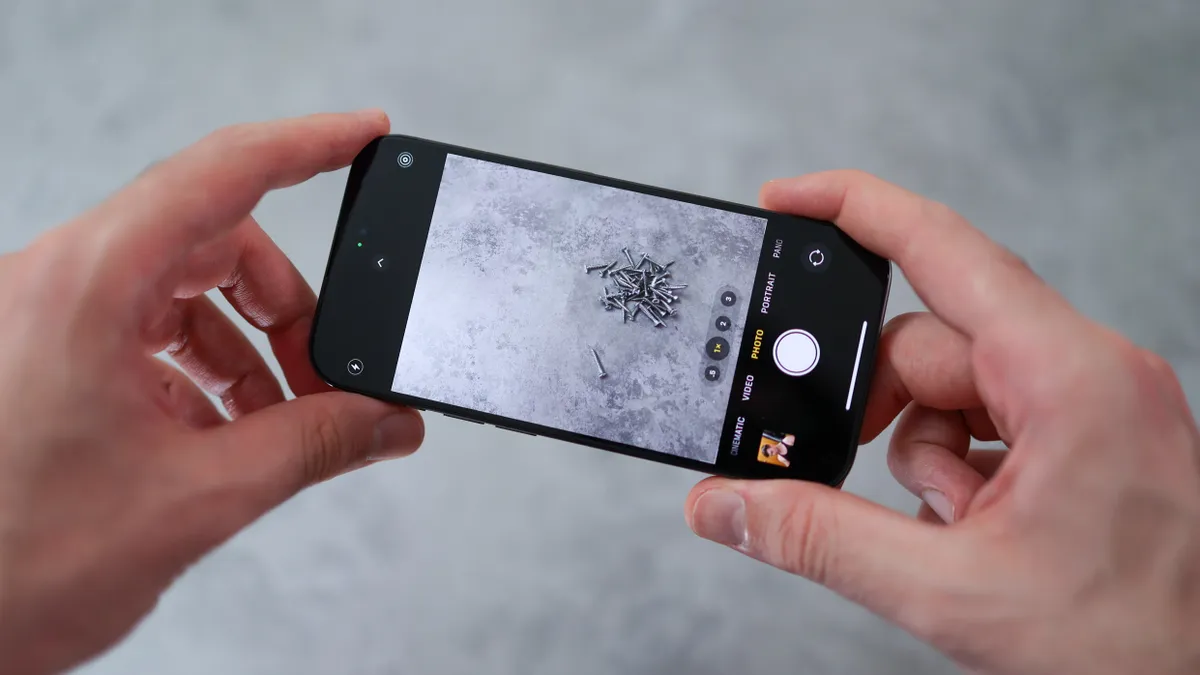
What are the best iPhone accessories for photography?
If you want to create with your iPhone, then there are plenty of brilliant accessories to improve your photography and video. The microphones in the iPhone are great, but you can't beat one of these best microphones for iPhone for even better external audio recording. You will really notice the difference in quality. If you want to expand beyond the cameras on your phone, the best add-on lenses for phones give you more options for wide, telephoto, and macro photography.
Is iOS better than Android?
Well, depends on who you ask! The real truth of the matter is – both operating systems are excellent, and there is really not a huge amount between them. Both systems provide nearly all of the exact same features but just function in slightly different ways. Both have all the major apps you are likely to use. The OS to pick is just the one that you enjoy using more on a day-to-day basis.
How we test the best iPhones for photography
As a photography website, we pay special attention to the photo and video quality of iPhones. We rate resolution, noise, and color rendition in the context of what rival camera phones can do, and where there are any special features, such as ‘night modes’ or ‘portrait modes’, we check that these perform as the makers describe. We also use our expertise in digital cameras to compare how these phone cameras compare to a dedicated mirrorless camera – and make comparisons based on some very realistic expectations.
We then assess each phone for general handling, usability, and practicality – such as battery life. We do this by using the phone for the entire time we have the unit for review, attempting to use the iPhone for as many tasks as we can see fit to test the widest variety of its functions. Camera phones are all-around digital assistants too, of course, so we also check out Apple's (and Siri's) AI smarts.
We can then compare this to all the other current and previous iPhones to create this guide covering our recommendations for what makes the best iPhone for photography for different users.
Read more about how we test and review at Digitial Camera World.

