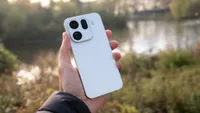
Digital Camera World Verdict
The Google Pixel 11 Pro XL is one of the most dependable camera phones I've used. Its photographs might not have the same outright detail or optical quality as some of the latest Chinese flagships, but the consistency, reliable exposure, and excellent HDR processing mean I rarely take a photograph I'm unhappy with. Google's clean Android experience and gorgeous display make the phone a pleasure to use. However, Google is falling behind in some important areas. Video remains distinctly average compared to its rivals, battery life is disappointing for such an expensive flagship, and the hardware improvements over last year's model are relatively modest. I still think the Pixel 11 Pro XL is perhaps the best phone for everyday photography, but its compromises are becoming harder to overlook.
Reasons to buy
- +
Consistently excellent photos
- +
Superb 5x telephoto camera
- +
Beautiful, bright display
- +
Clean, intuitive Android OS
Reasons to avoid
- -
Disappointing video quality
- -
Mediocre battery life
Why you can trust Digital Camera World Our expert reviewers spend hours testing and comparing products and services so you can choose the best for you. Find out how we test.
Google's Pixel phones have built a reputation as some of the best camera phones available, not necessarily because they have the most impressive camera hardware, but because Google's computational photography has consistently managed to get excellent results from relatively modest sensors and lenses.
For years, Google was one of the leaders in smartphone photography, but increasingly it faces serious competition from Chinese manufacturers such as Oppo, Vivo, and Xiaomi, which have been investing heavily in larger sensors, more ambitious telephoto cameras, and partnerships with established photography brands. Meanwhile, Apple continues to set a very high standard for smartphone video.
The Google Pixel 11 Pro XL is the latest and largest flagship in Google's lineup, sitting alongside the smaller Pixel 11 Pro, which shares essentially the same camera capabilities. This year's updates include a new Tensor G6 processor, upgraded main and telephoto sensors, a brighter display, and several AI-powered camera features, including Magic Capture and more extensive controls over how your photos look.
However, with a higher asking price and some increasingly fierce competition, the question is whether Google's famously reliable approach to photography is still enough to make the Pixel 11 Pro XL one of the best camera phones you can buy.

Specifications
Processor |
Google Tensor G6, Titan M3 security chip |
RAM / Storage |
12GB / 256GB; 16GB / 512GB; 16GB / 1TB |
Display |
6.8-inch LTPO OLED, 1344 x 2992, 486ppi, 1–120Hz |
Main camera |
50MP, 24mm equivalent, f/1.68, 1/1.3-inch sensor, 1.2µm pixels, OIS |
Telephoto camera |
48MP, approximately 105mm equivalent, 5x optical, f/2.8, 1/1.95-inch sensor, 0.8µm pixels, OIS |
Ultrawide camera |
48MP, 12mm equivalent, f/1.7, 1/2.51-inch sensor, 0.7µm pixels, autofocus |
Front camera |
42MP, approximately 17mm equivalent, f/2.2, autofocus |
Video |
Up to 8K 30fps via Video Boost; native 4K 60fps; 10-bit HDR |
Battery & charging |
5,115mAh; up to 45W-class wired charging; 25W Pixelsnap wireless charging |
Operating system |
Android 17 |
Dimensions |
162.7 x 76.5 x 8.5mm / 6.41 x 3.01 x 0.33in |
Weight |
226g / 0.50lb |
Price & Availability
The Google Pixel 11 Pro XL launched starting at $1,299 / £1,279 / €1,399 / AU$2,099 for the base 256GB model. Google has thankfully dropped the 128GB starting capacity of earlier generations, although the base model now comes with 12GB of RAM rather than the 16GB offered by last year's Pro XL.
It's another price increase without any particularly significant hardware changes. The ongoing memory shortage might help explain some of the increased cost, but Google is a trillion-dollar company, and I can't help thinking it could absorb a little more of the burden.
At $1,299, the Pixel 11 Pro XL costs the same as the iPhone 18 Pro Max, however, its camera hardware isn't nearly as ambitious as what you'll find in some similarly priced models from Oppo, Vivo, or Xiaomi, while its processing power and battery endurance also lag behind several rivals. Google is increasingly asking customers to pay a premium for its software experience, rather than offering the best hardware for the money.
Design
Google hasn't made any dramatic changes to the Pixel 11 Pro XL's design, and at first glance, it looks almost identical to the previous several generations of Pixel phones. The flat front and rear panels, rounded corners, and distinctive horizontal camera bar are all present, with only a few refinements to differentiate this year's model.
I'm not sure where Google can really go from here, though. The camera bar has become such a recognizable part of the Pixel's identity that changing it dramatically would almost seem counterintuitive, especially when so many other manufacturers are still experimenting with camera islands but no one has landed on the same design yet.
Personally, I still really love the Pixel's design. The camera bar is one of my favorite elements because it sits high enough on the back that my fingers rarely get in the way when taking photographs, and I don't constantly find myself cleaning fingerprints off the lenses.
The Pixel 11 Pro XL is made from a polished aluminum frame sandwiched between Gorilla Glass Victus 2 panels, with a silky matte finish on the rear. It's a substantial phone at 226g, although it's a little lighter than some competing large-screen flagships, and the IP68 rating provides protection against dust and water.
Google has also introduced some lovely new colors this year, including Canyon, Fog, Olive, and Obsidian. I have the Olive, which combines a muted green rear panel with gold-toned metal edges. I think it's a gorgeous combination, adding a little personality without being overly flashy.

One of the biggest physical changes is the removal of the previous temperature sensor, which was always a fairly questionable addition, in favor of Google's new HiLight system. This surrounds the camera flash with a ring of colored LEDs, which can be used for displaying notifications or glow in different patterns when Gemini is listening or responding, while you can also assign individual colors to your favorite contacts so you know who's calling without looking at the screen.
It's a neat idea, and it's a more useful take on notification lights that used to be a feature of many Android phones several years back. However, I haven't found the Gemini integration particularly useful. When I'm talking to Gemini, I have my screen open about 99% of the time anyway, so I can already see what it's doing without needing a light on the back.

The other welcome design addition is Pixelsnap, Google's magnetic accessory system that works much like Apple's MagSafe. This was introduced with last year's Pixel generation, and it remains one of my favorite recent Android features.
It allows the Pixel to attach to compatible magnetic chargers, stands, wallets, and other accessories without needing a special case. I love the simplicity of MagSafe, and it has always frustrated me that Android manufacturers have been so slow to embrace something so useful. Google deserves some credit for bringing it to the Pixel, and I hope more manufacturers follow.

On the front, the Pixel 11 Pro XL has a 6.8-inch Super Actua OLED display with a 1344 x 2992 resolution and an adaptive refresh rate up to 120Hz. This is easily one of my favorite screens on any smartphone. It's sharp, clear, and has vibrant colors that pop without being excessively saturated. I've also found its color reproduction particularly accurate when reviewing photographs.
Google has increased peak brightness to 3,600 nits this year, and the improvement over last year's model is noticeable. I've had no problems seeing the screen outdoors, even in bright sunlight.
Google also claims its new anti-scratch coating makes the display more than twice as resistant to scratches as its predecessor. I managed to scratch the screen on my previous Pixel relatively easily and even cracked it after a comparatively minor drop, so durability is something I'm particularly interested in this time around. After around a month of use, my Pixel 11 Pro XL's display still looks as good as new, although obviously that isn't enough to prove Google's claims conclusively.
Camera Performance
Google's approach to smartphone photography continues to rely on a mix of computational photography and relatively modest camera hardware. The Pixel 11 Pro XL has a 50MP main camera, 48MP ultrawide, and 48MP 5x telephoto, with the most meaningful hardware improvement coming from a larger telephoto sensor. There is also a 42MP ultrawide front-facing camera with autofocus.
In terms of outright optical quality, I don't think the Pixel is quite competing at the very top of the smartphone market. I've tested phones with larger sensors and substantially higher-resolution telephoto cameras that can extract more genuine detail from a scene.
Pixel photos also have a very distinctive smartphone photography aesthetic, and while the results are consistently pleasing, they don't necessarily have the same character or natural depth that I can get from some competing Chinese camera phones with their camera brand-tuned processing.
However, where Google continues to impress me is consistency. The Pixel 11 Pro XL produces remarkably reliable photographs, and I can almost always trust that whatever I point it at will come back looking good.
Image quality
The 50MP main camera is excellent, particularly when it comes to color reproduction, exposure, and dynamic range. Photographs have a very recognizable Pixel look, with balanced colors, plenty of detail, and an HDR processing style that manages to preserve bright highlights without completely flattening shadows.

Image credit: Gareth Bevan / Digital Camera World

Image credit: Gareth Bevan / Digital Camera World

Image credit: Gareth Bevan / Digital Camera World

Image credit: Gareth Bevan / Digital Camera World

Image credit: Gareth Bevan / Digital Camera World

Image credit: Gareth Bevan / Digital Camera World

Image credit: Gareth Bevan / Digital Camera World

Image credit: Gareth Bevan / Digital Camera World

Image credit: Gareth Bevan / Digital Camera World

Image credit: Gareth Bevan / Digital Camera World

Image credit: Gareth Bevan / Digital Camera World

Image credit: Gareth Bevan / Digital Camera World

Image credit: Gareth Bevan / Digital Camera World

Image credit: Gareth Bevan / Digital Camera World

Image credit: Gareth Bevan / Digital Camera World
When it comes to telephoto, I'm still undecided about whether I prefer a 3x, 4x, or 5x telephoto camera for everyday photography, but Google makes a convincing argument for the longer focal length.
Photographs at 5x have excellent sharpness and detail, with the same pleasing colors and reliable exposure as the main camera. It's particularly useful for picking out subjects in the distance, and the upgraded sensor gives better results in lower light.

Image credit: Gareth Bevan / Digital Camera World

Image credit: Gareth Bevan / Digital Camera World

Image credit: Gareth Bevan / Digital Camera World

Image credit: Gareth Bevan / Digital Camera World

Image credit: Gareth Bevan / Digital Camera World

Image credit: Gareth Bevan / Digital Camera World

Image credit: Gareth Bevan / Digital Camera World

Image credit: Gareth Bevan / Digital Camera World

Image credit: Gareth Bevan / Digital Camera World

Image credit: Gareth Bevan / Digital Camera World

Image credit: Gareth Bevan / Digital Camera World

Image credit: Gareth Bevan / Digital Camera World

Image credit: Gareth Bevan / Digital Camera World

Image credit: Gareth Bevan / Digital Camera World
Google also offers its AI-powered Pro Zoom, which extends digital magnification up to an frankly silly 120x. I've been very impressed by how effectively this can clean up fine details and improve the definition of distant subjects, particularly when there's enough genuine information in the original image for the software to work with. Google simply works on enhancing information rather than using gen-AI to invent detail that wasn't there, and I think this is one of the best implementations of AI zoom.


The ultrawide camera is also surprisingly good. In good light, photographs are sharp, colorful, and well balanced. In low light, it also struggles more than the main and telephoto cameras, with finer textures becoming noticeably softer.


I also really appreciate how consistent the Pixel is between its cameras. Switching between the main and telephoto lenses doesn't result in dramatic color or exposure differences.
Looks and Macro
Google has introduced a new Camera Looks system that allows you to customize image processing. There are four new default options: Standard, Natural, Shadows, and Vanilla, alongside several additional creative styles.
Standard is the same Pixel processing we know and love, while Natural produces slightly flatter, less saturated photographs, Shadows creates a moodier image with deeper shadow tones, and Vanilla is noticeably warmer, which I actually think it comes closest to the default photographic style I get from an iPhone.
There's an impressive amount of customization available, and I appreciate the depth you can go to with tweaking a look. Although I find the implementation can be a little confusing.
You effectively have two layers of looks, with the default processing options and then additional creative styles that can be applied on top. There are a lot of style combinations to play with, but it's almost overwhleming, it's not immediately obvious how to layer them.

Image credit: Gareth Bevan / Digital Camera World

Image credit: Gareth Bevan / Digital Camera World

Image credit: Gareth Bevan / Digital Camera World

Image credit: Gareth Bevan / Digital Camera World

Image credit: Gareth Bevan / Digital Camera World

Image credit: Gareth Bevan / Digital Camera World
Macro photography is fine, with the Pixel switching between its ultrawide and telephoto cameras depending on the shooting distance. However, I don't think the results quite compete with the best close-up photography I've seen from recent Oppo and Vivo flagships, particularly in terms of fine detail and sharpness, results look heavily processed.

Image credit: Gareth Bevan / Digital Camera World

Image credit: Gareth Bevan / Digital Camera World

Image credit: Gareth Bevan / Digital Camera World
Image credit: Gareth Bevan / Digital Camera World
Magic Capture
Perhaps the most interesting new camera feature is Magic Capture, which allows the Pixel to record video and automatically extract photographs from it using AI. Google analyzes the recorded frames, identifies what it thinks are the best moments, and then processes those selections to improve their quality, attempting to produce results that look like photographs taken in the regular camera mode.

I was genuinely impressed by how well this worked. At normal viewing sizes, many of the selected images looked very close to ordinary photographs, and I can think of plenty of situations where being able to film and photograph something simultaneously would be incredibly useful.
The downside is that Google doesn't always pick the precise moment I would have chosen, and on a few occasions, I missed a particular frame that I wanted. Thankfully, you can go back into the recording and select frames manually, but I could do this with an ordinary video.
There are also some some technical limitations. The video footage is limited to 1080p, and the 4:5 framing isn't ideal for social media. Zooming into some of the extracted photographs also revealed a little motion blur and softness, particularly with moving subjects.
Nevertheless, I think Magic Capture is one of the most genuinely useful AI camera features I've tested recently.
Camera controls
Google's camera app is pretty simple to use, navigation is straightforward, and it's one of the least cluttered camera interfaces on Android.
However, there are some manual Pro controls for photography tucked away in the lower corner of the interface, although Google also lets you customize the viewfinder to display more convenient shortcuts for exposure, shadows, white balance, and image looks.
I still wish Google would just adopt the simple tap-and-slide exposure adjustment used by Apple and several Android manufacturers. It's one of those small features that makes a surprising difference when trying to adjust a photograph quickly, and Google's alternative still feels unnecessarily cumbersome.
Video performance
Video is where the Pixel 11 Pro XL starts to fall behind the competition. The phone is capable of recording 4K video at up to 60fps, as well as 8K through Google's cloud-processed Video Boost feature, but the standard video quality simply isn't as impressive as what I've seen from other flagship phones.
Footage frequently looks oversharpened, and colors can become a little strange. Skin tones don't have the same natural accuracy I get from still photographs, and challenging lighting conditions can produce some odd results.
The results are still very usable, and it's certainly possible to capture good footage, but if I were using a phone for serious filming, the Pixel wouldn't be my first choice.
Google's clearly hoping AI can come to the rescue, and its Video Boost feature uses AI to improve sharpness, color, and lighting after recording, with the footage uploaded to Google Photos for processing. This did noticeably change my videos, although they felt a little more processed afterwards. I'd much rather the Pixel simply recorded better video directly on the device instead of relying on AI to fix it afterward.
It's also disappointing that 4K recording is still limited to 60fps when competitors, including considerably cheaper phones, now offer 4K at 120fps. Are we seeing the limitations of Google's processor here?
Some more positives though, Google has introduced some additions for content creators, including an in-camera teleprompter, audio monitoring, and the ability to save footage directly into individual projects to keep recordings organized and separate from the main camera roll. I like these additions, but I think Google needs to just get better at the fundamentals of video quality.
Phone Performance
The Pixel 11 Pro XL is powered by Google's new Tensor G6 processor, which is an improvement over last year's Tensor G5 but still falls some way behind the fastest flagship chips from Apple and Qualcomm in raw processing power.
However, I increasingly think we've reached a point where most smartphone processors are all so good that the differences between them are becoming almost impossible to notice in ordinary use. The Pixel 11 Pro XL has never felt slow to me. Navigating through Android, switching between apps, browsing the web, and editing photographs all feel smooth, and I haven't experienced any significant frustrations with performance.
I also think Google's version of Android is the cleanest and most enjoyable to use. Android 17 is simple, everything is logically arranged, and there is none of the unnecessary bloatware or duplicate applications that can make some other Android phones feel cluttered.
Face Unlock has also been excellent, recognizing me quickly and reliably throughout testing, while Google's promise of seven years of operating system and security updates is reassuring for anyone planning to keep their phone for several years.
AI photo editing
Unsurprisingly, AI is a major focus of the Pixel 11 Pro XL when it comes to editing tools.
I actually quite enjoyed Google's AI-enhanced automatic editing, which makes relatively subtle improvements to exposure, lighting, and color. I've used similar automatic editing options in countless applications over the years, but Google's implementation actually shows some restraint; most of the edits I tried made photographs look good rather than garish.
Google also offers its conversational editing system, which allows you to describe the changes you want using text or voice commands and have Gemini attempt to carry them out. The feature is impressive in some situations, particularly when adjusting lighting, removing unwanted objects, or changing backgrounds. When I asked Google to change a rainy photograph into a sunny one, it did a surprisingly convincing job, removing puddles from the ground and even introducing people carrying umbrellas into the scene.

Image credit: Gareth Bevan / Digital Camera World

Image credit: Gareth Bevan / Digital Camera World
But I found it much more limited when attempting more conventional photographic corrections. For example, I couldn't get it to correct the perspective of a building or center a subject within a crop, even though those are relatively straightforward tasks to do manually.
There are also plenty of other tools, including Magic Eraser, Photo Unblur, Portrait Touch Up, moving and resizing subjects, and Google's Best Take feature, which can combine multiple photographs to get a better group shot.
Thankfully, with all this AI, Google does support C2PA Content Credentials, which can record AI edits you make to an image and mark any images in Google Photos where AI has been detected.
Battery life
Battery life is one of my biggest disappointments with the Pixel 11 Pro XL. Google has fitted a 5,115mAh battery. In my regular use, which includes messaging, social media, browsing, photography, and some video recording, the Pixel has been good for around a day, but I've frequently found it entering power-saving mode by the evening.
This simply isn't good enough for a premium flagship phone in 2026, especially when I can get substantially better battery life from some competing devices. Apple's iPhone 18 Pro Max is particularly impressive given its much more efficient use of battery capacity, while manufacturers such as Oppo and Vivo are now offering significantly larger batteries without dramatically increasing the size of their phones.
Google has improved charging, with support for up to 75% battery capacity in approximately 30 minutes when using a compatible 45W or higher USB-C PPS charger. There's also 25W PixelSnap wireless charging, although the charger itself is sold separately.

Final Verdict
There is an awful lot to like about the Google Pixel 11 Pro XL, and after spending a month with it, I'm reminded why I've always had such a soft spot for Google's phones.
I love the design, and Google's clean Android interface also continues to be my favorite version of the operating system, while the new Tensor G6 processor feels effortlessly quick in everyday use, even if it isn't particularly impressive when compared with the fastest chips.
For photography, I still think the Pixel is one of the most dependable camera phones you can buy. The main and telephoto cameras are excellent, colors are consistently natural, and Google's HDR processing produces a remarkably high proportion of photographs that I'm happy with.
I don't think the images are quite as impressive as those from the best Chinese flagships when it comes to outright optical quality or camera-like processing, but there's something to be said for a camera that produces reliably good results without needing any effort. However, video is a substantial weakness, battery life is distinctly average.
Ultimately, I still think the Pixel 11 Pro XL is an excellent phone for anyone who primarily takes photographs, but Google can't continue relying on great software to compensate for increasingly uncompetitive hardware indefinitely.
Design ★★★★★ |
Google's familiar design remains one of my favorites, with gorgeous colors, excellent build quality, a superb display, and useful Pixelsnap support. |
Camera Performance ★★★★☆ |
Consistently excellent still photography and clever AI features are let down by disappointing video performance. |
Phone Performance ★★★★☆ |
Tensor G6 is smooth in daily use, and Google's Android software is superb, but battery life and raw performance lag behind rivals. |
Value ★★★★☆ |
The Pixel offers an excellent overall experience, but its rising price is difficult to justify when competing phones offer more capable hardware. |
Overall |
★★★★☆ |
Alternatives