







Digital Camera World Verdict
Reasons to buy
- +
Easy plug-and-play
- +
Receiver-free Bluetooth
- +
Good battery life
- +
Solid audio quality
- +
Mono track with safety recording
Reasons to avoid
- -
Shorter range than competitors
- -
Not splash resistant
- -
Bluetooth only supports single mic
Why you can trust Digital Camera World Our expert reviewers spend hours testing and comparing products and services so you can choose the best for you. Find out how we test.
I’m a photographer, not a videographer, but as I began to create more behind-the-scenes videos for social media, one thing became clear very quickly: I needed a microphone. When action camera giant GoPro launched its first wireless microphone system, I jumped at the chance to pair the action cam that I use for behind-the-scenes footage with a mic from the same maker.
The GoPro Wireless Mic comes from a well-known brand but enters a very crowded market. The rise of social media videos has created a number of people just like me – audio newbies who need a quick plug-and-play mic solution. There is no shortage of options, from camera makers like DJI to longtime audio experts like Rode and Hollyland.
GoPro’s first wireless mic brings multiple connection options, with two different receivers, two different cords, and Bluetooth for connecting without a receiver at all. Naturally, the mic connects seamlessly to most GoPro action cameras, but it also works with smartphones, computers, and advanced cameras as well.
GoPro Wireless Mic Review: Pricing

The GoPro Wireless Mic is available in a few different setups.
The most affordable option is to buy just a Transmitter and use Bluetooth to connect it with a GoPro. That kit sells for about $50 / £45 / AU$80 / CA$70.
One step up is a single mic with a USB receiver to plug into a phone or camera. This option costs about $80 / £73 / AU$125 / CA$110.
Finally, the GoPro Wireless Mic Complete Kit includes two mics, two receivers, two different cords, and a charging case to put it all in. This is the kit tested in the review, and it retails for about $160 / £140 / AU$250 / CA$220.
GoPro Wireless Mic Review: Specifications
Polar pattern |
Omnidirectional |
Frequency range |
20Hz-20kHz |
Signal to noise ratio |
70 dBA |
Bit depth |
24-bit with TRS or USB receiver, 16-bit with Bluetooth |
Connectivity |
Bluetooth, TRS or USB-C |
Transmission distance |
150m with TRS or USB, 100m with Bluetooth |
Battery life |
6.5 hours each transmitter, 13 hours for TRS receiver |
Charging case battery |
1500 mAh |
GoPro Wireless Mic Review: Compatibility
The GoPro Wireless Mic is compatible with cameras that have a USB-C port or 3.5mm TRS receiver using receivers, including smartphones and mirrorless cameras.
Naturally, as a GoPro accessory, the mic is readily compatible with most newer GoPros and some older models, depending on the connection method. Using Bluetooth, the GoPro Wireless Mic is compatible with the Hero13 Black, Hero12 Black, Max 2, and Mission 1 series.
Using a wired 3.5mm TRS Receiver, the mic is also compatible with the Hero13, Hero12, Hero11, Hero10, and Hero9, but those cameras will also need the Media Mod or Pro Mic Adapter in order to have the proper port.
Some budget cameras, including the GoPro Lit Hero, do not support mics.
GoPro Wireless Mic Review: Build and Handling

I tested the GoPro Wireless Mic Complete Kit – though it is also available in a more affordable USB kit with a single transmitter and a single receiver. The Complete Kit comes with a lot of different options in the box.
For starters, there are two mics for doing interviews and other two-person soundtracks. But there are also two different types of receivers. There’s a simple USB dongle that plugs in without any cords but doesn’t have any controls; then there’s a larger receiver that requires a cord but has a dial to adjust levels and status indicator lights built in, and also has a jack for wired headphones. The full kit also includes two cords for that second larger receiver, a USB-C and a 3.5 mm TRS.

The mics and transmitters tuck nicely into a charging case that holds extra charge and automatically begins charging when tucking the mic back in. The cords and wind muffs don’t fit inside that charging case, however, so GoPro also includes a zippered case that will house the entire charging case as well as those smaller accessories.

The GoPro mic itself is a small, lightweight transmitter that weighs about 0.4 oz / 10 g. The Mic can be worn using a built-in clip, or using a magnet. The mic is light enough that it only has a minor pull attached to a T-shirt. The magnet is strong enough to attach over a thicker sweater, but more prone to being bumped off with thicker materials.

The larger transmitter can slide into a camera’s hot shoe slot or the cold shoe slot on the GoPro point-and-shoot grip or Media Mod. But the receiver doesn’t use any sort of magnetic attachment for phones.
The only feature that I wish GoPro would have included is some splash resistance. With a Bluetooth connection, GoPros maintain their waterproof status, unlike using a Media Mod and wired connection, but the mics themselves aren’t splash-resistant. Waterproofing is hard to do on a mic, but some splash resistance would have really set the GoPro Mic apart from competition options.
GoPro Wireless Mic Review: Performance

I used the GoPro Wireless Mic for several social media videos, as well as for recording podcasts. As someone who isn’t an audio expert, I appreciated the mic’s simple plug-and-play design, but I found myself using the more advanced receiver in order to turn the levels up.
Pairing with either receiver was very simple – they connected automatically right out of the box. I did have to reconnect to the receiver after trying out the Bluetooth connection, which I had to search for instructions for, but it's a simple three presses on the button on the side of the mic.
Connecting via Bluetooth wasn’t quite as straightforward as the physical receivers. To connect to Bluetooth, I had to press and hold the mic button in order to enter the pairing mode with a flashing blue light. The trick to that was letting go of the button early enough that I didn’t just turn the mic off, as a long press will also power off the mic. But, once I entered the pairing mode, the Mission 1 Pro located the camera right away.

While I was able to pull the mic out of the box and get started right away as an audio newbie, diving into the mic's instruction manual was a must for figuring out options like turning dynamic noise reduction on and off and entering into the mono recording mode that also records a safety track.
The mic made a world of difference compared to recording with just a naked GoPro, my iPhone, or my mirrorless camera. Volume is good, though I tended to leave the levels at +12 in most scenarios for the most volume.
Background noise is somewhat well controlled with a lavalier, though I did notice a difference in the audio quality when recording in a larger, echoey room compared to a smaller one.
The few times that I recorded outdoors, the mic with its wind muff did a good job of not picking up wind noise. Wearing the mic tended to be better than hand-holding to avoid accidentally catching a too-loud breath.
The Bluetooth range was good enough for how close you would typically stand to record a video from a GoPro. Walking towards the edge of my yard, I did get garbled audio when I got too far for the Bluetooth connection. The connection also works best with line of sight – it dropped once I got a building between the mic and the camera.
Using the physical receiver was more reliable. I was able to walk beyond where the Bluetooth lost connection using the receiver – the only time that it dropped was losing line of sight and walking behind a building and standing near a metal propane tank.
While the receiver is the more reliable option, I’m still glad that the mic includes Bluetooth as well. Using a corded connection to a GoPro requires either a Media Mod or leaving the side access door open, both of which ruin the GoPro’s waterproofing. The mic itself isn’t waterproof, but when recording near water such as in a boat or on a beach, using Bluetooth rather than a wired connection will ensure the GoPro keeps water and sand out.
But, it’s worth noting that the Bluetooth connection only works for a single mic and won’t work to use both mics at once. Another note on using both mics at once is that the GoPro Mission 1 Pro’s user interface only shows one audio level indicator, even when both mics are connected and working. That’s a feature missing on the camera itself, not the mic set.
The battery life of the mic itself will well outlast a GoPro camera’s battery life. I had the mic powered on for about two hours with no issues. Each mic has a 6.5-hour battery life. The charging case also stores quite a bit of extra battery, and if you use the mics separately, GoPro says you can get 20 hours of use out of the two-mic set before needing a recharge.
GoPro Wireless Mic Review: Sample Recordings
In this podcast, Hillary is using the GoPro Wireless Mic:

GoPro Wireless Mic Review: Verdict
The GoPro Wireless Mic is the action camera giant’s first dedicated wireless mic, but it’s a highly capable mic for beginners. While the mic may lack high-end features like 32-bit float and the option to save an audio backup, it’s a straightforward way to get better audio from a GoPro as well as a smartphone or mirrorless camera.
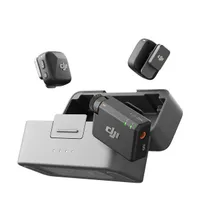
The GoPro’s wireless mic range is plenty for recording with a GoPro or a mirrorless camera with a standard lens. But the mic isn’t as far-reaching as some competitors at 150m – the DJI Mic Mini, for example, has a much longer 400m range. The GoPro Wireless Mic is also fixed frequency, so there’s no switching to a different channel if there’s interference.
But among similarly priced, beginner-friendly mics, the GoPro Wireless Mic also offers Bluetooth for connecting without any receivers, which may be particularly important in scenarios where a GoPro needs to maintain its waterproofing even as the mic stays dry.
The GoPro Wireless Mic is an easy choice for creators already working with GoPro thanks to that support for Bluetooth. But it’s a crowded arena for wireless mics that support smartphones and high-end cameras, and for creators not looking for Bluetooth, longstanding options like the DJI Mic Mini offer a longer range and more competitive price.
GoPro Wireless Mic Review: Alternatives
You may also like
For more mic recommendations across all skill levels, take a look at the best wireless mics.

