



Digital Camera World Verdict
The Godox A2 Xenon Flash provides both continuous and flash lighting, though its flash output is considerably more powerful than the 3W produced in continuous LED mode. So I wouldn't recommend it if you're primarily looking for a continuous light source for video footage. However, for smartphone portraits, the A2 excels. It's vastly more powerful than the iPhone's built-in flash, and by manually adjusting shutter speed, ISO, and flash strength in the Godox Camera app, you can strike the perfect balance between illuminating your foreground subject and revealing detail in background buildings. By positioning the A2 off-camera, you can also create more dramatic, three-dimensional lighting compared with the flat illumination produced by the iPhone's built-in flash.
Reasons to buy
- +
Provides on- and off-camera lighting
- +
TTL and manual modes
- +
Color temperature between 2800K and 6000K
- +
Powerful flash
Reasons to avoid
- -
Weaker 3W continuous LED light
- -
Currently iPhone-compatible only
- -
Only works via the Godox Camera app
Why you can trust Digital Camera World Our expert reviewers spend hours testing and comparing products and services so you can choose the best for you. Find out how we test.
In the past few years, I've swapped my old Canon DSLR for an iPhone as my main camera. When using the Canon, I also used a Canon Speedlite flashgun to add a dramatic burst of off-camera key lighting to a portrait, or fill in harsh shadows with a wash of fill light. Since adopting the iPhone as my main camera, I've not used flash, preferring instead to use continuous LEDs, such as those found in our video lights buying guide.
Continuous LEDs are very effective at adding drama to a portrait, but as I always shoot on location, they can be a bit bulky to transport. And when mounted on a tripod, they can be very conspicuous to the zealous eyes of security personnel who like to move you on from their patch.
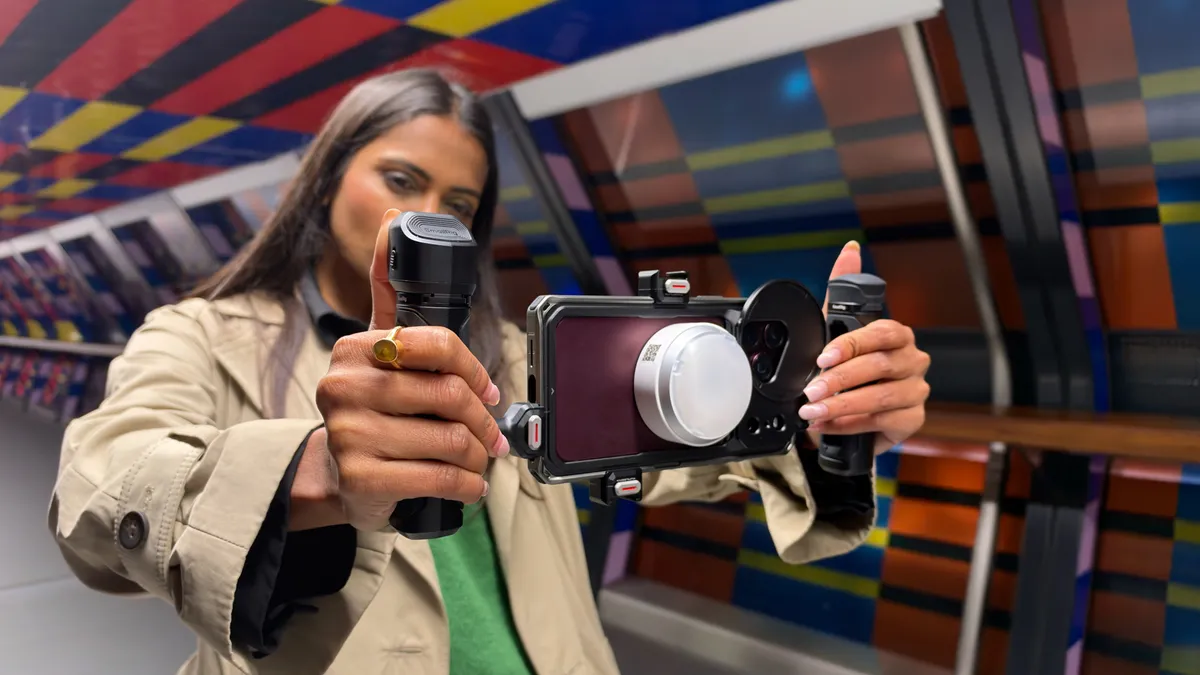
The beauty of the tiny dome-shaped Godox A2 is that it discreetly attaches magnetically to my iPhone 18 Pro Max (or to any suitable magnetic surface), enabling me to summon a powerful burst of on-camera or off-camera flash at the tap of the Godox Camera app's shutter button.
The Godox A2 is called a smartphone flash on the box, but it’s currently only compatible with iPhone 15 and upward, though the Godox site does indicate that an Android-compatible version is being planned. Interestingly, the A2 marks the return of Godox to smartphone flash photography after their release of the less powerful Godox A1, nearly a decade ago.

Godox A2: Specifications
Flash Guide Number (full power) |
Approx. GN15 (ISO 100 in meters) |
Flash Count (full power) |
Approx. 350 |
Recycle Time (full power) |
Approx. 2 sec. |
Exposure Control System |
TTL auto flash, manual flash |
Flash Power |
CRI≥98, TLCI≥98; Range 1/128 to 1/1; 1/3 step |
High-Speed Sync |
Supports 1/8000 sec, levels 1/128 to 1/1 |
Burst LED Power |
Approx. 18W |
Continuous Power |
Approx. 3W |
Color Temperature |
2800K – 6000K (via app) |
Battery Life on Continuous Power |
Approx. 1 hour |
Godox A2: Price
The Godox A2 Xenon Flash retails at $84.90 / £73.90. For this price, you get the flash unit itself, which attaches magnetically to compatible iPhones, plus a dome-shaped diffuser that attaches magnetically to the flash. This magnetic design also enables you to purchase additional Godox accessories, such as barn doors, to fine-tune the flash's output.
A smartphone flash is currently an unusual accessory, so it's hard to compare the A2's price with an equivalent product. However, I'd happily pay the asking price, as the A2 made a huge difference to my iPhone portraits, especially as I could manually adjust the flash's output alongside shutter speed and ISO tweaks made via the Godox Camera app. For a photographic accessory that offers this level of creative control, it's a reasonable price to pay.
Godox A2: Design & Handling
On unboxing the Godox A2, I was surprised at how compact it was – I could hide it by cupping it between my hands. Despite its compact size, it felt surprisingly weighty at 93g [3.3 oz], giving the impression of a solid, quality build. I presume much of the weight comes from the built-in rechargeable lithium-ion battery, which can be fully charged via its USB-C socket in approximately one hour.
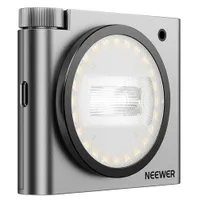
On the edge of the white plastic unit are two small circular buttons. A long press on one switches the flash on, while a short press triggers a test flash from the center of the unit. My test unit was white, but you can also purchase the A2 in black, or in an iPhone 18 Pro-compatible Burgundy.
The second circular button controls a ring of continuous bi-color LEDs surrounding the flash. A long press activates the LEDs, while shorter presses cycle through four color-temperature presets – 2800K, 3200K, 4500K, and 5600K. Using the Godox Camera app, you can access a wider color-temperature range, from a warm 2800K to a cooler 6000K. Between the two circular buttons are + and – controls that adjust the intensity of the continuous LED output.
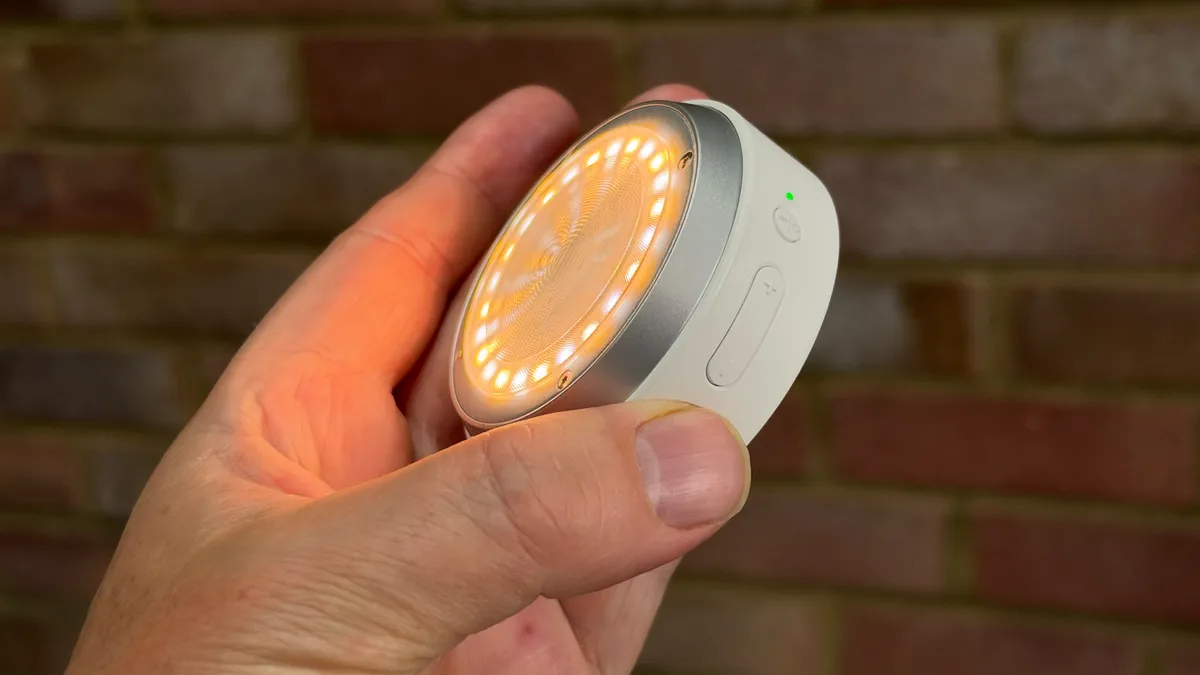
At the center of the ring of continuous LED bulbs is a tube containing xenon gas. Electrical energy is stored in a capacitor and then discharged through the gas, creating a fast burst of light that is powerful enough to freeze motion. This flash light is much more powerful than the continuous LEDs, which I barely used in my test.
The Godox A2 kit ships with a white dome that clamps magnetically to the front of the unit. This diffuser produces a softer, more flattering burst of flash (or a softer continuous light source).
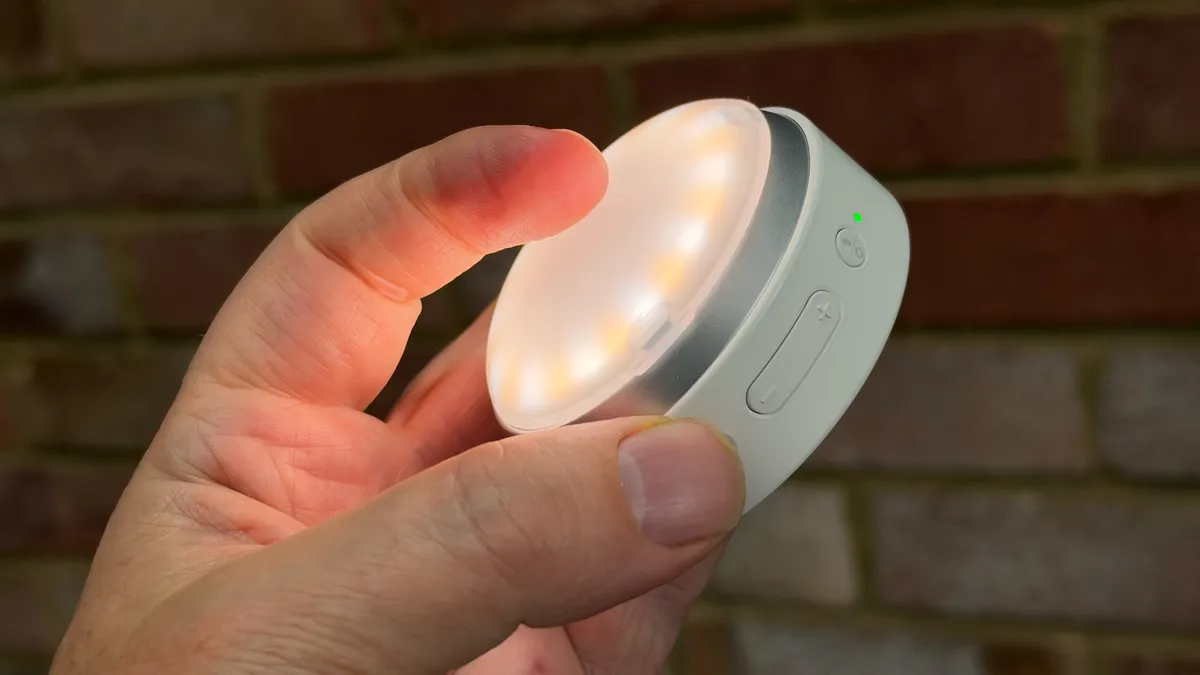
At the rear of the Godox A2 are built-in magnets that let it clamp securely to the back of a MagSafe-compatible iPhone. Godox says the flash and its supporting Camera app are compatible with iPhone 15 models and later, including the iPhone 16e, which doesn't have built-in MagSafe. That explains why the A2 ships with an adhesive magnetic ring. The ring also comes in handy if your iPhone is inside a thick protective case that weakens the magnetic connection.
Personally, I never use an iPhone case – I like to appreciate the iPhone’s design and show it off to others on a shoot. For me, putting my iPhone 18 Pro Max in a case is like leaving the plastic covering on a newly delivered sofa! So I’ll leave that redundant adhesive magnetic ring in the box! But I digress. Let's see how the A2 performed on a professional model shoot at night!
Godox A2: Performance
I began my test of the Godox A2 by pairing it with my iPhone 18 Pro Max. Normally, when testing a smartphone accessory, I need to fiddle around by pressing buttons on the device and then finding it in the iPhone's Bluetooth settings menu. The A2 offers a faster NFC (Near Field Communication) method to get the flash paired via Bluetooth with your iPhone.
Basically, you tap the flash against the top rear of the phone. The Godox Camera app pops up, then you confirm the connection, and you're ready to control the flash from within the app. I found this initial 'handshake' quick and easy to perform at home, and the iPhone automatically recognized the presence of the flash via Bluetooth when on location.
I then headed to Canary Wharf in London for a night shoot, where I rendezvoused with Maddy, my 'go-to' model when testing lights. Normally, I test continuous LEDs with her to shoot stills and clips, but I was keen to focus on using the Godox A2 as a flash to capture some dramatic nocturnal portraits.
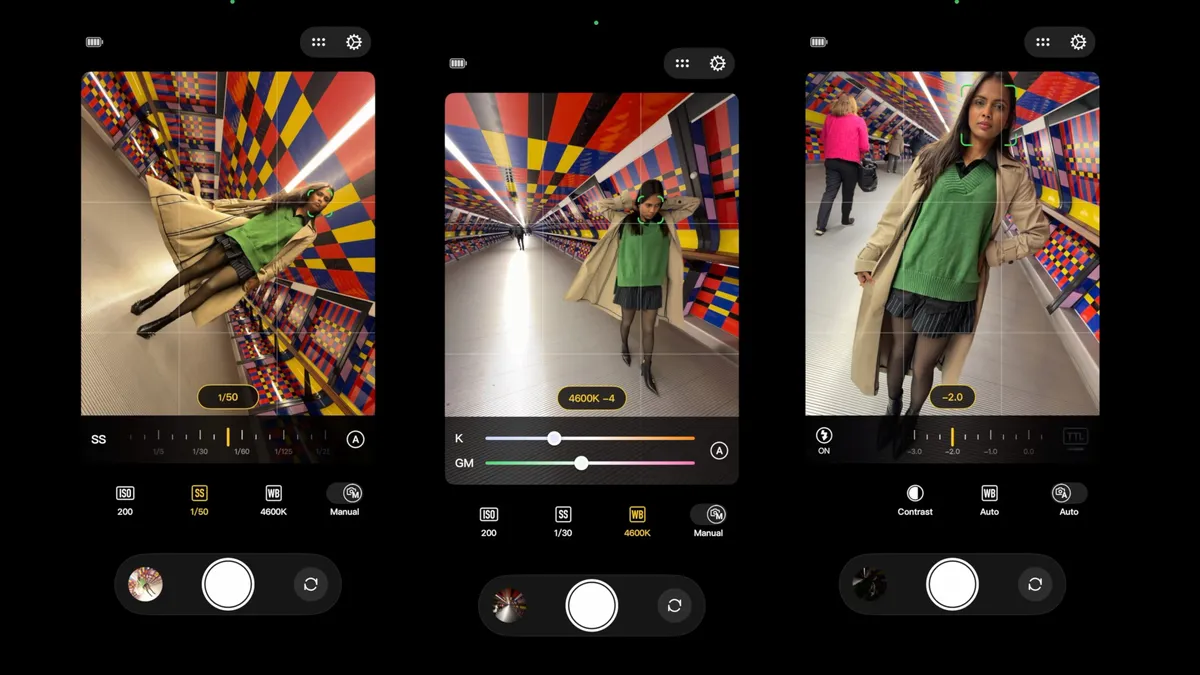
Before Maddy turned up, I popped the A2 onto the rear of my iPhone 18 Pro Max and powered it up. When it comes to smartphone flash photography, I never use the iPhone's built-in flash as it tends to underexpose the background, producing a flat-lit subject against black.
I usually shoot in the native Camera app's Night mode, which produces a more even exposure of the foreground and background, though it lacks the drama of an off-camera flash and the subject has to stand very still. I was therefore curious to see the difference that the A2 could make to shooting in a low-light location.
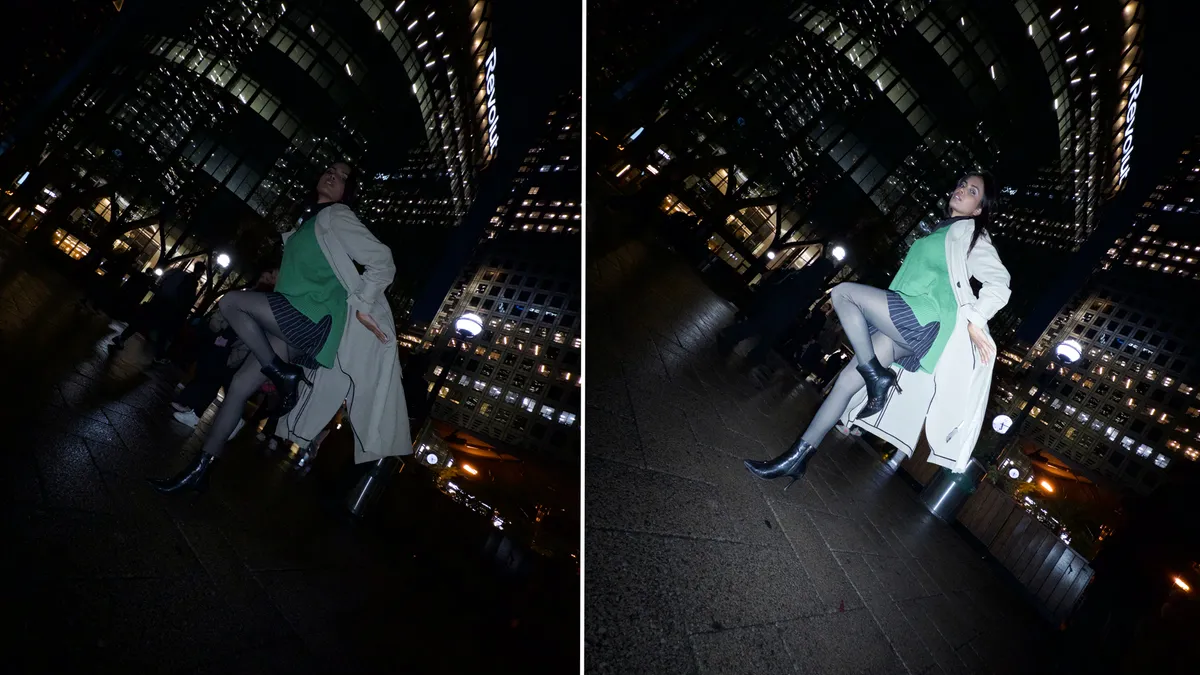
Using the A2 involved climbing a learning curve. I started off in TTL (Through-The-Lens) Auto mode, allowing the Godox Camera app and the A2 to automatically adjust the flash output to capture shots of Maddy against a nocturnal cityscape. This produced results similar to the iPhone flash, with a brightly lit subject standing against a dark, underexposed background. Check out the video below to see the flash in action.
I then switched to manual mode and used the Godox Camera app to experiment with getting the right balance between flash, ISO, and shutter speed. After a while, I could capture a well-exposed portrait of Maddy with the glowing city lights clearly visible in the background.

These shots looked good, but the on-camera position of the A2 meant that Maddy looked fairly flat. I removed the flash unit from the iPhone and got Maddy to hold it just out of shot. This added a more effective key light from a side angle, creating a mix of light and shade that brought out the shape of Maddy's facial contours.

After mastering the settings for shooting in the darker sections of Canary Wharf, I headed with Maddy into the colorful Crossrail Place tunnel – a popular destination for Instagram portrait photographers! I wanted to light Maddy from the side for some full-body action poses, so I was delighted to find a pillar that I could magnetically attach the Godox A2 to.

By this stage, I was enjoying the shoot a lot more. When shooting with Maddy in the past, she couldn't tell when I'd snapped a shot on my iPhone, so she'd change her poses quickly and regularly, assuming I was snapping away (which I was!). With the A2, it was very clear when a shot had been taken, thanks to the burst of flash. So this time my shoot was slower and more methodical, rather than the usual rapid-fire mode I used to engage in.

In TTL mode, the A2 fires a pre-flash to measure exposure, and there was a bit of a delay before the final burst captured the portrait. Autofocus could also take a moment, so I often had to ask Maddy to hold her pose until the final burst of flash had fired.
Sometimes a manually set flash portrait might have been underexposed, but as I’d set the Godox app to capture both JPEG and Raw files, I was confident that I could process problem shots to improve them, and I was delighted with the results!
Godox A2: Verdict
I loved shooting with the Godox A2. Using a burst of flash gave me a flashback (pun intended) to my DSLR/Speedlite days, even though I was shooting with an iPhone. The Godox Camera app enabled me to experiment with manually adjusting shutter speed, ISO, and even color balance to craft some dramatic nocturnal location portraits. This was more satisfying and rewarding than relying on the native Camera app's computational photography, which produces evenly lit but less dramatic night portraits.
The pre-flash delay did slow down the shooting progress, so spontaneous portraits might be more of a challenge to capture. But for future shoots, I'd certainly consider using the Godox A2, as it enabled me to enjoy some 'run-and-gun' portrait photography in a variety of locations. A tiny, magnetically attached A2 is going to slip under a security guard’s radar compared to a boxy continuous LED on a tripod. So if you want your smartphone portraits to look more like DSLR/mirrorless shots, especially in relation to professional off-camera lighting, then the Godox A2 is well worth investing in.
If you primarily shoot video, then the A2 does provide a continuous (but weaker than its flash) light source, so I’d recommend a more powerful device such as the Godox ML80Bi.
Features ★★★★★ |
The combination of xenon flash, continuous bi-color LEDs, TTL, and manual exposure controls makes the Godox A2 a versatile smartphone lighting accessory. NFC pairing and the Godox Camera app add useful functionality and creative control. |
Design ★★★★★ |
Compact, solidly built, and portable, the A2 attaches magnetically to an iPhone or suitable metal surface. The removable diffuser adds versatility, while the rechargeable battery and straightforward physical controls make it convenient to use. |
Performance ★★★★★ |
The Godox A2 delivered some dramatic night portraits, particularly when used off-camera. Manual exposure controls helped balance flash with ambient lighting, although the pre-flash delay sometimes interrupted the flow of a portrait shoot. |
Value ★★★★☆ |
For smartphone photographers looking to explore creative flash photography, the A2 offers an appealing alternative to more cumbersome lighting equipment. Its versatility and portability make it a worthwhile investment for portrait photographers, though it's not powerful enough for video shooters. |
Overall |
★★★★★ |
Alternatives