
The best digital photo frames offer a great way to showcase your favorite photos. Instead of being limited to a single printed image, you can upload a selection of shots and enjoy them in rotation. A major advantage over traditional frames is the ability to instantly display new images – no more waiting for prints, and no need to buy a new frame for each update. Whether you're displaying pictures of family and friends, vacation memories, wedding photos, or even short videos, there's a digital frame that suits your needs.
Today’s top digital frames are incredibly user-friendly. Unlike older models that require USB sticks or SD cards, all the frames in this guide are Wi-Fi-enabled and some store images in the cloud, allowing you to manage your gallery through a smartphone app. They variously use a touchscreen, touchbars, or a remote control to make navigation easy.
So, how do you choose the best digital photo frame? There are numerous styles to pick from, but you’ll also want to consider factors like screen size, storage capacity, and support for video and sound. If it’s a gift, think about the recipient too – some frames can even be preloaded with images without opening up their box.

Adam is the Guides Editor at Digital Camera World and has been working as a photography journalist for the past 15 years. He's long advocated that photographs need to be proudly displayed rather than hidden on hard drives and loves how easy digital photo frames make it to show off your best shots.
Best digital photo frames
Why you can trust Digital Camera World Our expert reviewers spend hours testing and comparing products and services so you can choose the best for you. Find out how we test.
Best premium photo frame

The Aura Aspen digital photo frame stands out from the crowd, offering several premium features at a competitive price point. Top of the list is its stunning 12-inch, 1600 x 1200 resolution display, which provides a crisp and vibrant viewing experience. Its minimalist design, available in Ink or Clay (black or gray), is enhanced by hidden Touch Bars for navigation, which helps to maintain a clean look by preventing fingerprints on the screen.
It offers unlimited photo and video storage by backing up content to Aura's servers rather than storing it on the frame itself. This feature requires a constant Wi-Fi connection, but the benefit is the ability to display a vast number of photos without being limited by internal storage. The companion Aura app also makes it simple to crop and rotate images, share access with friends and family, and even pre-load photos for gifting.
An auto-dimming light sensor that adjusts screen brightness to ambient light, and there's a built-in speaker for video playback. The only real drawback is the lack of a wall-mounting option, if that's your preference.
Read our full Aura Aspen review
Features ★★★★★ |
Auto dimming matches the ambient lighting and the hi-res display show of photos crisply |
Design ★★★★★ |
It looks like a real photo frame, with smart minimalist bezels and a textured 'card' inset |
Performance ★★★★★ |
Largely driven by the companion Aura app, managing images is easy |
Value ★★★★☆ |
It's an upmarket frame and more expensive than some, but it's worth it |
Best large photo frame

When it comes to displaying photographs, bigger is almost always better, and the Aura Walden is a big frame that is big on features. The oversized 15-inch display shows off photographs in stunning detail and sits within a well-proportioned surround that is textured to look like a genuine photo frame and should look good in any home.
Features such as auto-diming enable the display to suit the ambient lighting so that images are clear to see but not overly bright. The swipe bars are another nice touch, offering the ease of use of a touchscreen to navigate through images without getting greasy fingermarks over your photographs.
It's super-easy to upload images from multiple users' phones, thanks to the companion Aura app, and the ability to preload photos for gifting is fantastically implemented. The pixel density perhaps could be a little higher, but a big frame demands admiring pictures from afar. It's undeniably expensive, but it's a luxurious frame and one of the best that money can buy.
Read our full Aura Walden review
Features ★★★★★ |
It's super-easy to upload images – even before you take it of the box |
Design ★★★★★ |
It's an elegant, classically styled frame the suits modern decor |
Performance ★★★★★ |
The enormous 15in display is beautiful to behold; swipe bars save the screen from grubby fingerprints |
Value ★★★★☆ |
A big display comes with a big price tag; this is Aura's priciest frame yet |
Best high-resolution photo frame

There's a lot to like about the Lexar Pexar 11in digital photo frame. Perhaps the most important aspect of such a device is the quality of its screen, and this is an absolute cracker; packing 2.4 megapixels into 11 inches of real estate displays your images in beautifully crisp detail, while the full 100% sRGB color gamut ensures they are wonderfully vibrant too.
The 32GB storage should be enough for pretty much everyone and is oodles more than most other frames on the market, ensuring enough storage space for even the most trigger-happy photographer. But if that's still not enough, then SD card and USB-A and USB-C slots enable up to 1TB of storage.
The frame is Wi-Fi enabled, and it's a breeze for family members to share their shots via the Frameo app, no matter where they are in the world. There's no provision to upload files from a computer wirelessly though – you'll have to do it the old-fashioned way using a USB memory drive.
It's very well priced considering its feature set. Be aware that there's a choice of two models, the other having a marginally smaller 10.1-inch screen but at a much lower-res 1.02 megapixels. The price difference is minimal though, and I'd go for the 11-inch version every day of the week.
Read our full Lexar Pexar 11in photo frame review
Features ★★★★★ |
Great 2K display, 100% sRGB color gamut and ginormous 32GB of storage |
Design ★★★★☆ |
It's a nice-looking frame if minimalism is your thing |
Performance ★★★★☆ |
Sharing images from multiple users' phones is easy (from computers, not so much) |
Value ★★★★★ |
A well-specced frame for the price, but keep an eye for discounted deals |
Best multifunction photo frame

More than just a digital photo frame, the MorningBlues T2 is a commanding 30-inch statement piece that blends fine art, photo display, and powerful audio. Measuring a massive 25.2 × 19.3 × 2.1 inches and weighing 23.6 pounds, it immediately captures attention. I was thoroughly impressed by its 2K matte anti-glare display, which gives my high-resolution photos and the 100 included licensed gallery artworks a crisp, authentic look.
The built-in hi-fi stereo speakers deliver incredible room-filling sound with deep bass. One of my favorite features was the Scene Lyrics mode, which synchronizes song lyrics over animated backdrops while streaming via Bluetooth. Navigation via the companion app and the side-mounted "rainbow" touchbar felt intuitive and kept fingerprints off the screen.
However, I noticed a few drawbacks. It is strictly optimized for vertical orientation, meaning displaying landscape images isn't ideal. Additionally, the $1,499 price tag is quite steep, it lacks an auto-dimming ambient light sensor, and music playback relies entirely on keeping your phone within Bluetooth range. Overall, if you have deep enough pockets and want a hybrid audio-visual art display, it delivers a uniquely immersive experience.
Read our full MorningBlues T2 review
Features ★★★★★ |
With licensed artworks and a high-end speaker system, this is packed with features that elevate it far beyond a mere photo frame. |
Design ★★★★★ |
The frame itself is minimalist, with most of the control via the app. I really like the 'virtual' inner frame, that complements art and images perfectly. |
Performance ★★★★☆ |
Photographs and artwork look equally stunning and the audio system is top-notch, but it only works for portrait-orientation images, and there's no auto-dimming. |
Value ★★★½ |
There's no two ways about it, it's an expensive product at list price, but you're paying for a huge display, a top-end audio speaker, and all its other bells and whistles. |
Best widescreen photo frame

The Pexar Starlight 15.6in digital photo frame distinguishes itself from the rest with a large widescreen display and a unique ambient backlight. The 15.6-inch anti-glare touchscreen has a 1920 x 1080 resolution with a 16:9 aspect ratio, displaying photographs with good clarity and brightness. Its standout Gallery Lighting feature casts a warm golden glow on the wall behind the frame, creating a sophisticated, floating effect.
The frame itself has a wood-effect finish, offering a refreshing departure from standard black plastic bezels. A sturdy metal stand supports both portrait and landscape orientations, with auto-rotation functionality. It can also be hung on a wall with the supplied kit.
Powered by the popular Frameo app, setup and photo sharing are easy-peasy. Images can be transferred to its massive 64GB of internal storage via Wi-Fi, SD card, or USB, and with space for approximately 80,000 photos, that's more than enough for anyone. However, the 16:9 aspect ratio means standard 4:3 photos from smartphones will be cropped.
The Pexar Starlight is an upmarket choice for those who value aesthetics. Its large size and ambient lighting make it a centerpiece in any room. However, there's a premium price to be paid for its unique design elements.
Read our full Pexar Starlight 15.6in digital photo frame review
Features ★★★★★ |
This is a big display, and with enough storage for 80,000 photos, it's unlikely you'll run out of storage space any time soon. |
Design ★★★★★ |
The wood-effect surround is refreshing in a market dominated by minimalist black and white frames, and the glowing surround is stunning. |
Performance ★★★★☆ |
The touchscreen works well, and while the resolution isn't as high as some frames, you'd be hard-pressed to tell from a suitable viewing distance. |
Value ★★★★☆ |
It's one of the more expensive digital photo frames at full price, but is often discounted. You are paying for lovely quality, though. |
Best metal photo frame

The Arzopa D14 Metal Digital Picture Frame is a stylish, mid-sized digital frame that distinguishes itself from the competition with its premium build quality; the outer frame is made from genuine metal rather than the usual plastic. Available in Champagne Gold and Rose Gold finishes, the metal exterior is cold to the touch and adds a touch of class. One quirky design element is the rear panel, which is styled to look like a vintage phonograph.
It features a 14-inch IPS touchscreen with a 1920 x 1200 resolution and a 16:10 aspect ratio. With a pixel density of 160ppi and 300 nits of brightness, the frame produces sharp, detailed images with wide viewing angles suitable for various lighting conditions. However, the 67% sRGB color gamut is rather modest.
The frame comes with a generous 32GB of internal storage and offers unlimited cloud storage via the proprietary Arzopa app. However, the app is quite basic and lacks intelligent cropping, meaning 3:2 or 4:3 photos must be manually adjusted to fit the 16:10 screen.
The Arzopa D14 earns top marks for its elegant design and value for money. While the companion app and cropping logic could do with refinement, the frame remains a top recommendation for those seeking a premium-feeling digital display that doubles as a piece of home decor.
Read our full Arzopa D14 Metal Digital Picture Frame review
Features ★★★★☆ |
While not the very largest display, the 14-inch 1920 x 1200 panel shows off shots crisply and clearly, and the 32GB of storage is generous. |
Design ★★★★★ |
An actual metal frame certainly makes it stand out from the crowd, though the long prop means it can't be placed on narrow shelves. |
Performance ★★★☆☆ |
The touchscreen works well and it displays images brightly, but its lack of intelligent cropping and the finicky app are drawbacks. |
Value ★★★★★ |
As long as you get it at its discounted price, it's very good value for a frame of such build quality and size. |
Best photo frame for smart homes

It's best to think of the digital photo frame abilities of the Google Nest Hub as a nice extra, rather than its primary function. The 7-inch screen is much smaller than most dedicated photo frames, but it is nevertheless bright and punchy, and the pictures look good, just a bit small. It's a bit of a pain to set up initially, with a lot of hopping between apps required, but that's soon forgotten once you've got it working.
There are other limitations. It can only be set in landscape orientation, and you don't have any control over the way images are cropped. But in the same way that phones aren't the best cameras but are used to take the most pictures, the beauty of the Goole Nest Hub as a photo frame is that it's a highly practical device that's designed to take the knocks and shocks of busy environments such as kitchens, rather than tucked safely away on a shelf, and as such will probably be used to view more photos day to day.
And it is incredibly good value, considering everything else it does, from streaming music and video, tackling pretty much any questions you might throw at it, and sitting at the heart of a smart home system to control satellite speakers, turn down the lighting, show who's at the door, and even change channels on your TV.
Read our full Google Nest Hub review
Features ★★★★★ |
It's a Wi-Fi connected assistant and smart speaker too! |
Design ★★★★☆ |
It doesn't look too much like a picture frame and the white surround is plasticky, but it's very robust |
Performance ★★★★☆ |
Teeny screen and limited control over how photos are displayed, but a supremely practical way to view them |
Value ★★★★★ |
Remarkable value for clever piece of home tech – as long as you use its other functions |
Best AI photo frame

The Homture Magic Frame is an innovative addition to the digital photo frame market. Its standout feature is its integrated AI motion technology, which successfully animates static images into realistic movements, like waving or blinking, within just a few minutes.
Visually, the frame sports a sleek, minimalist aesthetic with a thin black outer border and a deep white paper-effect mount that blends beautifully with home decor. The 10.1-inch anti-glare touchscreen boasts a crisp 1920x1200 resolution, displaying photos with impressive detail and accurate color replication. There's a generous 64GB of local storage, unlimited AWS-backed cloud storage, and a radar sensor that triggers animations when you enter the room.
The AI animations are certainly impressive, but the credit-based system for generating AI videos can become costly over time once your initial welcome credits are used up. Additionally, I found the lack of direct cloud syncing to popular platforms like Google Photos or iCloud Photos to be quite limiting, making regular image management a bit clunky.
Read our full Homture Magic Frame review
Features ★★★★☆ |
AI video generation is an impressive innovation but I can't see it being particularly popular at the moment. |
Design ★★★★☆ |
A smart, classy frame with a high resolution display. Also supports portrait and landscape orientations. |
Performance ★★★★☆ |
Impressive generative AI results, although the lack of direct cloud syncing is problematic. |
Value ★★★☆☆ |
More affordable digital photo frames are available, especially if you don't care for AI functionality. |
Best photo frame for wall-hanging

The Aura Ink uses an e-ink display instead of a traditional LCD screen, giving photos the authentic look and feel of a physical, printed image. This 13.3-inch frame is the only one I'd hang on my living room wall, because its light-reflective technology makes images appear like real artwork, subtly adjusting to ambient light. That, and the frame's long-lasting, built-in rechargeable battery, which powers it for up to three months, eliminating the need for a power cord, allowing the frame to be genuinely wall-mounted without unsightly wires.
In terms of performance, the e-ink display uses a dithering algorithm to simulate millions of colors using only six primary colors. Up close, images can have a rather dotty appearance, but this is not without its charm, and I feel it only adds to the 'print' aesthetic. The frame changes images once per day by default, not only to conserve battery life but also because the transition takes around 20 seconds, during which the screen flickers like crazy.
It maintains Aura's excellent connectivity through the user-friendly Aura app, which offers unlimited cloud storage and the easy management of images from multiple users, including the ability to preload photos for gifting. However, launching at $499 (it's only available in the USA at the time of writing), the Aura Ink is significantly more expensive than other premium frames.
Read our full Aura Ink review
Features ★★★★★ |
With a battery that lasts up to three months and an innovative e-ink display, this frame houses some cutting-edge tech. |
Design ★★★★★ |
Photos actually look like printed pictures rather than a backlit display, and with no trailing cables it cries out to be hung on a wall. |
Performance ★★★★½ |
Pictures can look a little dotty, but that only adds to the 'print' aesthetic. Some images look better than others, however, and it can't show videos. |
Value ★★★★☆ |
This is innovative tech and you pay the price for it, but money no object this is the most covetable frame I've had the pleasure of using. |
Best Wi-Fi photo frame
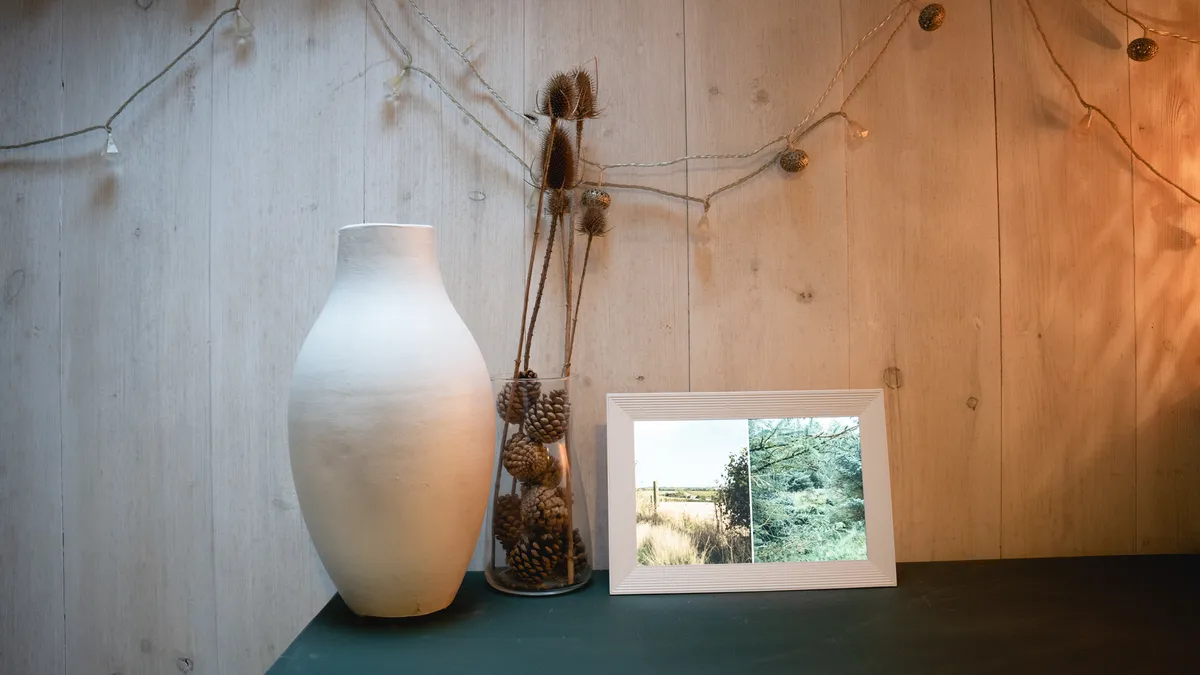
The Carver is Aura's most budget-friendly digital photo frame, but it doesn't really feel like a cheap option. It has the same high-quality finish and feel as the Aura Mason Luxe, and comes beautifully packaged, complete with braided cable and a set of three different plug adapters.
The one downside of the Aura Carver is that you can only use it in landscape mode – but that doesn't mean you can't load portrait photos onto it. Thanks to its Photo Match technology, the Carver frame will automatically pair portrait photos together and display them two at a time. Other smart features include automatic dimming, the ability to remove unwanted photographs using the frame, and the option to pre-load photos onto it, which is especially helpful when giving as a gift.
For the price, this is a high-quality, great-looking frame, and the fact that you can't use it in portrait mode isn't a huge issue. It does need a Wi-Fi connection to work, so it is not best suited to rooms with weak reception.
Read our full Aura Carver review
Features ★★★★☆ |
Easy setup, high-quality display and good-sized screen |
Design ★★★★☆ |
Excellent build quality, images are displayed clearly, but it can only be used in landscape mode |
Performance ★★★★½ |
App is easy to use and crisp hi-res display shows shots at their best |
Value ★★★★★ |
Attractive pricing for a top-quality frame |
Best photo frame for kids

The myFirst Frame Clario is a dedicated, child-friendly smart hub – think of it as a Google Nest Hub designed specifically for families – complete with digital photo frame functionality.
What sets this device apart is its emphasis on safe social connectivity. Through the myFirst Circle app, parents retain complete control over pre-approved contact lists, allowing kids to securely share photos, post short ShoutOut comments, and make two-way video calls using the built-in 2MP camera and noise-canceling dual microphones.
I particularly liked the top-mounted "Magic Button," which gives children a tactile, instant way to launch slideshows or start calls. The device itself is encased in durable, fingerprint-resistant matte polymers, and I was pleased to see a modern USB-C charging port. Beyond photo sharing, I enjoyed testing its custom ambient soundscapes, like Forest Stream, which double as relaxing white noise for bedtime.
On the downside, the 7-inch screen's 1024 x 600 resolution lacks sharpness, resulting in noticeable blurriness during video calls. Additionally, the 16-character limit on comments feels restrictive. Overall, if you need a secure, interactive family portal that doubles as photo frame, I highly recommend it.
Read our full myFirst Frame Clario review
Features ★★★★★ |
An abundant set of features with everything you'd expect from a smart hub. |
Design ★★★★☆ |
A durable and robust design that is only let down by the low-resolution 7-inch display. |
Performance ★★★★☆ |
An easy-to-use hub with excellent controls for protecting children. Unfortunately photos and videos lack definition. |
Value ★★★★☆ |
A premium price for a 7-inch photo frame, but when you throw in all the smart features, it becomes much more reasonably priced. |
Best budget photo frame

Among the better-known brands of digital photo frames, there are dozens of cheap and cheerful frames available on Amazon, eBay, and other marketplace websites, so how do these budget alternatives compare with their big-name counterparts?
The Aeezo Portrait frame has a standard 10.1-inch frame size and can upload images over Wi-Fi as well as from SD cards and USB memory drives. The LCD panel is surrounded by a black plastic bezel with a textured feel to it, which doesn't look particularly luxurious but doesn't look tacky either.
Sure, there are higher-resolution digital photo frames with larger screens around, and with more upmarket finishes, but I'm seriously impressed with the feature set that this budget frame offers for a very competitive price. Images are displayed crisply, the touchscreen is responsive, the 32GB storage is generous, and it's easy to adjust photos to fit properly within the frame. You can also add videos up to 15 seconds long, with sound played through its internal speakers, and it can be used in either portrait or landscape orientation – whereas some pricer brand-name frames are strictly for horizontal viewing only.
The Aimor app that powers the frame is perhaps not as well-rounded as some of its competitors, but it's perfectly functional and enables sharing from multiple users. For a fully featured frame with an affordable price tag, you really can't go wrong.
Read our full Aeezo Portrait review
Features |
Suprisingly well-specced, with 32GB memory, Wi-Fi connectivity and a touchscreen display |
★★★★☆ |
Design |
It feels plasticky and its stand design is clunky, but it's inoffensive enough |
★★★☆☆ |
Performance |
The touchscreen is responsive, but the Aimor app is functional rather than fantastic |
★★★★☆ |
Value |
The screen is only average, but considering the price, you really can't complain |
★★★★★ |
Best statement photo frame

With an expansive display and extensive feature set, the Pix-Star Lux 17-inch digital photo frame has a huge 17-inch screen and ornate design that sets it apart from more minimalist alternatives. While it may be large, the display is quite low resolution, though this is less of an issue when viewed from a distance.
The frame boasts unlimited cloud storage and 16GB of internal memory, providing ample space for a large photo collection. It also supports various connectivity options, including Wi-Fi, USB, and SD cards, offering flexibility in how users can upload images. The most straightforward method is to simply email images directly to the frame, which offers a different approach from the app-based methods of some competitors, and will be particularly welcome to those who edit images on their computer, rather than those who want to share smartphone snaps.
The frame is packed with a variety of bells and whistles, such as mini-games and internet radio, but most are likely to find these to be a short-lived novelty. But for its primary function as a digital photo frame, the Pix-Star Lux offers excellent value for its screen size, although the user interface could benefit from a more polished feel.
Read our full Star Lux 17-inch review
Features ★★★★★ |
Unlimited cloud storage combined with plenty of inbuilt memory offers the best of both worlds. And it has Snake! |
Design ★★★★☆ |
The ornate styling will be a matter of taste, but it's refreshing to see a frame that strays away from 'minimalism'. |
Performance ★★★★☆ |
It's capable of all sorts of transition tricks, but you'll likely want to keep things simple. |
Value ★★★★☆ |
You get a lot of screen for your money, and this offers a cost-effective way to show off your best shots big. |
How to choose the best digital photo frame
The main factors to weigh up while you choose your ideal digital photo frame include screen size, orientation and aspect ratio, and connectivity.
Screen size: Most digital frames are around 10 inches (measured on the diagonal), but you can go smaller or larger to suit your space. Screens with higher resolutions will show off more detail in your photos.
Orientation and aspect ratio: Most frames can be set up in either landscape or portrait orientation to match the way you shoot most of your images, but some only support landscape orientation. The aspect ratio is essentially the shape of the screen. Many digital frames have a relatively wide and narrow 16:10 or 16:9 ratio, similar to a TV. Some frames come in a 4:3 aspect ratio, which is a great choice if you want to showcase your smartphone photos, as most use the same default ratio. Bear the chief source of your photos in mind when you pick your frame.
Connectivity: With smartphone photography in mind, most digital frames have a Wi-Fi connection and are able to link with a free smartphone app for transferring images. Some frames offer slots for plugging in physical storage, such as SD cards or USB sticks. Think about the method that best suits how you take and share your photos.
How we test digital photo frames

Digital photo frames come in all shapes and sizes and cover a wide range of price brackets, but we fundamentally test them in the same way.
We see how easy it is to upload images onto the frame, from smartphones, computers and cloud services, and test all wireless and removable media options available. We see how easy it is to set up the frame out of the box, and try out all the functionality of inbuilt software and related apps.
Most importantly, we use a critical eye to determine how well it displays images, looking for faithful reproduction of colors, and checking for artifacts such as pixelation and banding. We appraise it in different ambient lighting, day and night, examining the display at a variety of viewing angles, to see how anti-glare coatings and matte finishes deal with reflections.
Finally, we look at the build quality and finish of the product and ask whether it's worthy of displaying your most treasured photographs while bearing in mind its purchase cost.
Find out more about how we test and review at Digital Camera World
Today's best prices compared

