





Most people get a summer holiday, and this year so did I, as I went to Valencia in Spain to play international chess. And see the sights, go to the beach, admire the architecture and drink Sangria. Obviously, I took a camera with me. However, wherever you go, don’t let those memories fade away; round up your photos and turn them into a photobook. Which you can then leave out on the coffee table for the next time an unsuspecting guest comes round.
The biggest issue to start with is deciding which photos to use from the hundreds that you invariably took. Ignoring the duplicates, the out-of-focus ones, the question to ask yourself is can you create an overall theme and/or can you put them into logical chapters? The theme is secondary, because it was a holiday after all, but if you want to use some of them to create a zine, for example, then you can make it less personal and more about the place itself. For this project, I decided I wanted a record of my adventures, with the option to create a ‘Streets of Valencia’ zine at a later date.
Creating your photobook
It’s all about organisation and preparation before you ever log in to a photo printing website
01 Create the structure

The first thing to do is decide on chapters for the images, organised by theme. So here I’m trawling through all the photos and picking out the best ones to go into six categories that will each have their own chapters. You can edit down the numbers once this initial selection is made.
02 Edit your photos
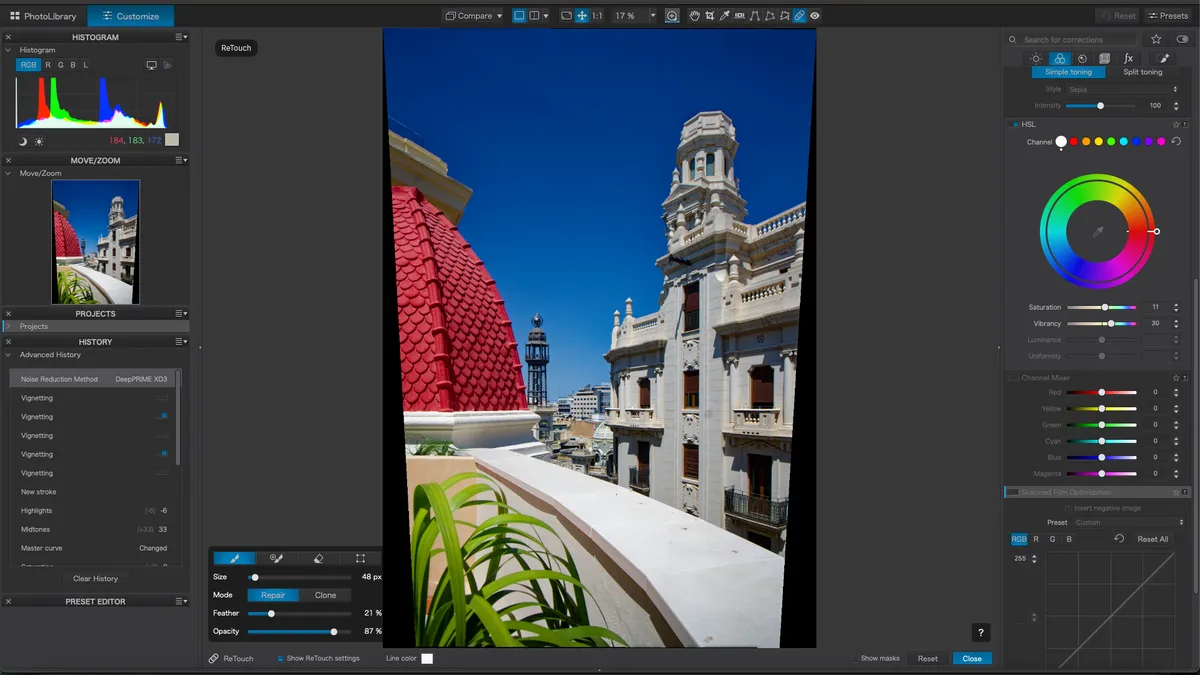
Having decided which ones to use, now it’s the fun job of correcting those harsh shadows, leaning verticals and where you dribbled ice cream onto the lens. So, edit away, clean them up and save your images as JPEGs, at 10/12 or 90% quality, which is what most websites will ask for.
03 Get photobooking
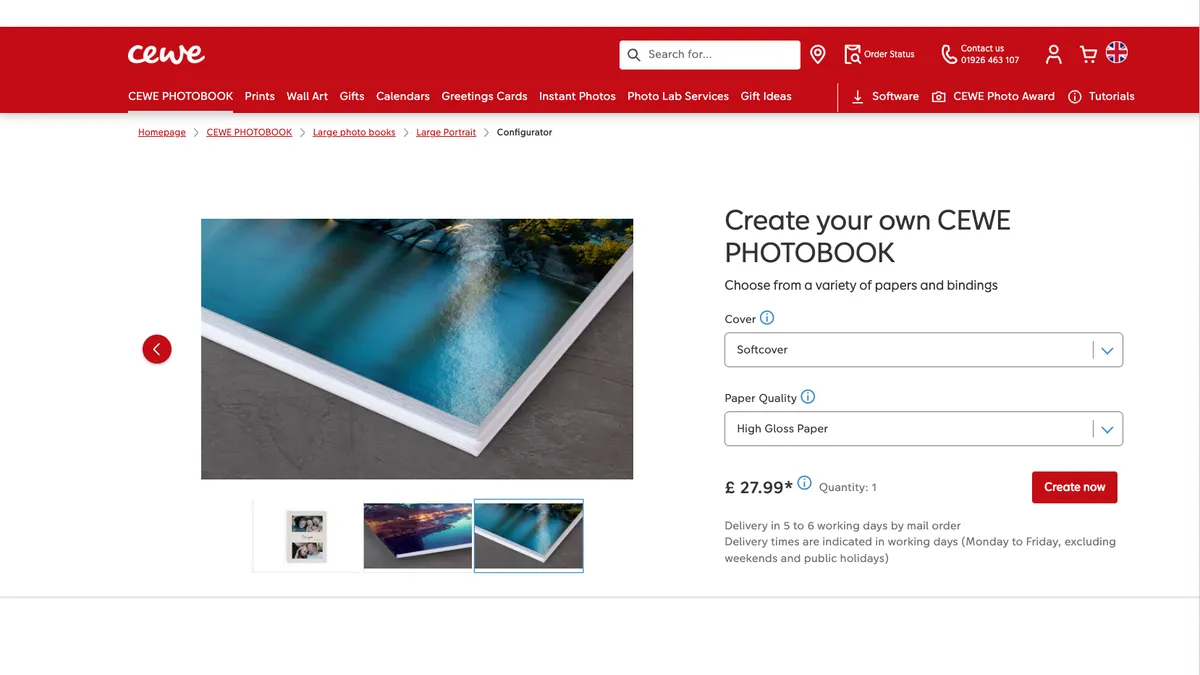
What service you use is up to you, but I went with Cewe so go to www.cewe.co.uk and select Photobook to start. You can download software to do the design, or on the webpages directly, which is the option used here. The first choice is softcover or hardback and paper quality.
04 Pick a design

Pretty much all software will have design templates, and the Cewe creator also has an automated feature if you want to put in lots of smaller photos. However, let’s go Manual and pick one of standard templates, which is Wanderlust. There are ones with masks for fancy designs, but these cost extra.
05 Add cover and photos

Drag and drop in your cover then add text for the title. There are icons on the left for photos, templates, text, clip art and to set background. On the right is the layout of the photobook itself with the total cost in the bottom right. If you click on Photos, it allows you to navigate to each specific folder.
06 Finish the design

Once you’ve added all your photos and text, it’s time to check the design, tweak where necessary and then click on Order. This then checks for missing photos and gives you the chance to go on or back. Pressing on you can specify how many books you want, and then go on to pay at the checkout.
What about other services?

This example used the Cewe photo service but there are plenty of others that you can try instead. Check out our guide to the best photo books to see our top choices.
Before you go...
There are a variety of photobook services that you could try out. Remember to use a photo editing package first to make your photos look good. Running out of storage, how about investing in an external hard drive?

